EasyManua.ls Logo

Panasonic TX-L47DT60E - User Manual

Panasonic TX-L47DT60E
207 pages
Print Icon
To Next Page IconTo Next Page
Loading...
e
HELP
English
TX-L42DT60E TX-L42DTW60
TX-L47DT60E TX-L47DTW60
TX-L50DT60E TX-L50DTW60
TX-L55DT60E TX-L55DTW60
TX-L60DT60E TX-L60DTW60

Table of Contents

Question and Answer IconNeed help?

Do you have a question about the Panasonic TX-L47DT60E and is the answer not in the manual?

Summary

Watching

my Home Screen

Instructions for accessing features and full-screen TV.

Basic

Covers essential setup and connection procedures for TV operation.

External equipment

Guides for connecting and using external devices like HDMI and AV.

For best picture

Settings and adjustments to optimize picture quality for viewing.

For best audio

Options for adjusting and selecting sound modes and settings.

TV Guide

Using TV Guide

How to navigate and view the electronic program guide for TV listings.

Teletext

Viewing Teletext

Instructions for accessing and navigating teletext information pages.

3 D

Viewing 3 D

How to enjoy 3D content and safety precautions during viewing.

3 D Settings

Customizing 3D display parameters like detection, depth, and picture swap.

Tuning and editing channels

Auto Setup

Automatically searching for and tuning receivable TV channels.

Manual Tuning

Manually searching for channels or adjusting reception.

Recording

USB HDD setup

Preparing and connecting a USB HDD for recording TV programs.

Recording current programme

One Touch Recording

Recording the current TV program to USB HDD immediately.

Timer Programming

Setting timer programming

Setting programs to be reminded or recorded via USB HDD.

Technical information

USB HDD

Specifications and usage guidelines for USB HDDs with the TV.

Internet service

Internet content

Accessing online content and applications via the APPS List.

Network connections

Guidance for establishing wireless or wired internet connections.

Network settings

Configuring network parameters for optimal internet connectivity.

Photos

Selecting file

Browsing and selecting photo files from connected media devices.

Using slideshow

Setting up and using the photo slideshow feature.

Videos

Watching video

Playing back video content and controlling playback.

Video Setup

Configuring settings for video playback, including subtitles and audio.

Music

Playing music

Playing back music files and controlling playback.

Music Setup

Setting up music playback options, including repeat and background music.

Media Player

Using Media Player

Overview and setup for enjoying media content on the TV.

Selecting device; mode

Choosing the media source and playback mode.

Photo mode

Selecting file

Selecting photo files for viewing or slideshow.

Sorting photos

Organizing photos by folder, date, or month.

Multi Shot 3 D

Creating 3D photos from pairs of images.

Settings

Picture

Adjusting picture settings like viewing mode, color, and sharpness.

Sound

Configuring sound modes, equalizer, and volume settings.

Network

Managing network connections, status, and remote settings.

Bluetooth devices

Bluetooth Setup

Pairing and configuring Bluetooth keyboards and audio devices.

Keyboard; Gamepad

Using keyboards and gamepads for TV input and control.

VIERA Link “HDAVI Control”

Summary of VIERA Link

Overview of HDMI Inter-Operability with Panasonic products.

VIERA Link Control

Controlling connected equipment remotely via the TV's signal receiver.

Child Lock

Using Child Lock

Setting access control for channels or inputs to prevent unwanted access.

Data Service Application

Using Data Service Application

Accessing interactive data services for digital broadcasting.

Common Interface

Using Common Interface

Accessing software and services via Common Interface (CI) Modules.

Shipping Condition

Shipping Condition

Resetting the TV to its original factory settings.

Updating the TV Software

Auto update

Automatically updating the TV's software for enhanced performance.

Voice Control

Voice Control Settings

Configuring language, speech detection, and terms for voice control.

Support

FAQs

Frequently asked questions for common troubleshooting scenarios.

Maintenance

Guidance on cleaning and maintaining the TV unit.

Optional accessories

Details on compatible accessories like 3D Eyewear and cameras.

Summary

Watching

my Home Screen

Instructions for accessing features and full-screen TV.

Basic

Covers essential setup and connection procedures for TV operation.

External equipment

Guides for connecting and using external devices like HDMI and AV.

For best picture

Settings and adjustments to optimize picture quality for viewing.

For best audio

Options for adjusting and selecting sound modes and settings.

TV Guide

Using TV Guide

How to navigate and view the electronic program guide for TV listings.

Teletext

Viewing Teletext

Instructions for accessing and navigating teletext information pages.

3 D

Viewing 3 D

How to enjoy 3D content and safety precautions during viewing.

3 D Settings

Customizing 3D display parameters like detection, depth, and picture swap.

Tuning and editing channels

Auto Setup

Automatically searching for and tuning receivable TV channels.

Manual Tuning

Manually searching for channels or adjusting reception.

Recording

USB HDD setup

Preparing and connecting a USB HDD for recording TV programs.

Recording current programme

One Touch Recording

Recording the current TV program to USB HDD immediately.

Timer Programming

Setting timer programming

Setting programs to be reminded or recorded via USB HDD.

Technical information

USB HDD

Specifications and usage guidelines for USB HDDs with the TV.

Internet service

Internet content

Accessing online content and applications via the APPS List.

Network connections

Guidance for establishing wireless or wired internet connections.

Network settings

Configuring network parameters for optimal internet connectivity.

Photos

Selecting file

Browsing and selecting photo files from connected media devices.

Using slideshow

Setting up and using the photo slideshow feature.

Videos

Watching video

Playing back video content and controlling playback.

Video Setup

Configuring settings for video playback, including subtitles and audio.

Music

Playing music

Playing back music files and controlling playback.

Music Setup

Setting up music playback options, including repeat and background music.

Media Player

Using Media Player

Overview and setup for enjoying media content on the TV.

Selecting device; mode

Choosing the media source and playback mode.

Photo mode

Selecting file

Selecting photo files for viewing or slideshow.

Sorting photos

Organizing photos by folder, date, or month.

Multi Shot 3 D

Creating 3D photos from pairs of images.

Settings

Picture

Adjusting picture settings like viewing mode, color, and sharpness.

Sound

Configuring sound modes, equalizer, and volume settings.

Network

Managing network connections, status, and remote settings.

Bluetooth devices

Bluetooth Setup

Pairing and configuring Bluetooth keyboards and audio devices.

Keyboard; Gamepad

Using keyboards and gamepads for TV input and control.

VIERA Link “HDAVI Control”

Summary of VIERA Link

Overview of HDMI Inter-Operability with Panasonic products.

VIERA Link Control

Controlling connected equipment remotely via the TV's signal receiver.

Child Lock

Using Child Lock

Setting access control for channels or inputs to prevent unwanted access.

Data Service Application

Using Data Service Application

Accessing interactive data services for digital broadcasting.

Common Interface

Using Common Interface

Accessing software and services via Common Interface (CI) Modules.

Shipping Condition

Shipping Condition

Resetting the TV to its original factory settings.

Updating the TV Software

Auto update

Automatically updating the TV's software for enhanced performance.

Voice Control

Voice Control Settings

Configuring language, speech detection, and terms for voice control.

Support

FAQs

Frequently asked questions for common troubleshooting scenarios.

Maintenance

Guidance on cleaning and maintaining the TV unit.

Optional accessories

Details on compatible accessories like 3D Eyewear and cameras.
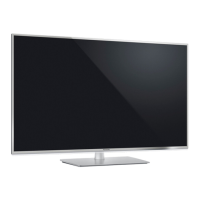
Panasonic TX-L47DT60E Specifications

General IconGeneral
BrandPanasonic
ModelTX-L47DT60E
CategoryLCD TV
LanguageEnglish

Related product manuals