EasyManua.ls Logo

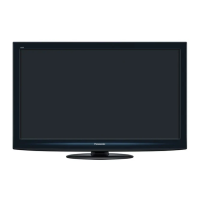
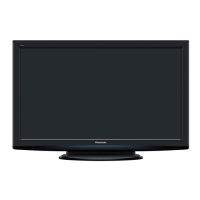
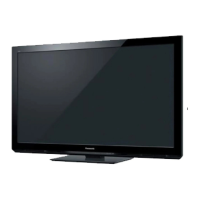
Panasonic TX-P42G20B - User Manual

Panasonic TX-P42G20B
108 pages
Print Icon
To Next Page IconTo Next Page
Loading...
TQB0E0903-1
Model No.
TX-P42G20B
TX-P46G20B
TX-P50G20B
Operating Instructions
Plasma Television
English
Thank you for purchasing this Panasonic product.
Please read these instructions carefully before operating this product and retain them for future reference.
The images shown in this manual are for illustrative purposes only.
“B” model no. suffix denotes UK model.
U.K. Standard
Question and Answer IconNeed help?

Do you have a question about the Panasonic TX-P42G20B and is the answer not in the manual?

Summary

Features

freesat HD tuner built-in

Built-in tuner for free digital satellite broadcasts in the UK.

DVB-T; DVB-T2 tuner built-in

Tuner for digital terrestrial broadcasts, supporting advanced DVB-T2.

VIERA CAST - Enjoy great web entertainment

Access internet content like photos, videos, and weather via a web interface.

Safety Precautions

Mains plug and lead

Warnings for safe electrical connection and handling of the plug and lead.

Take care

General advice on handling the TV, avoiding moisture, heat, and physical impact.

Accessories; Options

Standard accessories

List of items included with the TV for initial setup and operation.

Optional accessories

List of additional accessories available for purchase to enhance functionality.

Basic Connection

Example 1: Connecting dish or aerial

Instructions for connecting satellite dish or terrestrial aerial to the TV.

Example 2: Connecting DVD Recorder; VCR

Instructions for connecting external video devices like DVD recorders or VCRs.

Auto Setup

Enter your postcode

Required step for local channel tuning and sorting.

Setup the wireless LAN connection

Steps to connect the TV to a wireless network for internet services.

Watching TV

Select the mode (freesat, DVB, Analogue or Other Sat.)

Choose the broadcast reception mode for optimal viewing.

Select a channel

Instructions on how to change between available TV channels.

Using TV Guide

Select the genre and view TV Guide

Browse program listings by category for easy selection.

Timer Programming (freesat or DVB mode)

Set reminders or recordings for programs using the TV Guide.

Viewing Teletext

Digital teletext (MHEG)

Description of digital teletext services with graphics and text.

How to use

Guide to navigating teletext pages and using its functions.

Watching External inputs

Select the external input

How to select the signal source from connected external devices.

How to Use Menu Functions

Picture Menu Settings

Adjusting visual aspects like contrast, brightness, and color.

Sound Menu Settings

Adjusting audio aspects like mode, bass, treble, and volume.

Tuning and Editing Channels

List favourite channels Favourites Edit

Create custom lists of preferred channels for easy access.

Skip unwanted channels Channel List

Hide channels not intended for viewing from the channel list.

USB HDD Recording

Register and setup the USB HDD Device Setup

Prepare and configure a USB HDD for recording TV programs.

Using Media Player

Starting Media Player

Accessing and playing photos, videos, or music files from storage devices.

Photo mode

Viewing digital camera photos on the TV screen.

Using Network Services (DLNA; VIERA CAST; freesat)

Network connections

Setup for connecting the TV to a home network or the internet.

Network Setup

Configuring network parameters for DLNA, VIERA CAST, and freesat.

Link Functions (Q-Link; VIERA Link)

Summary of Q-Link and VIERA Link features

Overview of inter-device control capabilities for recorders and players.

FAQs

Block noise, frozen or disappearing image occurs...

Troubleshooting for picture issues like noise, freezing, or missing channels.

Neither image nor sound is produced

Troubleshooting steps for when there is no audio or video output.

Specifications

Specifications

Technical details about TV model, power, dimensions, and connectivity.

Summary

Features

freesat HD tuner built-in

Built-in tuner for free digital satellite broadcasts in the UK.

DVB-T; DVB-T2 tuner built-in

Tuner for digital terrestrial broadcasts, supporting advanced DVB-T2.

VIERA CAST - Enjoy great web entertainment

Access internet content like photos, videos, and weather via a web interface.

Safety Precautions

Mains plug and lead

Warnings for safe electrical connection and handling of the plug and lead.

Take care

General advice on handling the TV, avoiding moisture, heat, and physical impact.

Accessories; Options

Standard accessories

List of items included with the TV for initial setup and operation.

Optional accessories

List of additional accessories available for purchase to enhance functionality.

Basic Connection

Example 1: Connecting dish or aerial

Instructions for connecting satellite dish or terrestrial aerial to the TV.

Example 2: Connecting DVD Recorder; VCR

Instructions for connecting external video devices like DVD recorders or VCRs.

Auto Setup

Enter your postcode

Required step for local channel tuning and sorting.

Setup the wireless LAN connection

Steps to connect the TV to a wireless network for internet services.

Watching TV

Select the mode (freesat, DVB, Analogue or Other Sat.)

Choose the broadcast reception mode for optimal viewing.

Select a channel

Instructions on how to change between available TV channels.

Using TV Guide

Select the genre and view TV Guide

Browse program listings by category for easy selection.

Timer Programming (freesat or DVB mode)

Set reminders or recordings for programs using the TV Guide.

Viewing Teletext

Digital teletext (MHEG)

Description of digital teletext services with graphics and text.

How to use

Guide to navigating teletext pages and using its functions.

Watching External inputs

Select the external input

How to select the signal source from connected external devices.

How to Use Menu Functions

Picture Menu Settings

Adjusting visual aspects like contrast, brightness, and color.

Sound Menu Settings

Adjusting audio aspects like mode, bass, treble, and volume.

Tuning and Editing Channels

List favourite channels Favourites Edit

Create custom lists of preferred channels for easy access.

Skip unwanted channels Channel List

Hide channels not intended for viewing from the channel list.

USB HDD Recording

Register and setup the USB HDD Device Setup

Prepare and configure a USB HDD for recording TV programs.

Using Media Player

Starting Media Player

Accessing and playing photos, videos, or music files from storage devices.

Photo mode

Viewing digital camera photos on the TV screen.

Using Network Services (DLNA; VIERA CAST; freesat)

Network connections

Setup for connecting the TV to a home network or the internet.

Network Setup

Configuring network parameters for DLNA, VIERA CAST, and freesat.

Link Functions (Q-Link; VIERA Link)

Summary of Q-Link and VIERA Link features

Overview of inter-device control capabilities for recorders and players.

FAQs

Block noise, frozen or disappearing image occurs...

Troubleshooting for picture issues like noise, freezing, or missing channels.

Neither image nor sound is produced

Troubleshooting steps for when there is no audio or video output.

Specifications

Specifications

Technical details about TV model, power, dimensions, and connectivity.

Panasonic TX-P42G20B Specifications

General IconGeneral
Screen Size42 inches
Resolution1920 x 1080 pixels
Display TechnologyPlasma
HDMI Ports4
USB Ports2
Response Time0.001 ms
Built-in TunerYes
3D SupportNo
Speakers2 x 10W
Refresh Rate600 Hz
Contrast Ratio5, 000, 000:1
Power Consumption295W

Related product manuals