EasyManua.ls Logo

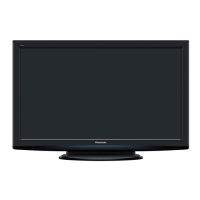
Panasonic VIERA TH-P42A20M - User Manual

Panasonic VIERA TH-P42A20M
48 pages
Print Icon
To Next Page IconTo Next Page
Loading...
TH-P42A2G
TH-P42A2S
TH-P42A20K
TH-P42A20M
TH-P42A20P
TH-P42A20R
TH-P42A20V
Plasma Television
English
TQB3EC0021
Thank you for purchasing this Panasonic product. Please read these
instructions before operating your set and retain them for future reference.
The images shown in this manual are for illustrative purposes only.
Question and Answer IconNeed help?

Do you have a question about the Panasonic VIERA TH-P42A20M and is the answer not in the manual?

Summary

Operating Instructions

Safety Precautions

Electrical and Handling Safety

Covers safe handling of mains plug, leads, and avoiding electrical shock hazards.

Placement and Environmental Safety

Warnings about heat, moisture, unstable surfaces, and using correct mounting.

Operational and Child Safety

Advises against modifying the TV, inserting objects, and handling SD cards safely.

Accessories; Options

Attaching the pedestal

Step-by-step guide on how to assemble and attach the TV pedestal.

Basic Connection

Connecting aerial

Instructions for connecting an aerial to the TV for receiving broadcast signals.

Identifying Controls

Remote control

Detailed explanation of all buttons and functions on the remote control for TV operation.

Auto Tuning

Search and store TV channels automatically

Guide on how to automatically scan and save available TV channels.

Watching TV

Watching External inputs

How to Use VIERA TOOLS

How to Use Menu Functions

Tuning and Editing Channels

Child Lock

Shipping Condition (Reset settings)

Factory Reset Procedure

Steps to reset the TV to its original factory settings, erasing all configurations.

Viewing from SD Card

VIERA Link Functions

VIERA Link HDAVI Control

Details on how HDAVI Control enables interoperability between Panasonic devices.

External Equipment

Maintenance

FAQS

Summary

Operating Instructions

Safety Precautions

Electrical and Handling Safety

Covers safe handling of mains plug, leads, and avoiding electrical shock hazards.

Placement and Environmental Safety

Warnings about heat, moisture, unstable surfaces, and using correct mounting.

Operational and Child Safety

Advises against modifying the TV, inserting objects, and handling SD cards safely.

Accessories; Options

Attaching the pedestal

Step-by-step guide on how to assemble and attach the TV pedestal.

Basic Connection

Connecting aerial

Instructions for connecting an aerial to the TV for receiving broadcast signals.

Identifying Controls

Remote control

Detailed explanation of all buttons and functions on the remote control for TV operation.

Auto Tuning

Search and store TV channels automatically

Guide on how to automatically scan and save available TV channels.

Watching TV

Watching External inputs

How to Use VIERA TOOLS

How to Use Menu Functions

Tuning and Editing Channels

Child Lock

Shipping Condition (Reset settings)

Factory Reset Procedure

Steps to reset the TV to its original factory settings, erasing all configurations.

Viewing from SD Card

VIERA Link Functions

VIERA Link HDAVI Control

Details on how HDAVI Control enables interoperability between Panasonic devices.

External Equipment

Maintenance

FAQS

Panasonic VIERA TH-P42A20M Specifications

General IconGeneral
Screen Size42 inches
Display TypePlasma
Resolution1920 x 1080
Aspect Ratio16:9
HDMI Ports3
USB Ports1
Component Video Input1
Composite Video Input1
PC Input1
Viewing Angle178 degrees
Weight26 kg
Contrast Ratio2, 000, 000:1

Related product manuals