Watching TV
3D
Replacing the battery
_ST60_ST60X_
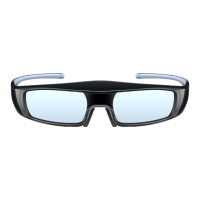
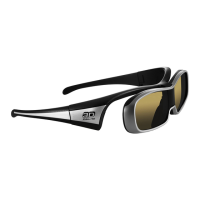
When the battery is running low, the indicator lamp flashes 5 times on turning
the 3D Eyewear on.
In this case, early battery replacement is recommended.
_ST60_ST60X_
Dispose of the old batteries as non-burnable rubbish, or in line with the
waste disposal regulations in your local area.
_ST60_ST60X_
1 Open the cover using pen tip or screwdriver (minus -) etc.
_ST60_ST60X_
_ST60_ST60X_
2 Replace the battery
_ST60_ST60X_
If difficulty, remove it with the tip of the driver.
Use the specified type of battery (coin-shaped lithium battery
CR2025).
Note the correct polarity (+ or -).
_ST60_ST60X_
_ST60_ST60X_
3 Replace and fasten the cover
_ST60_ST60X_
When the battery is running low, the indicator lamp flashes 5 times on turning
the 3D Eyewear on.
In this case, early battery replacement is recommended.
When the battery is running low, the indicator lamp flashes 5 times on turning
the 3D Eyewear on.
In this case, early battery replacement is recommended.
Dispose of the old batteries as non-burnable rubbish, or in line with the
waste disposal regulations in your local area.
Dispose of the old batteries as non-burnable rubbish, or in line with the
waste disposal regulations in your local area.
1 Open the cover using pen tip or screwdriver (minus -) etc.1 Open the cover using pen tip or screwdriver (minus -) etc.
2 Replace the battery2 Replace the battery
If difficulty, remove it with the tip of the driver.
Use the specified type of battery (coin-shaped lithium battery
CR2025).
Note the correct polarity (+ or -).
If difficulty, remove it with the tip of the driver.
Use the specified type of battery (coin-shaped lithium battery
CR2025).
Note the correct polarity (+ or -).
3 Replace and fasten the cover3 Replace and fasten the cover
4 (0100807)







 To Next Page