
 Need help?
Do you have a question about the Panasonic Viera TC-P60ST30 and is the answer not in the manual?
Provides essential guidelines for safe product operation and handling to prevent hazards.
Highlights specific warnings and cautions related to the television set, including setup and physical safety.
Offers safety recommendations from the Consumer Electronics Association regarding child safety with flat panel displays.
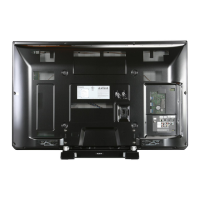
Identifies and illustrates the various input/output terminals on the TV for connecting external devices.
Details the best method for connecting audio/video devices via HDMI for high-definition quality.
Explains the function of each button on the TV's remote control for comprehensive operation.
Guides the initial step of powering on the TV for the first-time setup procedure.
Details how to select language and viewing environment settings for optimal picture quality.
Guides the user through setting up antenna or cable connections for channel scanning and reception.
Guides the initial setup of network connections for internet access and smart features.
Confirms the completion of the initial setup process and provides guidance on watching TV.
Shows how to access the VIERA TOOLS menu for quick access to special TV features.
Guides on accessing the menu to select the desired input source for external devices.
Provides essential safety and viewing guidelines to ensure a comfortable and proper 3D experience.
Introduces the capabilities of the Media player for viewing photos, videos, and music from storage devices.
Guides users through selecting and playing media files from connected storage devices.
Explains how to connect compatible devices via HDMI for integrated control and high-quality audio/video.
Illustrates connection methods for DVD recorders, home theater systems, and camcorders using VIERA Link.
Guides on accessing and enabling VIERA Link functions through the TV's setup menu.
Covers key VIERA Link features like automatic input switching, power linking, and energy saving modes.
Introduces VIERA Connect for accessing cloud-based services and internet applications.
Provides instructions on connecting the TV to the internet via wired or wireless network methods.
Guides users through configuring network settings, including connection tests and status checks.
Covers detailed setup for wireless networks, IP/DNS, and proxy settings for internet connectivity.
Explains how to select DLNA servers and content, and view/play media files from the network.
Covers the initial setup and operation for antenna and cable TV reception.
Explains how to manually tune, add, or skip channels and manage favorite lists.
Shows how to access the main menu structure for TV settings and adjustments.
Provides detailed options for adjusting picture quality, including mode, contrast, brightness, and color.
Explains how to adjust audio quality, including bass, treble, balance, and AI sound features.
Covers features for locking channels, programs, or VIERA Connect access to prevent unauthorized viewing.
Addresses common problems related to picture display, such as no image, poor quality, or aspect ratio issues.
Solves common sound problems like no audio, distorted sound, low volume, or incorrect language.
Addresses problems related to internet connectivity, software updates, and network services.
Helps resolve common problems encountered during 3D viewing, including eye-strain and image reversal.
 General
| Screen Size | 60 inches |
|---|---|
| Display Type | Plasma |
| Resolution | 1920 x 1080 |
| 3D Technology | Yes |
| HDMI Ports | 3 |
| Ethernet Port | Yes |
| Smart TV | Yes |
| Refresh Rate | 600 Hz |
| Audio Output | 20W (10W x 2) |
| Contrast Ratio | 5, 000, 000:1 |
| Inputs | HDMI, Component, Composite, USB, Ethernet |



 To Next Page
