EasyManua.ls Logo

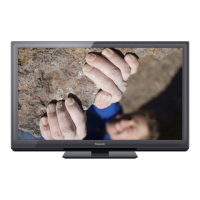
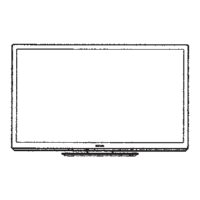
Panasonic Viera TC-P60U50 - User Manual

Panasonic Viera TC-P60U50
42 pages
Print Icon
To Next Page IconTo Next Page
Loading...
Panasonic
Model No.
TC=P6OU50
I I Thank you for purchasing this Panasonic product.
English
I
Please read these instructions before operating your set and retain them for future
reference. The images shown in this manual are for illustrative purposes only.

Table of Contents

Other manuals for Panasonic Viera TC-P60U50

Question and Answer IconNeed help?

Do you have a question about the Panasonic Viera TC-P60U50 and is the answer not in the manual?

Summary

TV Safety Guidelines and Warnings

Essential Safety Instructions

Essential instructions for safe operation and handling of the apparatus.

TV Set Installation and Usage Warnings

Safety advice and warnings specific to the TV set installation and use.

Regulatory Compliance and Child Safety

FCC Compliance and Device Operation

Compliance information regarding FCC rules and cautionary advice for device operation.

Child Safety Notices for Flat Panel Displays

Guidelines and warnings for child safety related to flat panel display installation and use.

TV and Remote Control Identification

TV Unit Controls and Indicators

Identifies physical buttons, sensors, and indicators on the TV unit.

Remote Control Button Functions

Explains the function of each button on the TV's remote control.

First Time TV Setup Procedure

Initial TV Power-On Sequence

Instructions on powering on the TV for the initial setup sequence.

Initial TV Configuration Settings

Steps for setting language, channels, input labels, and clock during first-time setup.

Watching TV Channels

Basic Channel Tuning

How to turn on the TV and select channels using the remote or TV buttons.

External Devices and Sleep Timer

Viewing Content from External Devices

Steps to select input sources and view content from connected external devices.

Using the Media Player

Media Player File Viewing

VIERA Link and HDAVI Control

HDAVI Control Functionality

Details on the operations enabled by the HDAVI Control function in compatible equipment.

VIERA Link Connection Examples

Setting Up VIERA Link

Accessing the VIERA Link Menu

Steps to navigate to and select the VIERA Link settings menu.

Enabling and Customizing VIERA Link

Instructions on turning VIERA Link on and configuring its various options.

VIERA Link Feature Descriptions

Operating the VIERA Link Menu

Editing and Setting TV Channels

Antenna;Cable Setup Configuration

Configuring the TV for antenna or cable reception.

Automatic Channel Scanning Process

Instructions for automatically searching and saving available TV channels.

Manual Channel Setup and Signal Meter

Manual Channel Editing and Favorites

Manually adding, editing, or skipping channels and managing favorites.

Signal Strength Meter Function

How to check the TV signal strength for optimal reception.

How to Use TV Menu Functions

TV Care and Cleaning Procedures

Frequently Asked Questions (FAQ) - Picture

Picture Display Troubleshooting FAQs

Answers to common questions about picture display issues like no picture or black bars.

Picture and General Troubleshooting FAQs

FAQs covering snowy pictures, chaotic images, dark spots, and brightness changes.

Frequently Asked Questions (FAQ) - Sound & Other

Sound and Connection Troubleshooting FAQs

Answers to questions about sound issues, connections, and remote control problems.

Menu and Reset Troubleshooting FAQs

Information on grayed-out menu items and resetting the TV to factory defaults.

TV Technical Specifications

Limited Warranty (USA & Puerto Rico)

Limited Warranty (Canada)

Panasonic Viera TC-P60U50 Specifications

General IconGeneral
BrandPanasonic
ModelViera TC-P60U50
CategoryPlasma TV
LanguageEnglish

Related product manuals