EasyManua.ls Logo

Panasonic Viera TH-37PH10 - User Manual

Panasonic Viera TH-37PH10
53 pages
Print Icon
To Next Page IconTo Next Page
Loading...
TH
-42PS9
T
H
-
4
2
P
S
9
English
TQB2AA0802-1
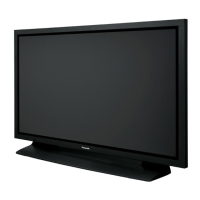
The illustration shown is an image.
Before connecting, operating or adjusting this product, please read these instructions completely.
Please keep this manual for future reference.
La ilustración mostrada es una imagen.
Antes de conectar, utilizar o ajustar este producto, lea completamente este manual de instrucciones;
y guárdelo para consultarlo en el futuro en caso de ser necesario.
Español
Operating Instructions
Manual de instrucciones
High De nition Plasma Display
Pantalla de Plasma de Alta De nición
TH-37PH10UK
TH-42PH10UK
TH-50PH10UK
TH-58PH10UK
Model No.
Número de modelo.

Other manuals for Panasonic Viera TH-37PH10

Questions and Answers

  • A
    Alexis OwensAug 14, 2025
    What to do if my Panasonic Viera TH-37PH10 Monitor has no picture and no sound?
    • K
      Kimberly WeaverAug 14, 2025
      If your Panasonic Monitor displays no picture and no sound, first ensure the unit is properly plugged into the AC outlet and switched on. Then, check the PICTURE and BRIGHTNESS/Volume settings to see if they are appropriately adjusted.
  • C
    Chris BlakeAug 17, 2025
    Why is my Panasonic Viera TH-37PH10 Monitor remote control not working?
    • T
      teresawoodAug 17, 2025
      If your Panasonic Monitor remote control isn't working, check if the batteries have run out or are not inserted correctly. Also, make sure the remote control sensor isn't exposed to bright light (like outdoor light or strong fluorescent light) and that you're using the correct remote for the unit.
  • H
    Haley HessAug 20, 2025
    How to fix no sound on Panasonic Viera TH-37PH10 Monitor?
    • S
      Shelley FreemanAug 20, 2025
      If your Panasonic Monitor has no sound, check whether the mute function has been activated on the remote control.
  • D
    David MartinAug 25, 2025
    What to do if my Panasonic Monitor has no color?
    • E
      Emily JenkinsAug 25, 2025
      If your Panasonic Monitor displays no color, check if the color controls are set to the minimum level. Also, check the COLOR SYSTEM settings.
  • A
    aowensAug 27, 2025
    Why do I hear sounds coming from inside my Panasonic Monitor?
    • A
      Alan MaysAug 27, 2025
      If you hear sounds coming from inside your Panasonic Monitor, it may be the sound of the display panel being driven when the power is turned on.
  • E
    Elizabeth BarnettAug 30, 2025
    Why are there missing images when I zoom on my Panasonic Monitor?
    • E
      Elizabeth VaughanAug 30, 2025
      If areas at the top and bottom of the screen where the image is missing appear when you use the zoom function on your Panasonic Monitor, it may be because you are using a video software program with a screen wider than one in the 16:9 mode, which creates blank areas separate from the images at the top and bottom of the screen.
  • J
    Jasmine TaylorSep 3, 2025
    How to prevent image retention on a Panasonic Viera TH-37PH10?
    • E
      Emily DorseySep 3, 2025
      If image retention appears on your Panasonic Monitor, avoid displaying a still picture for an extended period.
  • G
    george01Sep 6, 2025
    Why does it take a while for the picture to appear on my Panasonic Monitor?
    • S
      sean63Sep 6, 2025
      If your Panasonic Monitor takes a while for the picture to appear, it's because the unit digitally processes the various signals to reproduce aesthetically pleasing images.
  • N
    Natalie RodriguezSep 9, 2025
    Why does my Panasonic Viera TH-37PH10 Monitor make a cracking sound sometimes?
    • A
      Ariana ChavezSep 10, 2025
      If you sometimes hear a cracking sound from your Panasonic Monitor, this is the sound of the cabinet undergoing very slight contractions in response to changes in the room temperature.

Summary

Operating Instructions and Model Information

Safety Precautions and Warnings

Important Safety Instructions

Provides a numbered list of critical safety instructions for product operation.

General Warnings and Hazards

Covers risks of electric shock, fire, and damage from moisture.

Operational Safety and Maintenance

Connecting Signals and Cables

PC Input Terminal Connection

Guide for connecting a computer via the Mini D-sub 15P terminal.

AV and Component;RGB Input

Connecting various audio-visual sources like DVD, VCR, and camcorders.

Powering the Display On;Off

Basic Controls and Remote Functions

Remote Control Button Guide

Overview of key buttons on the remote control and their functions.

On-Screen Menu Navigation

Accessing and Using Menus

How to navigate through the on-screen display menus.

Picture Aspect Ratio Adjustment

Changing Aspect Mode

Options for adjusting the picture's aspect ratio (e.g., NORMAL, ZOOM).

Multi-Picture Display Modes

Multi PIP Operation Guide

How to use Picture-in-Picture (PIP) and swap images.

Picture Quality Settings

Standard Picture Adjustments

Settings for brightness, color, tint, and sharpness.

Advanced Picture Enhancements

Detailed adjustments for black extension, input level, gamma, and white balance.

Sound Settings and Muting

Audio Adjustment Options

Settings for bass, mid, treble, balance, and surround sound.

Timer Functions Setup

Setting Present Time and Timers

How to set the current time and configure the setup timer.

Screensaver for Image Retention

Screensaver Configuration

Setting up the screensaver function, modes, and timing.

Multi-Display System Setup

Input Signal Settings

Advanced Options and Customization

Weekly Command Timer Programming

Troubleshooting Guide

Diagnosing Picture;Sound Issues

Checks for common picture and sound problems.

Product Technical Specifications

Warranty and Service Information

Limited Warranty Terms

Details of the product's limited warranty coverage and exclusions.

Panasonic Viera TH-37PH10 Specifications

General IconGeneral
BrandPanasonic
ModelViera TH-37PH10
CategoryMonitor
LanguageEnglish

Related product manuals