EasyManua.ls Logo

Panasonic Viera TH-65PF9 - User Manual

Panasonic Viera TH-65PF9
95 pages
Print Icon
To Next Page IconTo Next Page
Loading...
Operating Instructions
Manual de instrucciones
High Defi nition Plasma Display
Pantalla de Plasma de Alta Defi nición
TQB2AA0721-1
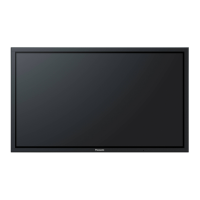
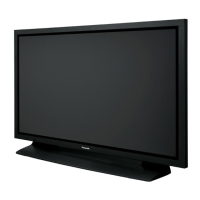
The illustration shown is an image.
Before connecting, operating or adjusting this product, please read these instructions completely.
Please keep this manual for future reference.
TH-65PF9UK
Model No.
Número de modelo.
La ilustración mostrada es una imagen.
Antes de conectar, utilizar o ajustar este producto, lea completamente este manual de instrucciones;
y guárdelo para consultarlo en el futuro en caso de ser necesario.
English
Español

Table of Contents

Questions and Answers

  • J
    jillianwaltersJul 30, 2025
    What to do if there is no picture on my Panasonic Monitor?
    • N
      nelsonamandaJul 30, 2025
      If your Panasonic Monitor shows no picture, first ensure the unit is plugged into an AC outlet and switched on. Next, check the PICTURE and BRIGHTNESS/Volume settings by pressing the power switch or stand-by button on the remote control.
  • J
    Julie Yang DDSAug 4, 2025
    Why is my Panasonic Viera TH-65PF9 Monitor remote control not working?
    • M
      Mark SchmidtAug 4, 2025
      If your Panasonic Monitor remote control isn't working, check these possible causes: * Ensure the batteries aren't completely discharged and are inserted correctly. * Verify the remote control sensor isn't exposed to outdoor light or strong fluorescent light. * Confirm you're using the remote control specifically designed for use with the unit.
  • E
    Erika RobertsonAug 9, 2025
    How to fix cut off picture when using zoom on Panasonic Viera TH-65PF9?
    • J
      Jeffery KimAug 9, 2025
      If the top or bottom of the picture is cut off when using the zoom function on your Panasonic Monitor, adjust the position of the picture on the screen.
  • M
    Misty HuffAug 14, 2025
    Why are there missing image areas when I zoom on my Panasonic Monitor?
    • W
      William MeyerAug 14, 2025
      If you notice missing image areas at the top and bottom of the screen when using the zoom function on your Panasonic Monitor, this occurs when using a video software program with a screen wider than one in the 16:9 mode.
  • K
    Kristopher ScottAug 25, 2025
    How to prevent after-images on my Panasonic Viera TH-65PF9 Monitor?
    • D
      David MichaelAug 25, 2025
      To prevent after-images from appearing on your Panasonic Monitor, avoid displaying a still picture for an extended period.
  • R
    Rachel ChaseSep 10, 2025
    Why does it take a while for the picture to appear on my Panasonic Monitor?
    • K
      karenbrooksSep 12, 2025
      If it takes a while for the picture to appear on your Panasonic Monitor, this may happen because the unit digitally processes the various signals to reproduce aesthetically pleasing images.

Summary

Important Safety Instructions

FCC Statement

Safety Precautions

When using the Plasma Display

Covers precautions for safe operation, ventilation, and handling.

Maintenance

Cleaning the Panel and Cabinet

Instructions for cleaning the display panel and cabinet using appropriate materials.

Accessories

Supplied Accessories

Details items included in the package and battery usage guidelines.

Connections

PC Input Terminals Connection

Guides on connecting a computer via PC input using D-sub.

SERIAL Terminals Connection

Guides on connecting for computer control via serial interface.

DVI-D Connection

Details on connecting video sources using DVI-D interface.

Component;RGB Connection

Instructions for connecting Component and RGB video signals.

Power ON; OFF

Basic Controls

Remote Control Operations

Overview of primary buttons and functions on the remote control.

Unit Controls and Status Indicators

Explanation of controls on the main unit and power indicator lights.

On-Screen Menu Displays

Navigating Picture Menus

How to access and adjust picture settings via the on-screen menu.

Navigating Setup Menus

How to access and configure system settings through the menu.

Initial Selections

Selecting Input Signal

How to choose the active video source.

Setting On-Screen Menu Language

Procedure for changing the display language of menus.

Picture Adjustments

Aspect Ratio Control

Changing picture aspect ratio (Normal, Zoom, Full, Just).

Adjusting Position and Size

Using Auto Setup or manual controls for picture H/V position/size.

Multi-Picture Display (PIP)

Operating Picture-in-Picture modes.

Picture Settings

Basic and advanced settings for image quality.

Sound Adjustment

Audio Settings

Controls for bass, treble, balance, and surround sound.

Special Features

Digital Zoom Function

How to enlarge specific areas of the displayed image.

Timer Settings

Setting current time and programming power on/off timers.

Screensaver Setup

Configuring the screensaver to prevent permanent after-images.

Power Saving Options

Features to reduce power consumption.

System Setup and Input Signals

Multi-Display Configuration

Guide for setting up multiple displays for a larger viewing area.

Input Signal Configuration

Matching and configuring various input signals like Component, RGB, and DVI.

Options Adjustments

Advanced settings for button control, volume, and system preferences.

Troubleshooting

Signal Compatibility

Table detailing compatible input signals for various connection types.

Product Specifications

Technical specifications including screen size, power, dimensions, and connectivity.

Limited Warranty

Warranty Statement Details

Terms and conditions of the warranty, coverage, and exclusions.

Panasonic Viera TH-65PF9 Specifications

General IconGeneral
Screen Size65 inches
Display TypePlasma
HDMI Ports2
Component Video Inputs1
Composite Video Inputs1
Aspect Ratio16:9
Resolution1920 x 1080
Audio OutputStereo mini jack
Input TerminalsHDMI, Component, Composite
Contrast Ratio5000:1

Related product manuals