EasyManua.ls Logo

Panasonic Viera TH-50PF10 - User Manual

Panasonic Viera TH-50PF10
60 pages
Print Icon
To Next Page IconTo Next Page
Loading...
Operating Instructions
Manual de instrucciones
High De nition Plasma Display
Pantalla de Plasma de Alta De nición
TQB2AA0762
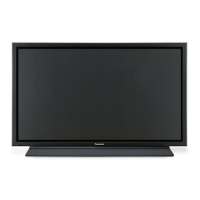
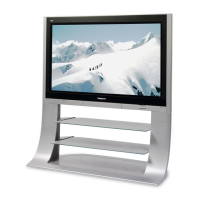
The illustration shown is an image.
Before connecting, operating or adjusting this product, please read these instructions completely.
Please keep this manual for future reference.
TH-50PF10UK
TH-65PF10UK
Model No.
Número de modelo.
La ilustración mostrada es una imagen.
Antes de conectar, utilizar o ajustar este producto, lea completamente este manual de instrucciones;
y guárdelo para consultarlo en el futuro en caso de ser necesario.
English
Español

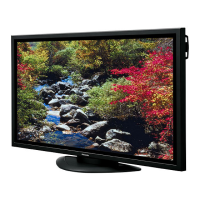
Table of Contents

Other manuals for Panasonic Viera TH-50PF10

Questions and Answers

  • O
    osmithAug 14, 2025
    How to fix no sound on Panasonic TV?
    • T
      Tina SmithAug 15, 2025
      If your Panasonic TV has no sound, the first thing to check is whether the mute function has been activated on the remote control. Try pressing the mute button to see if this resolves the issue.
  • S
    Stephen TorresAug 18, 2025
    What to do if my Panasonic TV has no picture?
    • E
      Erik PotterAug 18, 2025
      If your Panasonic TV screen is blank, ensure the TV is properly plugged into the AC outlet and switched on. Also, check by pressing the power switch or the stand-by button on the remote control to see if the TV turns on.
  • T
    Troy LeeAug 21, 2025
    Why is my Panasonic Viera TH-50PF10 TV remote not working?
    • K
      Kenneth WilliamsonAug 21, 2025
      If your Panasonic TV remote isn't working, first check if the batteries have run out or are not inserted correctly. Then, make sure that the remote control sensor is not exposed to direct outdoor light or strong fluorescent light. Finally, verify that you are using the remote control specifically designed for your Panasonic TV model.
  • J
    Jennifer MorganAug 25, 2025
    Why does my Panasonic TV have no color?
    • T
      troyjohnsonAug 25, 2025
      If the colors on your Panasonic TV appear to be missing, start by checking if the color controls are set to the minimum level. Also, verify the COLOR SYSTEM settings.
  • A
    Aaron BurkeAug 27, 2025
    Why are there missing image areas at the top and bottom of my Panasonic Viera TH-50PF10 screen when using zoom?
    • C
      chad39Aug 28, 2025
      When using a video software program with a screen wider than one in the 16:9 mode, blank areas separate from the images are formed at the top and bottom of the screen on your Panasonic TV. This is normal behavior when the aspect ratio of the content doesn't match the screen.
  • J
    Jesus HernandezAug 31, 2025
    Why can I hear sounds coming from inside my Panasonic TV?
    • R
      reynoldsheatherAug 31, 2025
      A sound of the display panel being driven may be heard inside the Panasonic TV. This is normal and not indicative of malfunctioning.
  • B
    briannawadeSep 4, 2025
    Why is my Panasonic Viera TH-50PF10 TV making whirring sounds?
    • M
      michael75Sep 4, 2025
      The whirring sound you hear from your Panasonic TV is caused by the rotation of the fan. This is normal operation and not a malfunction.
  • E
    Edwin BrownSep 7, 2025
    Why does it take a while for the picture to appear on my Panasonic TV?
    • N
      Nathan MclaughlinSep 7, 2025
      The unit digitally processes the various signals in order to reproduce aesthetically pleasing images on your Panasonic TV.
  • J
    Jeffrey MartinezSep 10, 2025
    How to prevent image retention on Panasonic Viera TH-50PF10?
    • R
      Randy AllenSep 12, 2025
      To prevent image retention on your Panasonic TV, do not allow a still picture to be displayed for an extended period.

Summary

Important Safety Instructions

Do Not Use Near Water

Avoid water exposure to prevent fire or shock hazards.

Do Not Block Ventilation

Ensure proper airflow to prevent overheating.

Protect Power Cord

Prevent damage to power cord to avoid fire or shocks.

Safety Precautions

When using the Plasma Display

Guidelines for safe operation and handling.

Disconnect cables before moving

Always disconnect cables before moving the unit.

Disconnect power plug before cleaning

Unplug the unit before cleaning to prevent electric shock.

Setup Safety

Do not place on unstable surfaces

Prevent tipping by placing on stable surfaces.

Do not place objects on top

Avoid placing objects on top to prevent damage.

AC Power Supply Cord

Power Cord Safety

Use only the supplied cord to prevent hazards.

Maintenance

Panel Cleaning

Instructions for gently cleaning the display panel surface.

Connections

TH-50 PF10 UK Connections

Connecting components for the TH-50PF10UK model.

TH-65 PF10 UK Connections

Connecting components for the TH-65PF10UK model.

PC Input Terminals connection

How to connect a computer to the display's PC input.

SERIAL Terminals connection

How to connect a computer for serial control.

HDMI connection

How to connect HDMI devices to the display.

COMPONENT; RGB connection

How to connect component or RGB video sources.

Power ON; OFF

Basic Controls

Remote Control Transmitter

Overview of the remote control buttons and their functions.

On-Screen Menu Displays

Screensaver Setup

How to configure the screensaver to prevent image retention.

Multi Display Setup

Setting up multiple displays for a larger image.

Initial selections

Selecting the input signal

How to choose the active input source from connected devices.

Selecting the On-Screen Menu Language

Setting the preferred language for the on-screen display.

ASPECT Controls

Adjusting POS.;SIZE

MULTI PIP

Advanced PIP

PICTURE Adjustments

Advanced Settings

Professional-level fine-tuning of picture and color settings.

SOUND Adjustment

Digital Zoom

PRESENT TIME SETUP; SET UP TIMER

Present Time Setup

Setting the current date and time for the unit.

SCREENSAVER (For preventing image retention)

Image Retention Prevention

Functions to prevent permanent image retention on the screen.

Reduces power consumption

SET UP for MULTI DISPLAY

How to setup MULTI DISPLAY

Configuring multiple displays to show a single large image.

Setting Display Location Number

Assigning a location number to each display in a multi-display setup.

MULTI DISPLAY SETUP Menu

Main menu for configuring multi-display parameters.

ID Remote Control Function

Assigning an ID to the remote control for multi-display use.

Setting Remote Control ID

Assigning an ID to the remote control for multi-display use.

SET UP for PORTRAIT

How to setup PORTRAIT Mode

Configuring the display for vertical (portrait) orientation.

Portrait Setup Activation

Enabling and configuring portrait mode.

SET UP for Input Signals

COMPONENT; RGB IN SELECT

Matching input signal type to connected terminals.

Options Adjustments

Weekly Command Timer

Setting up a 7-day timer for commands and operations.

Troubleshooting

Picture Display Issues

Diagnosing and resolving issues related to picture display.

Audio Output Issues

Diagnosing and resolving issues related to audio output.

Plasma Panel Performance Issues

Specific issues related to the plasma panel performance.

PANASONIC PLASMA SCREEN Limited Warranty

Warranty Coverage and Service

Terms and conditions of the product warranty and service.

Warranty Limits and Exclusions

Limitations and exclusions applicable to the warranty.

LIMITED WARRANTY STATEMENT

Panasonic Viera TH-50PF10 Specifications

General IconGeneral
BrandPanasonic
ModelViera TH-50PF10
CategoryTV
LanguageEnglish

Related product manuals