EasyManua.ls Logo

Panasonic Viera TH-58PF11 - User Manual

Panasonic Viera TH-58PF11
59 pages
Print Icon
To Next Page IconTo Next Page
Loading...
Before connecting, operating or adjusting this product, please read these instructions completely.
Please keep this manual for future reference.
English
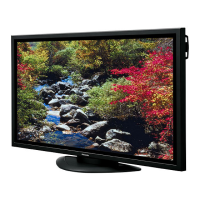
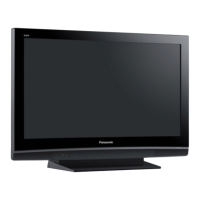
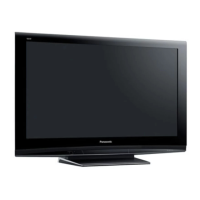
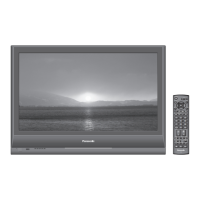
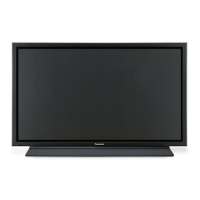
The illustration shown is an image.
TH-42PF11UK
TH-50PF11UK
TH-58PF11UK
TH-65PF11UK
Model No.
Número de modelo
TQB2AA0804
Antes de conectar, utilizar o ajustar este producto, lea completamente este manual de instrucciones;
y guárdelo para consultarlo en el futuro en caso de ser necesario.
Español
La ilustración mostrada es una imagen.
Operating Instructions
Manual de instrucciones
High De nition Plasma Display
Alta de nición Pantalla de plasma

Table of Contents

Questions and Answers

  • D
    David BeckerJul 30, 2025
    What to do if my Panasonic Viera TH-58PF11 TV has no picture?
    • J
      James VasquezJul 30, 2025
      If your Panasonic TV isn't displaying a picture, try the following: First, press the power switch or stand-by button on the remote control. Ensure the TV is plugged into an AC outlet and switched on.
  • G
    george47Aug 4, 2025
    How to fix Panasonic Viera TH-58PF11 remote control not working?
    • R
      raymondbanksAug 4, 2025
      If your Panasonic TV remote control isn't working, check these potential causes: Ensure the batteries aren't completely discharged and are inserted correctly. Verify that the remote control sensor isn't exposed to outdoor light or strong fluorescent light. Confirm that you're using the remote control specifically designed for use with your Panasonic TV.
  • D
    Douglas YangAug 9, 2025
    Why does my Panasonic Viera TH-58PF11 TV screen darken with bright pictures?
    • M
      Mr. Gabriel SmithAug 9, 2025
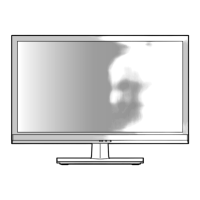
      The screen of your Panasonic TV darkens slightly when bright pictures with minimal movements are shown to reduce image retention and to prolong the screen’s service life.
  • R
    Richard GarciaAug 13, 2025
    Why does my Panasonic Viera TH-58PF11 TV take a while for the picture to appear?
    • S
      Shannon AndersonAug 13, 2025
      Your Panasonic TV takes a while for the picture to appear because the unit digitally processes the various signals in order to reproduce esthetically pleasing images.
  • A
    Allison HurleyAug 19, 2025
    Why is there no color on my Panasonic TV?
    • S
      Samantha GrantAug 19, 2025
      If there is no color on your Panasonic TV, it may be due to the color controls being set at the minimum level.
  • D
    Diana MartinezAug 25, 2025
    Why does my Panasonic Viera TH-58PF11 make whirring sounds?
    • C
      charlesparkerAug 25, 2025
      The whirring sound you hear from your Panasonic TV is caused by the rotation of the fan and is not a malfunction.

Summary

Important Safety Instructions

Safety Precautions

When using the Plasma Display

Precautions for ventilation, handling, and placement to prevent hazards.

Maintenance

Connections

PC Input Terminals Connection

How to connect a computer using the PC input terminals.

SERIAL Terminals Connection

Connecting the display to a computer for serial control.

HDMI Connection

Details on connecting devices via HDMI terminals.

COMPONENT; RGB Connection

Instructions for connecting component video or RGB signals.

Power ON; OFF

Initial selections

Selecting the input signal

How to select the input source based on connected terminal boards.

Selecting the On-Screen Menu Language

Guide to choosing the display language for menus and on-screen information.

Basic Controls

Remote Control Transmitter

Explanation of buttons and their functions on the remote control.

ASPECT Controls

Picture Aspect Modes

Details various aspect ratio settings for different signal types.

MULTI PIP

MULTI PIP SETUP

Configuration menu for two-screen display modes.

On-Screen Menu Display

Adjusting POS.;SIZE

AUTO SETUP

Automatically adjusts horizontal/vertical position and size for RGB input.

Adjusting POS.;SIZE (Continued)

1:1 PIXEL MODE

Adjusts display size for specific high-resolution signals.

PICTURE Adjustments

Picture Modes

Selects preset picture modes (Standard, Dynamic, Cinema, Monitor).

Advanced Settings

Provides detailed picture adjustments beyond basic settings.

SOUND Adjustment

PRESENT TIME SETUP; SET UP TIMER

PRESENT TIME SETUP

Sets the current date and time for accurate timer operation.

SET UP TIMER

Configures automatic power on and off times.

SCREENSAVER (For preventing image retention)

FUNCTION selection

Chooses the type of screen saver (Negative Image, Scrolling Bar, White Screen).

MODE selection

Sets when the screen saver activates (Interval or Time of Day).

SCREENSAVER (Continued)

Reduces screen image retention

Explains functions like Wobbling and Peak Limit to prevent image burn-in.

SIDE BAR ADJUST

Illuminates side bars in 4:3 mode to prevent retention.

Customizing the Input labels

DISPLAY ORIENTATION

Configures display and menu orientation for vertical installation.

SET UP for MULTI DISPLAY

How to setup MULTI DISPLAY

Step-by-step guide to arrange displays for multi-display mode.

SET UP for Input Signals

SET UP for Input Signals (Continued)

SIGNAL menu

Provides signal-specific settings like color system and noise reduction.

Options Adjustments

Weekly Command Timer

Sets scheduled commands and operations for the week.

Options Adjustments (Continued)

Weekly Command Timer

Troubleshooting

Panasonic Professional Flat Panel Display Limited Warranty

Panasonic Viera TH-58PF11 Specifications

General IconGeneral
Screen Size58 inches
Display TypePlasma
Aspect Ratio16:9
Brightness1000 cd/m²
HDMI Ports2
Component Video Inputs1
Composite Video Inputs1
Audio Output20W (10W x 2)
Viewing Angle160 degrees
InputsHDMI, Component, Composite
Resolution1920 x 1080 (Full HD)

Related product manuals