EasyManua.ls Logo

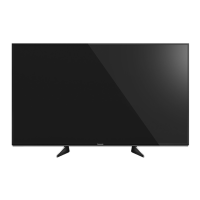
Panasonic VIERA TH-55EX640Z - User Manual

Panasonic VIERA TH-55EX640Z
24 pages
Print Icon
To Next Page IconTo Next Page
Loading...
Operating Instructions
LED TV
Thank you for purchasing this Panasonic product.
Please read these instructions carefully before operating this product and
retain them for future reference.
Please carefully read the “Safety Precautions” of this manual before use.
The images shown in this manual are for illustrative purposes only.
For more detailed instructions, please refer to
[eHELP] (Built-in Operating Instructions).
How to use [eHELP] (p. 16)
English
M0317-0
English
Model No.
Australia
New Zealand
TH-55EX600A TH-55EX600Z
TH-55EX640Z
TQB4GC1824
Question and Answer IconNeed help?

Do you have a question about the Panasonic VIERA TH-55EX640Z and is the answer not in the manual?

Summary

Operating Instructions

Safety Precautions

Mains Plug and Lead Safety

Warnings regarding power cord and plug usage.

General Handling Cautions

Important safety guidelines for operating the TV.

Choking Hazard Warnings

Precautions related to packaging and small parts.

Pedestal Installation Safety

Safe practices for attaching and detaching the TV pedestal.

Radio Wave Interference Risks

Precautions against interference with medical equipment.

Ventilation Requirements

Ensuring adequate airflow around the TV for heat dissipation.

Accessories Included

Fall Prevention Components

Parts designed to secure the TV and prevent falls.

Pedestal Assembly and Removal

Assembling the TV Pedestal

Instructions for attaching the TV stand to the unit.

Securing TV to Prevent Falling

Methods to anchor the TV to furniture for safety.

TV Connections Overview

Identifying TV Controls

Remote Control Buttons

Detailed explanation of each button on the remote.

Initial TV Setup

Automatic Channel Tuning

Steps for initial channel search and setup.

Watching TV

Using the eHELP Guide

Troubleshooting FAQs

TV Power and Display Issues

Resolving problems with the TV not turning on or showing an image.

Picture Anomalies

Diagnosing and fixing unusual image display.

Technical Specifications

Wireless LAN and Wall Mounting

Wall Mounting Installation Guide

Instructions and safety warnings for wall bracket installation.

Panasonic Warranty - Australia

Australian Warranty Terms

Coverage details and exclusions for the Australian warranty.

Panasonic Warranty - New Zealand

New Zealand Warranty Provisions

Warranty terms specific to New Zealand purchases.

Summary

Operating Instructions

Safety Precautions

Mains Plug and Lead Safety

Warnings regarding power cord and plug usage.

General Handling Cautions

Important safety guidelines for operating the TV.

Choking Hazard Warnings

Precautions related to packaging and small parts.

Pedestal Installation Safety

Safe practices for attaching and detaching the TV pedestal.

Radio Wave Interference Risks

Precautions against interference with medical equipment.

Ventilation Requirements

Ensuring adequate airflow around the TV for heat dissipation.

Accessories Included

Fall Prevention Components

Parts designed to secure the TV and prevent falls.

Pedestal Assembly and Removal

Assembling the TV Pedestal

Instructions for attaching the TV stand to the unit.

Securing TV to Prevent Falling

Methods to anchor the TV to furniture for safety.

TV Connections Overview

Identifying TV Controls

Remote Control Buttons

Detailed explanation of each button on the remote.

Initial TV Setup

Automatic Channel Tuning

Steps for initial channel search and setup.

Watching TV

Using the eHELP Guide

Troubleshooting FAQs

TV Power and Display Issues

Resolving problems with the TV not turning on or showing an image.

Picture Anomalies

Diagnosing and fixing unusual image display.

Technical Specifications

Wireless LAN and Wall Mounting

Wall Mounting Installation Guide

Instructions and safety warnings for wall bracket installation.

Panasonic Warranty - Australia

Australian Warranty Terms

Coverage details and exclusions for the Australian warranty.

Panasonic Warranty - New Zealand

New Zealand Warranty Provisions

Warranty terms specific to New Zealand purchases.

Overview

This document serves as the operating instructions for a Panasonic LED TV, specifically models TH-55EX600A, TH-55EX600Z, and TH-55EX640Z, designed for use in Australia and New Zealand. It provides comprehensive guidance on setup, operation, and maintenance to ensure safe and optimal performance.

Function Description

The Panasonic LED TV is a display device designed for indoor, table-top use, offering a range of functionalities for entertainment and information. It supports both digital and analogue TV reception, allowing users to watch broadcast television channels. The TV is equipped with multiple HDMI inputs, enabling connection to various external equipment such as DVD players, camcorders, game consoles, and 4K compatible devices. It also features USB ports for connecting USB HDDs for recording purposes, expanding its utility beyond live broadcasting.

Network connectivity, both wired (Ethernet) and wireless (built-in wireless LAN), allows the TV to access internet services and applications, including streaming platforms like Netflix. The built-in wireless LAN supports 2.4 GHz and 5 GHz frequency bands, offering flexibility in network connection.

The TV incorporates an "eHELP" feature, which is a detailed built-in operating instruction manual. This provides users with comprehensive explanations of each feature and operation, accessible directly from the TV interface.

Usage Features

The TV's operation is primarily controlled via a remote control, which includes dedicated buttons for power, TV guide, main menu, teletext (region-dependent), information display, Netflix access, input mode selection, volume, channel selection, aspect ratio adjustment, subtitles/audio description, home screen access, apps list, and cursor navigation. Coloured buttons facilitate selection and navigation within various functions.

For initial setup, the TV guides users through an "Auto Tuning" process to search for available TV channels and configure network settings. Users can select their viewing environment (Home or Shop) and language during this process. The TV is designed to automatically adjust picture quality based on ambient light conditions when the "Ambient Sensor" is enabled.

The "HDMI Auto Setting" feature allows for precise image reproduction with expanded colour gamut when connecting 4K compatible equipment, with options for "Mode1" (for better compatibility) and "Mode2" (for equipment with expanded colour gamut output).

The "VIERA Link" function enables integrated control of Panasonic AV components connected via HDMI, simplifying the operation of multiple devices. For recording, the TV supports connecting a USB HDD to the USB 2 port.

Safety Precautions and Important Information:

The manual emphasizes several safety precautions to prevent electrical shock, fire, damage, or injury. These include:

  • Ensuring the mains plug is fully inserted and easily accessible for disconnection.
  • Not touching the mains plug with wet hands or damaging the mains lead.
  • Avoiding exposure of the TV to rain, excessive moisture, or direct sunlight.
  • Not inserting foreign objects into the TV's air vents.
  • Using only approved pedestals/mounting equipment and ensuring proper installation.
  • Preventing children from climbing on the TV or placing it on unstable surfaces.
  • Allowing sufficient space around the TV for ventilation to prevent overheating.
  • Caution regarding battery installation in the remote control to prevent leakage or explosion.
  • Warnings about radio wave interference when using the built-in wireless LAN near medical equipment or automatic control equipment.

Important notices highlight that Panasonic does not guarantee operation of peripheral devices from other manufacturers and disclaims liability for their performance. It also clarifies that recording and playback of content may require copyright permission, and the product is licensed under the AVC patent portfolio for personal and non-commercial use.

Maintenance Features

Regular maintenance is crucial for the longevity and optimal performance of the TV. The manual provides clear instructions for cleaning the display panel, cabinet, and pedestal.

  • For regular care, users are advised to gently wipe surfaces with a soft cloth to remove dirt or fingerprints.
  • For stubborn dirt, a diluted neutral detergent can be used with a soft, firmly wrung cloth, ensuring no liquid enters the TV.
  • Users are cautioned against using hard cloths, rubbing too hard, or using insect repellent, solvent, thinner, or other volatile substances, as these can degrade surface quality or cause paint peeling.
  • The display panel is specially treated and can be easily damaged, so tapping or scratching with fingernails or hard objects should be avoided.
  • The cabinet and pedestal should not be in contact with rubber or PVC substances for prolonged periods to prevent surface degradation.
  • The mains plug should be wiped with a dry cloth at regular intervals to prevent fire or electrical shock caused by moisture and dust.

The manual also addresses troubleshooting common issues, such as the TV not switching on, the remote control not working, or unusual image/sound display, guiding users to check connections, settings, and perform self-tests or factory resets if necessary. It also notes that parts of the TV may become warm during operation, which is normal and does not indicate a malfunction.

Panasonic VIERA TH-55EX640Z Specifications

General IconGeneral
Screen Size55 inches
Display TypeLED
Smart TVYes
HDMI Ports3
USB Ports2
Wi-FiYes
EthernetYes
BluetoothNo
HDR SupportHDR10, HLG
Operating SystemMy Home Screen

Related product manuals