EasyManua.ls Logo

Panasonic Viera TH-55FX800A - User Manual

Panasonic Viera TH-55FX800A
28 pages
Print Icon
To Next Page IconTo Next Page
Loading...
TQB4GC1897
English M0418-0
Thank you for purchasing this Panasonic product.
Please read these instructions carefully before operating this product and retain them
for future reference.
Please carefully read the “Safety Precautions” of this manual before use.
The images shown in this manual are for illustrative purposes only.
Model No.
Australia
New Zealand
TH-55FX800A TH-49FX800Z
TH-65FX800A TH-55FX800Z
TH-65FX800Z
For more detailed instructions, please refer to [eHELP]
(Built-in Operating Instructions).
How to use [eHELP] (p. 21)
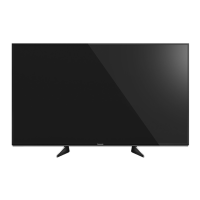
(image: TH-55FX800A)
Operating Instructions
LED TV
English
Question and Answer IconNeed help?

Do you have a question about the Panasonic Viera TH-55FX800A and is the answer not in the manual?

Summary

Important Notice

Internet Services and Device Operation

Info on internet app providers and peripheral device performance.

Customer Information Handling

Details on personal data collection and usage via the TV.

Product Symbols and Licensing

Explains symbols and AVC patent licensing.

Safety Precautions

Mains Plug and Lead Safety

Critical warnings for handling the power cord and plug.

General Environmental and Placement Safety

Precautions against moisture, heat, and unstable surfaces.

Choking, Fire, and Pedestal Hazards

Warnings about packaging, fire risks, and safe pedestal installation.

Radio Waves and Wireless Interference

Precautions for medical equipment, automatic doors, and pacemakers.

Ventilation and Movement Safety

Guidelines for air circulation and safe TV handling.

Long-Term Storage and Volume Safety

Advice on unplugging the TV and headphone volume limits.

Accessories

Standard Accessories List

Identifies included items like remote control and pedestal.

Installing the TV

Assembling and Removing the Pedestal

Step-by-step guide to attach or detach the TV stand.

Preventing TV from Falling Over

Recommendations to secure the TV and prevent tipping hazards.

Wall-Hanging Bracket Installation

Guidance on safely mounting the TV using a wall bracket.

Connections

Wall-Hanging Bracket Mounting Holes

Specifications for wall bracket mounting holes and screw types.

General External Equipment Connections

Advice on connecting external devices and cable types.

Removing Cable and Terminal Covers

Instructions for removing covers before connecting or disconnecting cables.

Terminals and Ports

TV Terminal Identification

Identifies various input/output ports on the TV.

Basic Connections

Mains Lead and Aerial Connection

How to connect the power cord and TV antenna.

Satellite Dish Connection (New Zealand)

Guidance for connecting a satellite dish, specific to New Zealand.

Connecting AV Devices and Network

Connecting External AV Equipment

How to connect DVD players, set-top boxes, etc.

4 K;HDR Equipment and HDMI Settings

Connecting 4K/HDR devices and using HDMI Auto Setting.

Network Setup (Wired and Wireless)

Instructions for establishing internet connectivity.

Other AV Device Connections

Details for connecting DVD players, camcorders, and amplifiers.

Audio Output and Storage Connections

How to connect headphones and USB HDDs for recording.

VIERA Link Functionality

Guide to connecting devices for VIERA Link control.

Cable Management

Cable Arrangement and Securing

Steps for organizing and securing cables using guides, hooks, and clamps.

Attaching Cable and Terminal Covers

Instructions for reattaching covers after cable connections are complete.

Identifying Controls

Remote Control Button Functions

Identification and function of each button on the remote control.

Remote Control Battery Installation

Steps for correctly installing and removing batteries in the remote control.

TV Indicator and Control Panel Guide

Explanation of the power LED, signal receiver, and ambient sensor.

Initial Setup and Auto Tuning

First Time TV Setup and Tuning

Guide to automatically searching and tuning TV channels upon first use.

Basic Remote Control Operation

Explanation of basic remote control navigation and selection.

Watching TV and Using eHELP

Basic TV Viewing Operations

Steps for turning on the TV and selecting channels.

Navigating the eHELP System

How to access and use the TV's built-in detailed operating instructions.

eHELP - Advanced Navigation and Search

How to scroll, open reference screens, and check features within eHELP.

Frequently Asked Questions (FAQs)

Troubleshooting Common TV Problems

Solutions for issues like power, remote, or image problems.

Image and Panel Behavior Explanations

Explanations for unusual images, panel movement, and hot parts.

Maintenance and Specifications

Cleaning TV Components

Instructions for cleaning the display panel, cabinet, and mains plug.

TV Model and Dimension Specifications

Technical details including model numbers and physical dimensions.

Power, Sound, and Terminal Specifications

Details on power consumption, speaker output, and connection terminals.

Reception and Operating Condition Specs

Information on TV signal reception, operating temperature, and humidity.

Wireless and Bluetooth Technology Specs

Technical details for built-in wireless LAN and Bluetooth technology.

Panasonic Warranty (Australia)

Australia Warranty Terms and Conditions

Details on warranty coverage, exclusions, and claim procedures in Australia.

Panasonic Warranty (New Zealand)

New Zealand Warranty Terms and Service

Terms of warranty coverage and service for Panasonic TVs in New Zealand.

Summary

Important Notice

Internet Services and Device Operation

Info on internet app providers and peripheral device performance.

Customer Information Handling

Details on personal data collection and usage via the TV.

Product Symbols and Licensing

Explains symbols and AVC patent licensing.

Safety Precautions

Mains Plug and Lead Safety

Critical warnings for handling the power cord and plug.

General Environmental and Placement Safety

Precautions against moisture, heat, and unstable surfaces.

Choking, Fire, and Pedestal Hazards

Warnings about packaging, fire risks, and safe pedestal installation.

Radio Waves and Wireless Interference

Precautions for medical equipment, automatic doors, and pacemakers.

Ventilation and Movement Safety

Guidelines for air circulation and safe TV handling.

Long-Term Storage and Volume Safety

Advice on unplugging the TV and headphone volume limits.

Accessories

Standard Accessories List

Identifies included items like remote control and pedestal.

Installing the TV

Assembling and Removing the Pedestal

Step-by-step guide to attach or detach the TV stand.

Preventing TV from Falling Over

Recommendations to secure the TV and prevent tipping hazards.

Wall-Hanging Bracket Installation

Guidance on safely mounting the TV using a wall bracket.

Connections

Wall-Hanging Bracket Mounting Holes

Specifications for wall bracket mounting holes and screw types.

General External Equipment Connections

Advice on connecting external devices and cable types.

Removing Cable and Terminal Covers

Instructions for removing covers before connecting or disconnecting cables.

Terminals and Ports

TV Terminal Identification

Identifies various input/output ports on the TV.

Basic Connections

Mains Lead and Aerial Connection

How to connect the power cord and TV antenna.

Satellite Dish Connection (New Zealand)

Guidance for connecting a satellite dish, specific to New Zealand.

Connecting AV Devices and Network

Connecting External AV Equipment

How to connect DVD players, set-top boxes, etc.

4 K;HDR Equipment and HDMI Settings

Connecting 4K/HDR devices and using HDMI Auto Setting.

Network Setup (Wired and Wireless)

Instructions for establishing internet connectivity.

Other AV Device Connections

Details for connecting DVD players, camcorders, and amplifiers.

Audio Output and Storage Connections

How to connect headphones and USB HDDs for recording.

VIERA Link Functionality

Guide to connecting devices for VIERA Link control.

Cable Management

Cable Arrangement and Securing

Steps for organizing and securing cables using guides, hooks, and clamps.

Attaching Cable and Terminal Covers

Instructions for reattaching covers after cable connections are complete.

Identifying Controls

Remote Control Button Functions

Identification and function of each button on the remote control.

Remote Control Battery Installation

Steps for correctly installing and removing batteries in the remote control.

TV Indicator and Control Panel Guide

Explanation of the power LED, signal receiver, and ambient sensor.

Initial Setup and Auto Tuning

First Time TV Setup and Tuning

Guide to automatically searching and tuning TV channels upon first use.

Basic Remote Control Operation

Explanation of basic remote control navigation and selection.

Watching TV and Using eHELP

Basic TV Viewing Operations

Steps for turning on the TV and selecting channels.

Navigating the eHELP System

How to access and use the TV's built-in detailed operating instructions.

eHELP - Advanced Navigation and Search

How to scroll, open reference screens, and check features within eHELP.

Frequently Asked Questions (FAQs)

Troubleshooting Common TV Problems

Solutions for issues like power, remote, or image problems.

Image and Panel Behavior Explanations

Explanations for unusual images, panel movement, and hot parts.

Maintenance and Specifications

Cleaning TV Components

Instructions for cleaning the display panel, cabinet, and mains plug.

TV Model and Dimension Specifications

Technical details including model numbers and physical dimensions.

Power, Sound, and Terminal Specifications

Details on power consumption, speaker output, and connection terminals.

Reception and Operating Condition Specs

Information on TV signal reception, operating temperature, and humidity.

Wireless and Bluetooth Technology Specs

Technical details for built-in wireless LAN and Bluetooth technology.

Panasonic Warranty (Australia)

Australia Warranty Terms and Conditions

Details on warranty coverage, exclusions, and claim procedures in Australia.

Panasonic Warranty (New Zealand)

New Zealand Warranty Terms and Service

Terms of warranty coverage and service for Panasonic TVs in New Zealand.

Overview

This document provides operating instructions for Panasonic LED TVs, specifically models TH-55FX800A, TH-65FX800A (Australia), and TH-49FX800Z, TH-55FX800Z, TH-65FX800Z (New Zealand). The manual emphasizes safety, setup, and basic operation, with a strong recommendation to use the built-in eHELP for more detailed instructions.

Function Description

The Panasonic LED TV is designed for indoor, table-top use, providing high-definition visual and audio experiences. It features a range of input options for connecting various AV devices, network connectivity for internet services, and a remote control for easy operation. The TV supports 4K and HDR compatible equipment, offering precise image reproduction with expanded color gamut.

Key Functions:

  • Television Viewing: Supports Digital TV and Analogue TV reception, with specific models supporting Satellite TV in New Zealand.
  • AV Device Connectivity: Equipped with multiple HDMI ports (HDMI1-4), AV IN (COMPONENT / VIDEO) terminals, and USB ports (USB 1-3) for connecting DVD/Blu-ray recorders, camcorders, game equipment, and USB HDDs for recording.
  • Network Features: Offers both wired (Ethernet) and wireless LAN connectivity to access internet services and applications.
  • Audio Output: Includes a headphone jack for private listening and DIGITAL AUDIO OUT for connecting to external amplifiers. HDMI2 supports Audio Return Channel (ARC) for simplified audio connections with compatible amplifiers.
  • VIERA Link: Enables integrated control of multiple Panasonic AV devices connected via HDMI.
  • eHELP: A comprehensive built-in operating instruction manual providing detailed explanations of all TV features and operations.
  • My App: Allows users to assign and quickly launch a favorite application.
  • Off Timer: Sets the TV to automatically turn off after a specified period.
  • Aspect Ratio Adjustment: Changes the display aspect ratio to suit different content.

Usage Features

The TV is designed for user-friendly setup and operation.

Installation and Setup:

  • Pedestal Assembly: The TV comes with a pedestal that needs to be assembled. Instructions detail how to attach the pedestal securely, emphasizing careful handling of the screen.
  • Wall-hanging Bracket Installation: For wall mounting, specific accessories (spacer nuts) are provided. It is crucial to use a qualified installer and ensure the wall bracket is not electrically grounded to metal wall studs.
  • Cable Management: Cable guides, hooks, and clamps are provided to organize and secure cables, ensuring a neat setup and preventing damage. Cable covers and terminal covers are used to conceal connections.
  • First Time Auto Tuning: Upon first use, the TV guides the user through an auto-tuning process to set up channels and network connections. Users can choose between "Home" and "Shop" viewing environments.
  • HDMI Auto Setting: For 4K/HDR compatible equipment, users can select between "Mode1" (for better compatibility) and "Mode2" (for expanded color gamut) in the Setup Menu to optimize image quality.

Operation:

  • Remote Control: The supplied remote control provides comprehensive control over TV functions, including power, channel selection, volume, input mode, menu navigation, teletext, information display, Netflix access, and colored buttons for various functions.
  • Control Panel: A control panel on the rear side of the TV offers basic controls for input, channel, volume, and power, useful if the remote control is unavailable.
  • Power LED: An indicator light on the TV shows its status (Red for Standby, Green for On, Orange for Standby with active functions like recording).
  • Ambient Sensor: This sensor adjusts picture quality based on ambient brightness when enabled in the Picture Menu.
  • USB HDD Recording: The TV supports connecting a USB HDD to the USB 1 port for recording content.
  • eHELP Navigation: The eHELP system is easily accessible via the remote control and allows users to search for information by keyword, purpose, or support topics, with options to scroll descriptions and access related menus.

Safety Precautions:

  • Mains Plug and Lead: Always ensure the mains plug is fully inserted and easily accessible. Disconnect the plug when cleaning or if anything unusual is detected. Avoid damaging the lead or touching it with wet hands.
  • General Safety: Do not expose the TV to rain or moisture, insert foreign objects, or apply strong force to the display panel. Ensure children do not climb on the TV.
  • Stability: Position the TV on stable surfaces and use recommended cabinets or stands. Secure the TV with fall-prevention parts to prevent accidental falls, especially in households with children.
  • Ventilation: Maintain adequate space around the TV for proper ventilation to prevent overheating.
  • Built-in Wireless LAN: The TV's wireless LAN operates within specific frequency ranges.
  • Excessive Volume: Avoid excessive volume through headphones to prevent irreversible hearing damage.
  • Battery Safety: Follow guidelines for battery replacement and disposal to prevent leakage, corrosion, or explosion.

Maintenance Features

Regular maintenance helps ensure the longevity and optimal performance of the TV.

Cleaning:

  • Display Panel, Cabinet, Pedestal: Gently wipe surfaces with a soft cloth to remove dirt and fingerprints. For stubborn dirt, use a soft cloth dampened with water or a diluted neutral detergent (1 part detergent to 100 parts water), wring it firmly, and then wipe away the dirt. Finally, wipe away all moisture.
  • Mains Plug: Wipe the mains plug with a dry cloth at regular intervals to prevent fire or electrical shock caused by moisture and dust.

Important Cleaning Cautions:

  • Avoid Harsh Materials: Do not use hard cloths or rub surfaces too hard, as this can cause scratches.
  • Chemicals: Do not use insect repellent, solvent, thinner, or other volatile substances, as they can degrade surface quality or cause paint peeling.
  • Display Panel Care: The display panel is specially treated and easily damaged. Avoid tapping or scratching it with fingernails or hard objects.
  • Rubber/PVC Contact: Do not allow the cabinet and pedestal to contact rubber or PVC substances for prolonged periods, as this may degrade surface quality.

Long-Term Storage:

  • If the TV will not be used for a prolonged period, remove the mains plug from the wall socket to conserve power.
  • Remove batteries from the remote control to prevent leakage, corrosion, and explosion.

Troubleshooting (FAQs): The manual includes a FAQ section to address common issues such as the TV not switching on, going into standby mode, remote control malfunction, no image display, or unusual image display. It suggests checking basic connections, settings, and performing a built-in Self Test. For issues with external equipment connected via HDMI, it recommends adjusting the [HDMI Auto Setting].

Panasonic Viera TH-55FX800A Specifications

General IconGeneral
Screen Size55 inches
Resolution3840 x 2160 (4K UHD)
Smart TVYes
Operating Systemmy Home Screen 3.0
HDMI Ports4
USB Ports3
Ethernet PortYes
Wi-FiYes
BluetoothYes
HDRYes
Audio Output20 W

Related product manuals