
 Need help?
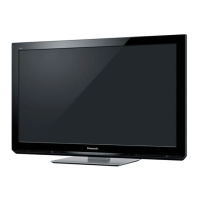
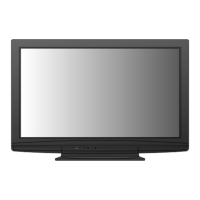
Do you have a question about the Panasonic Viera TH-P42U20Z and is the answer not in the manual?
Instructions for safely connecting and handling the TV's power cord and plug to prevent hazards.
Warnings against removing covers, modifying the TV, or exposing it to moisture to prevent shock.
Precautions regarding sunlight, heat, foreign objects, and unstable surfaces for safe operation.
Guidelines for safe installation and warnings about children handling small parts like SD cards.
Guidelines for ensuring the TV is placed on a stable surface to prevent falling hazards.
Instructions for safely cleaning the TV and transporting it in an upright position.
Advice on ensuring adequate ventilation and protecting the display panel from impact.
Warnings about headphone volume, TV weight, auto standby, and interference from equipment.
Information on avoiding image retention from still pictures and related settings.
Step-by-step instructions and warnings for safely assembling and attaching the TV pedestal.
Details on using included parts to secure the TV to furniture to prevent tipping.
Information on purchasing and installing an optional wall-hanging bracket for TV mounting.
Instructions for connecting the TV to an aerial for receiving broadcast signals.
Guidance on safely connecting the TV's power cord to the mains socket.
Instructions for connecting DVD recorders and VCRs to the TV using AV and RF cables.
Guidance on setting the correct swivel angle for the TV panel for optimal viewing.
Explanation of buttons for power, aspect ratio, menus, channel selection, and information display.
Details on using OK, Option, Return, and Cursor buttons for menu navigation and selection.
Overview of buttons for VIERA TOOLS, VIERA Link, Teletext, Subtitles, and Input selection.
Identification and description of the TV's input/output terminals for various devices.
Guide to navigating menus, adjusting settings, and using the remote control effectively.
Step-by-step instructions for automatically searching and storing TV channels.
Guidance on choosing between 'Home' and 'Shop' modes for optimal viewing experience.
Instructions for turning on the TV and choosing between Digital and Analogue TV modes.
Various ways to select TV channels, including direct entry, channel list, and Freeview Guide.
Explanation of features like freezing pictures, displaying subtitles, and setting the off timer.
How to view details about the current and upcoming TV programs using the information banner.
Options to adjust video and audio settings for the current program, like language and sound modes.
How to choose different aspect ratios (16:9, 4:3, Zoom) for optimal picture display.
Important notes regarding aspect ratio limitations in different modes and input signals.
Instructions for browsing program listings, schedules, and program details.
How to select and watch a program directly from the Freeview Guide interface.
Steps to switch to Teletext mode and select pages using numeric or coloured buttons.
Explanation of Teletext modes (FASTEXT, List) and functions like holding pages and using the index.
How to watch TV and Teletext simultaneously in different window layouts.
Instructions for storing favorite pages, viewing sub pages, and watching TV during Teletext updates.
Guide to connecting devices like VCRs, PCs, and game consoles via input terminals.
How to choose input sources and customize input labels for easier identification.
How to use the TV remote to control connected VCRs, DVD players, and other equipment.
Procedure for setting remote control codes to operate different types of Panasonic equipment.
How to display and select various special features using the VIERA TOOLS button.
Overview of functions like VIERA Link Control, Pause Live TV, Photo, Video, and Music modes.
Guide to displaying the main menu and selecting desired picture, sound, or setup options.
How to adjust various settings using on-screen controls and input characters for naming or setup.
Summary of available options within the Picture and Sound menus for image and audio adjustments.
Overview of the Setup menu, covering tuning, display, VIERA Link, system, and other settings.
Explanation of different viewing modes (Dynamic, Normal, Cinema, Game) and their effects.
Detailed settings for contrast, brightness, colour, sharpness, tint, and noise reduction.
How to select sound modes (Music, Speech, User) and adjust equalizer settings for personalized audio.
Settings for digital audio output (SPDIF), preferred audio language, and audio preference for digital signals.
Configuration options for PC/DVI input, display settings, and input labels.
Settings for off timer, child lock, channel tuning, and display timeouts.
Configuration for VIERA Link functions, system updates, shipping condition, and power saving.
Settings for screen overscan, refresh rate, video preview, and HDMI/DVI input adjustments.
Procedures for automatically searching or manually setting TV channels.
How to skip unwanted channels, edit the channel list, and manage favourites.
Steps to create, name, and manage favourite channel lists for digital TV.
How to hide/reveal channels, edit channel positions, and swap channels in the list.
Detailed steps for performing auto tuning and manual tuning for digital TV channels.
How to update the channel list and check the digital TV signal strength and quality.
Steps to reveal/hide, edit, and automatically tune analogue TV channels.
Procedure for manually setting analogue TV channels after auto tuning.
How to lock specific channels or AV inputs and set parental ratings for content control.
Instructions for entering, changing, or resetting the Child Lock PIN number.
How to name or skip input terminals in the input selection menu for easier identification.
Guide to using the on-screen keyboard to enter custom names for input terminals.
Steps to reset all TV settings to their original factory condition.
Information on what settings are erased and how auto tuning works after a reset.
How to enable automatic searching and downloading of new TV software versions.
Steps for manually initiating a search and download for TV software updates.
Guide to inserting an SD card and selecting photo, video, or music files to view.
Options for sorting media files by folder, date, or month for easier browsing.
How to view photos one by one, rotate them, or start a slideshow.
Options for background music, frame effects, colour, screen mode, and interval for photo display.
How to select video titles and start playback from specific scenes.
Viewing video file information and accessing basic video setup options.
How to change sound status, select SPDIF output, and adjust audio settings during playback.
Configuration options for video preview, repeat playback, and screen overscan for media files.
How to play music files, navigate folders, and view music playback information.
Settings for music repeat modes and using music as background for photo slideshows.
Summary of features supported by VIERA Link and compatibility with various Panasonic devices.
Diagrams showing how to connect compatible equipment using HDMI and audio cables.
How VIERA Link simplifies channel management and equipment operation.
Settings for power on/off links, standby power saving, and intelligent auto standby.
How to pause live TV broadcasts and record them using a connected DIGA recorder.
Instructions for immediately recording the current TV program onto a connected DIGA recorder.
How to access and control menus of connected devices using the TV remote.
Guidelines for operating multiple devices or non-VIERA Link equipment.
How to select and control external speaker systems (Home Cinema or TV) using the TV remote.
Notes on enjoying multi-channel sound via amplifiers and connecting DIGA recorders.
Diagrams and recommendations for connecting camcorders, game consoles, headphones, amplifiers, and PCs.
Table showing which types of equipment can be connected to each TV terminal.
Detailed diagrams illustrating various connection methods for AV, Component, and HDMI inputs.
Pinout details and specifications for the TV's HDMI terminals.
Information on analogue channel frequencies and digital TV rating systems.
Explanation of stereo, bilingual, and mono sound selection for broadcast signals.
Details on HDMI interface, applicable features, DVI connection, and copyright protection.
Information on connecting a PC, supported PC signal frequencies, and resolutions.
List of compatible signal formats for COMPONENT and HDMI input terminals.
Table of compatible PC signal timings (horizontal/vertical frequencies) for D-sub and HDMI PC inputs.
Precautions for handling SD cards and details on supported photo, video, and music file formats.
Information on SD card types, website for updates, and troubleshooting on-screen messages.
Instructions for cleaning the TV's surfaces and mains plug safely.
Details on trademarks, logos, and software licenses used in the TV.
Solutions for issues like noisy images, no display, distorted picture, or sound problems.
Guidance on handling error messages and troubleshooting VIERA Link function problems.
Solutions for sound issues, unusual audio, and problems with HDMI-connected equipment.
Troubleshooting digital TV reception, remote control intermittency, and normal heat generation.
Details on power rating, display size, resolution, speakers, and audio output.
Information on input/output terminals, supported signals, dimensions, and mass of the TV.
Details of the warranty coverage, conditions, and required proof of purchase.
Contact information for customer care and instructions for recording model/serial numbers.
 General
| Screen Size | 42 inches |
|---|---|
| Display Type | Plasma |
| Aspect Ratio | 16:9 |
| HDMI Ports | 3 |
| USB Ports | 1 |
| Component Input | 1 |
| Speakers | 2 x 10W |
| Viewing Angle | 160 degrees |
| Contrast Ratio | 2, 000, 000:1 |
| PC Input | 1 |
| Power Consumption | 295W |
| Resolution | 1920 x 1080 pixels |


 To Next Page