EasyManua.ls Logo

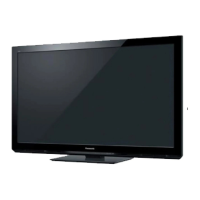
Panasonic VIERA TH-P42U30A - User Manual

Panasonic VIERA TH-P42U30A
76 pages
Print Icon
To Next Page IconTo Next Page
Loading...
M0211-1031
Printed in Thailand
Web Site : http://panasonic.net
© Panasonic Corporation 2011
Customers Record
The model number and serial number of this product may be found on its rear panel. You should
note the model number and the serial number in the space provided below and retain this book, plus
your purchase receipt, as a permanent record of your purchase to aid in identification in the event of
theft or loss, and for Warranty Service purposes.
Model Number Serial Number
Question and Answer IconNeed help?

Do you have a question about the Panasonic VIERA TH-P42U30A and is the answer not in the manual?

Summary

Safety Precautions

General Warnings and Installation

Important warnings for safe operation and installation, including handling of mains plug and lead.

Important Installation Notices

Crucial installation guidelines to ensure safety and proper function, such as stable placement and ventilation.

Operational Notes

Additional important notes regarding picture display, auto power standby, and equipment placement.

Accessories and Connections

Standard and Optional Accessories

Lists standard accessories provided and optional accessories available for purchase.

Basic Connection Guide

Instructions for connecting external equipment and the mains lead to the TV.

TV Controls and Operation

Identifying TV Controls

Identification and function of buttons located on the TV set.

Remote Control Functions

Identification and detailed explanation of all buttons on the remote control.

Channel Setup and Viewing

Auto Tuning Procedure

Step-by-step guide for automatic channel search and setup.

Watching TV Basics

Turning on the TV, selecting modes, changing channels, and using the information banner.

Using the TV Guide

How to navigate and use the Electronic Program Guide for channel listings.

Advanced Features and Settings

Watching External Inputs

Selecting and viewing content from connected external devices.

How to Use VIERA TOOLS

Accessing and utilizing special features via the VIERA TOOLS function.

Menu Functions Overview

Navigating the TV's menu system for Picture, Sound, and Setup options.

Tuning and Editing Channels

Procedures for channel tuning, creating favorites, and managing channel lists.

Child Lock Configuration

Setting up parental controls, channel locks, and changing the PIN number.

Input Labels Customization

Renaming or skipping input terminals for easier identification and selection.

Shipping Condition (Reset Settings)

Restoring the TV to its original factory settings.

TV Software Update

Instructions for updating the TV's internal software automatically or manually.

Using Media Player

Viewing photos, videos, and music from SD cards or USB flash drives.

Using Network Services

Connecting to networks, using DLNA features, and accessing internet content.

VIERA Link Functions

Features for controlling connected equipment via VIERA Link and HDAVI Control.

External Equipment Connections

Recommendations for connecting various external devices via different terminals.

Technical Information and Support

Technical Information Details

Channel allocation, rating systems, and sound selection modes.

Signal Compatibility and Formats

Supported input signal types and media file formats for playback.

DivX Video Features

Information on DivX video playback, subtitles, and VOD registration.

Troubleshooting Network and USB

Resolving common issues with network connectivity and USB device usage.

Maintenance Guidelines

Instructions for cleaning the TV display, cabinet, and mains plug.

Frequently Asked Questions (FAQs)

Answers to common questions and troubleshooting steps for picture and sound issues.

Troubleshooting Specific Issues

Resolving problems related to HDMI, network, digital TV reception, and remote control.

TV Specifications

Detailed technical specifications including power, display, connections, and dimensions.

Panasonic Warranty Information

Details on warranty terms, conditions, exclusions, and how to claim service.

Summary

Safety Precautions

General Warnings and Installation

Important warnings for safe operation and installation, including handling of mains plug and lead.

Important Installation Notices

Crucial installation guidelines to ensure safety and proper function, such as stable placement and ventilation.

Operational Notes

Additional important notes regarding picture display, auto power standby, and equipment placement.

Accessories and Connections

Standard and Optional Accessories

Lists standard accessories provided and optional accessories available for purchase.

Basic Connection Guide

Instructions for connecting external equipment and the mains lead to the TV.

TV Controls and Operation

Identifying TV Controls

Identification and function of buttons located on the TV set.

Remote Control Functions

Identification and detailed explanation of all buttons on the remote control.

Channel Setup and Viewing

Auto Tuning Procedure

Step-by-step guide for automatic channel search and setup.

Watching TV Basics

Turning on the TV, selecting modes, changing channels, and using the information banner.

Using the TV Guide

How to navigate and use the Electronic Program Guide for channel listings.

Advanced Features and Settings

Watching External Inputs

Selecting and viewing content from connected external devices.

How to Use VIERA TOOLS

Accessing and utilizing special features via the VIERA TOOLS function.

Menu Functions Overview

Navigating the TV's menu system for Picture, Sound, and Setup options.

Tuning and Editing Channels

Procedures for channel tuning, creating favorites, and managing channel lists.

Child Lock Configuration

Setting up parental controls, channel locks, and changing the PIN number.

Input Labels Customization

Renaming or skipping input terminals for easier identification and selection.

Shipping Condition (Reset Settings)

Restoring the TV to its original factory settings.

TV Software Update

Instructions for updating the TV's internal software automatically or manually.

Using Media Player

Viewing photos, videos, and music from SD cards or USB flash drives.

Using Network Services

Connecting to networks, using DLNA features, and accessing internet content.

VIERA Link Functions

Features for controlling connected equipment via VIERA Link and HDAVI Control.

External Equipment Connections

Recommendations for connecting various external devices via different terminals.

Technical Information and Support

Technical Information Details

Channel allocation, rating systems, and sound selection modes.

Signal Compatibility and Formats

Supported input signal types and media file formats for playback.

DivX Video Features

Information on DivX video playback, subtitles, and VOD registration.

Troubleshooting Network and USB

Resolving common issues with network connectivity and USB device usage.

Maintenance Guidelines

Instructions for cleaning the TV display, cabinet, and mains plug.

Frequently Asked Questions (FAQs)

Answers to common questions and troubleshooting steps for picture and sound issues.

Troubleshooting Specific Issues

Resolving problems related to HDMI, network, digital TV reception, and remote control.

TV Specifications

Detailed technical specifications including power, display, connections, and dimensions.

Panasonic Warranty Information

Details on warranty terms, conditions, exclusions, and how to claim service.

Panasonic VIERA TH-P42U30A Specifications

General IconGeneral
Screen Size42 inches
Display TypePlasma
HDMI Ports3
USB Ports1
Refresh Rate600Hz Sub-field Drive
Aspect Ratio16:9
Built-in SpeakersYes
Resolution1920 x 1080
Contrast Ratio2, 000, 000:1

Related product manuals