EasyManua.ls Logo

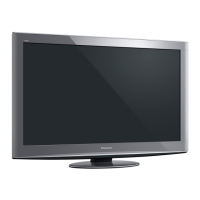
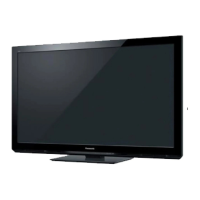
Panasonic VIERA TH-P42X30K - User Manual

Panasonic VIERA TH-P42X30K
72 pages
Print Icon
To Next Page IconTo Next Page
Loading...
M0211-1031
Printed in Thailand
Web Site : http://panasonic.net
© Panasonic Corporation 2011
Customers Record
The model number and serial number of this product may be found on its rear panel. You should
note the model number and the serial number in the space provided below and retain this book, plus
your purchase receipt, as a permanent record of your purchase to aid in identification in the event of
theft or loss, and for Warranty Service purposes.
Model Number Serial Number
Question and Answer IconNeed help?

Do you have a question about the Panasonic VIERA TH-P42X30K and is the answer not in the manual?

Summary

Safety Precautions

Handling the mains plug and lead

Safety guidelines for proper handling of the TV's power cord and plug to prevent electrical hazards and fire.

General Safety Warnings

Covers warnings about covers, moisture, heat, foreign objects, unstable surfaces, and children's safety.

Basic Connection Guide

Identifying TV Controls

Auto Tuning Setup

Watching TV

Watching External Inputs

Using VIERA TOOLS

Menu Functions Guide

Navigating the Main Menu

Steps to access and use the main Picture, Sound, and Setup menus.

Picture Settings

Detailed options for adjusting picture quality, including viewing modes and color balance.

Sound Settings

Configuration options for audio modes, volume control, and surround sound effects.

Tuning and Editing Channels

Shipping Condition (Reset Settings)

Restoring Factory Defaults

Step-by-step process to reset the TV to its original factory settings.

Using the Media Player

Using Network Services

DLNA Media Sharing

Setting up DLNA for sharing photos, videos, and music across a home network.

Network Connection Setup

Instructions for establishing wired and wireless network connections.

Network Settings Configuration

Configuring IP, DNS, and proxy settings for network connectivity.

VIERA Link Functions

Overview of VIERA Link

Introduction to HDMI interoperability with Panasonic products and HDAVI Control.

Controlling Connected Equipment

Using the TV remote to operate functions of connected VIERA Link devices.

External Equipment Connections

Frequently Asked Questions (FAQs)

Screen and Image Troubleshooting

Solutions for common display issues like noise, spots, or no image.

Sound and Connectivity Troubleshooting

Resolving problems related to sound, HDMI connection, and network issues.

Product Specifications

Panasonic VIERA TH-P42X30K Specifications

General IconGeneral
BrandPanasonic
ModelVIERA TH-P42X30K
CategoryPlasma TV
LanguageEnglish

Related product manuals