EasyManua.ls Logo

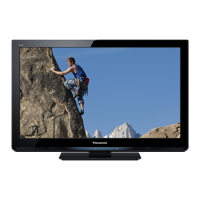
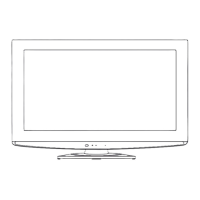
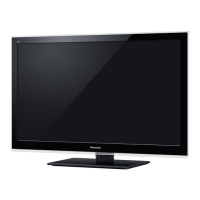
Panasonic Viera TX-L24C5E - User Manual

Panasonic Viera TX-L24C5E
28 pages
Print Icon
To Next Page IconTo Next Page
Loading...
Operating Instructions
LCD Television
Thank you for purchasing this Panasonic product.
Please read these instructions carefully before operating this product and retain
them for future reference.
The images shown in this manual are for illustrative purposes only.
Please refer to Pan European Guarantee Card if you need to contact your local
Panasonic dealer for assistance.
English
Model No.
TX-L24C5E

Questions and Answers

  • J
    james01Aug 9, 2025
    What to do if my Panasonic Viera TX-L24C5E LCD TV has no power?
    • S
      Stacy MartinAug 10, 2025
      If your Panasonic LCD TV isn't powering on, ensure it's properly plugged into the AC outlet. Then, try pressing the POWER button either on the side of the TV or on the remote control. If the POWER indicator remains off, it indicates a potential issue with the TV itself.
  • W
    William HouseAug 25, 2025
    Why is my Panasonic Viera TX-L24C5E remote control not working?
    • A
      Andre PowellAug 25, 2025
      If the remote control for your Panasonic LCD TV isn't working, first check the batteries. Ensure there are no obstructions between the remote and the TV's remote receiver, and that you're within the operational range (7m and a 30-degree angle from the front of the TV). Also, avoid direct sunlight or strong artificial light shining on the TV's Infrared Remote Receiver. Note that a dedicated remote control is required for this model, and remotes from other brands or even other Panasonic models are generally incompatible.

Panasonic Viera TX-L24C5E Specifications

General IconGeneral
Screen Size24 inches
Resolution1366 x 768 pixels
Display TechnologyLCD
HDMI Ports2
USB Ports1
Weight5.5 kg
Dimensions (W x H x D)55.6 x 36.5 x 5.4 cm
HD TechnologyHD Ready
Backlight TechnologyLED
Aspect Ratio16:9
Refresh Rate50 Hz
Sound Output10 W

Related product manuals