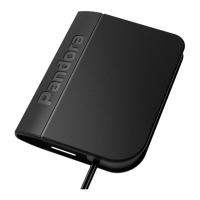
TELEMETRY MODULE PANDORA NAV-X USER MANUAL20 21
power connector. To do this, unscrew all screws using a “Philips“:
screwdriver.
STEP №1.1 – Changing a SIM-card
Carefully perform the following actions:
Make sure that a new SIM-card is working. Insert the SIM into
your mobile phone and check the following services: voice
communication, SMS, internet connection (check in 2G mode).
Disable PIN request of the SIM.
Remove the old SIM from the slot and insert a new one.
ATTENTION! THE SIM-CARD INSTALLED FROM THE
FACTORY IS LINKED TO THE MODEM OF THE MODULE AND
CANNOT WORK WITH OTHER DEVICES.
STEP №2.0 – Module setup
Make the following settings using the Pandora Alarm Studio:
“Main owner’s number” setting – enter the owner’s phone number
in the following format: +xxxxxxxxxxx. The module will sent SMS
and voice notications to this phone number. You can also control
the module using DTMF commands without the “Guest PIN-code”
when you call from this phone number.
“Guest PIN-code” setting – change the default value of the PIN
(1-2-3-4). The “Guest PIN-code” is required if you call not from the
“Main owner’s number”.
“Additional phone numbers” – specify additional phone numbers.
The module will sent SMS and voice notications to these phone
numbers.
“Time zone shift relative to UTC” - specify the current time zone
oset. It is required for accurate time determination by a GPS/
GLONASS receiver.
Make additional settings if required “Guest login”, “Control via
GPRS”, “Control via GSM”, “Voice and text notications”.
STEP №2.1 – Additional settings when changing the SIM card
Make the following settings if you have changed the SIM card:
“System phone number” setting – specify a new number of the
installed SIM card in the format +xxxxxxxxxxx.
“Balance inquiry number” setting – Specify a command of the
“Balance request” corresponding to a carrier.
“ GPRS (APN) operator access point”, “GPRS operator username”,
“GPRS operator password” – enter APN settings of your carrier.
STEP №2.2 – Finishing setup
Save the changed data in the Pandora Alarm Studio and
disconnect the USB cable after you nish setting up the module.


 To Next Page
 Loading...