
 Need help?
Do you have a question about the Pandora NAV-X and is the answer not in the manual?
Details the LOGIN and PASS credentials for web service and mobile app access.
Explains the purpose and usage of the Secret PIN-code.
Mentions the SIM card's phone number and its usage.
Commands for remote engine start, ending calls, and accessing microphone.
Commands to check SIM card balance and request current coordinates.
Commands for enabling/disabling radio tags and managing security modes.
Commands for remote engine start/stop, heater, and trunk unlock.
Instructions for activating engine blocking via phone.
How to deactivate engine blocking using the Secret PIN-code.
Details on setting main, additional, and system phone numbers.
Instructions for changing the Guest PIN-code.
Setting to allow or restrict calls from numbers other than the main owner's.
Setting to allow or disallow engine blocking via DTMF command.
Setting to allow or disallow the use of the 007* DTMF command.
Setting voltage threshold to trigger low voltage SMS notifications.
Information on configuring the module before installation.
Procedure to enter programming mode using the Service PIN-code.
Procedure to pair the telemetry module with a security-service system.
Procedure to change the module's Service PIN-code.
Steps for replacing the SIM card and disabling PIN request.
Setting the main owner's phone number for notifications and control.
Changing the default Guest PIN-code.
Specifying additional phone numbers for notifications.
Specifying the time zone offset for accurate GPS time determination.
Configuring GPRS, GSM, voice, and text notification settings.
Setting the system's phone number for the installed SIM card.
Specifying the command for balance requests.
Entering GPRS access point settings for the carrier.
Guidelines for rigidly fixing the module and avoiding liquids/heat.
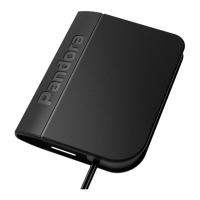
The Pandora NAV-X is an autonomous compact telemetry module designed to enhance Pandora service-security systems by adding advanced telemetric and service functions.
The module expands system features to include:
pandora-on.com web-service and mobile applications (Pandora Online for Android, Pandora Pro for iOS). This includes displaying current coordinates and event history.System Set: The package includes:
VALET Button and LED Indicator:
Owner's Card: Contains private information under a protective layer, including:
Control:
pandora-on.com or via mobile apps (Pandora Online/Pro).#: Repeat voice notifications of the initial menu.9*: Help (lists system control commands).258*: System information about current firmware version.297*: End a call.007*: Turn on the built-in microphone.100*: Request SIM-card balance.500*: Request current coordinates.888*: Enable radio tags (immobilizer and Anti-HiJack functions).998*XXXX: Disable radio tags (requires Secret PIN-code).1*: Arming.10*: Silent arming.0*: Disarming.00*: Silent disarming.123*: Remote engine start.321*: Remote engine stop.789*: Enable automatic engine starts.987*: Disable automatic engine starts.159*: Unlock trunk.156*: Switch on an engine heater.651*: Switch off an engine heater.551*XXXX: Enable "Service mode" (requires Secret PIN-code).552*: Disable "Service mode."15*: "Tow truck" mode (disables motion, shock, and tilt sensors while armed).666*: Activate engine blocking.999*XXXX: Deactivate engine blocking (requires Secret PIN-code).456*: Switch on an additional channel.654*: Switch off an additional channel.Changing Settings by a Phone:
1*: Phone number settings.
1*: Main owner's phone number.2*: Additional owner's phone number.3*: Second additional owner's phone number.4*: Balance inquiry number.5*: System's phone number.2*: Additional functions.
1*: Changing guest PIN-code.2*: Guest calls (enable/disable control from non-main owner numbers).3*: Remote engine blocking (enable/disable engine blocking via 666* command).4*: Listening function (enable/disable 007* command).5*: Set threshold of voltage for sending a text message.Entering Programming Mode/Service PIN-code:
Programming Menu (via VALET button):
Programming and Updating (via Pandora Alarm Studio):
SIM Card Management:
Installation:
Firmware Updates:
Warranty Obligations:
 General
| Brand | Pandora |
|---|---|
| Model | NAV-X |
| Category | Control Unit |
| Language | English |

 To Next Page