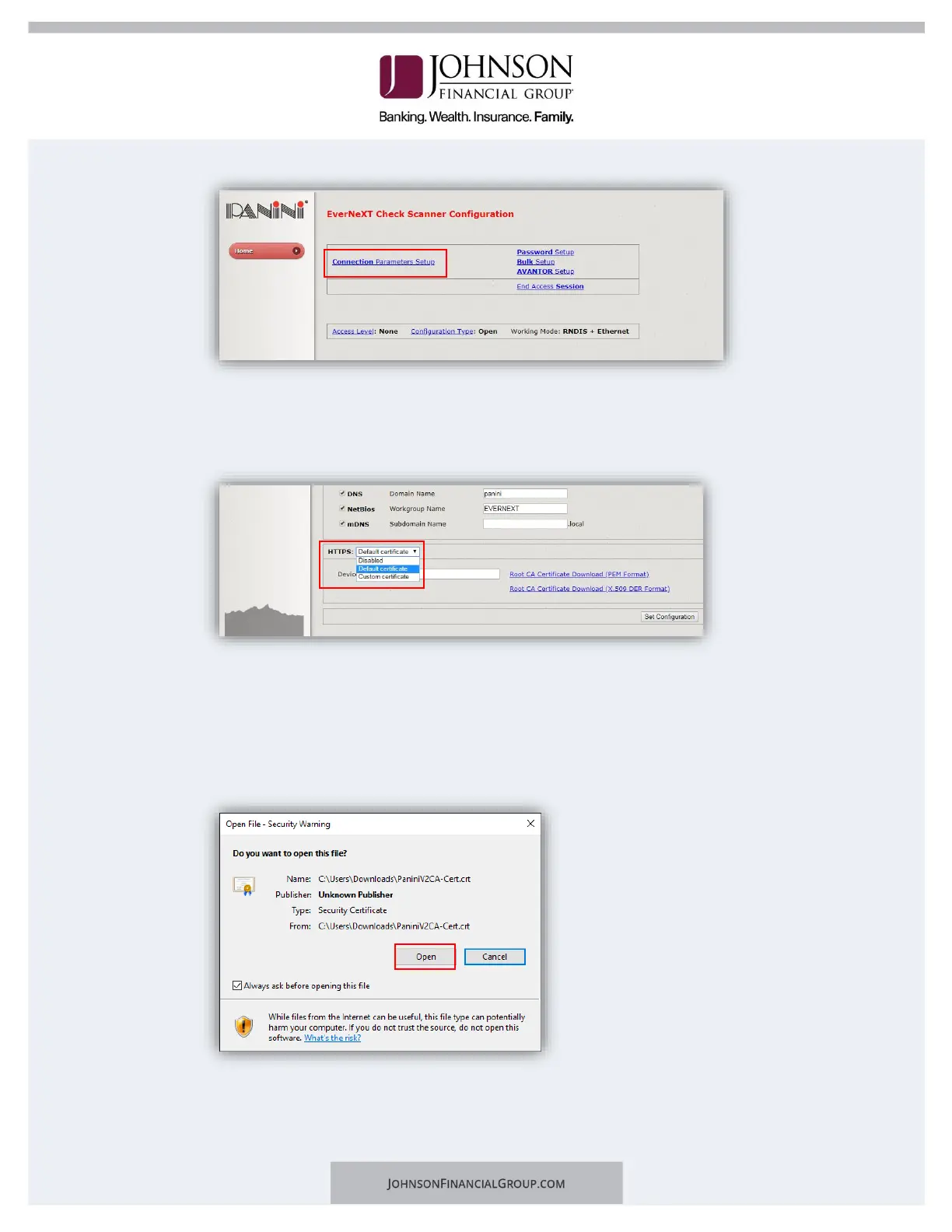
b. Click Next.
c. Scroll to the bottom of the page.
d. Next to HTTPS: select Default Certificate.
e. Type “evernext” in the field for device name.
5. Download Root Certificate.
a. Click on the Root CA Certificate Download (x.509 DER Format) link.
b. Click the certificate downloaded from the scanner homepage and click Open
to begin import process.


 To Next Page