EasyManua.ls Logo

Panini My Vision X - User Manual

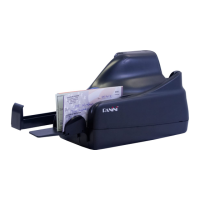
Panini My Vision X
57 pages
Print Icon
To Next Page IconTo Next Page
Loading...
Panini My Vision X
Operator Manual

Other manuals for Panini My Vision X

Question and Answer IconNeed help?

Do you have a question about the Panini My Vision X and is the answer not in the manual?

Summary

General Information

General Safety Precautions

Essential safety instructions to follow before operating or servicing the My Vision X.

Handling Damaged Equipment

Procedures to follow if the scanner is damaged, including conditions requiring qualified personnel.

Operating Your Panini My Vision X

Connecting the Power Cable

Steps for safely connecting the scanner's power supply unit and cables.

Getting Started with My Vision X

Clearing Document Jams

Detailed instructions on how to safely remove jams from the scanner's paper path.

Maintenance and Cleaning Procedures

Cleaning the Transport Area

Procedure for cleaning dust, lint, and particles from the scanner's transport track.

Cleaning Contact Image Sensors (CIS)

How to clean the scanner's CIS glasses for optimal image quality.

Cleaning the Reading Transport Belt

How to clean the transport belt to resolve MICR reject issues.

Technical Specifications

Panini My Vision X Specifications

General IconGeneral
BrandPanini
ModelMy Vision X
CategoryScanner
LanguageEnglish

Related product manuals