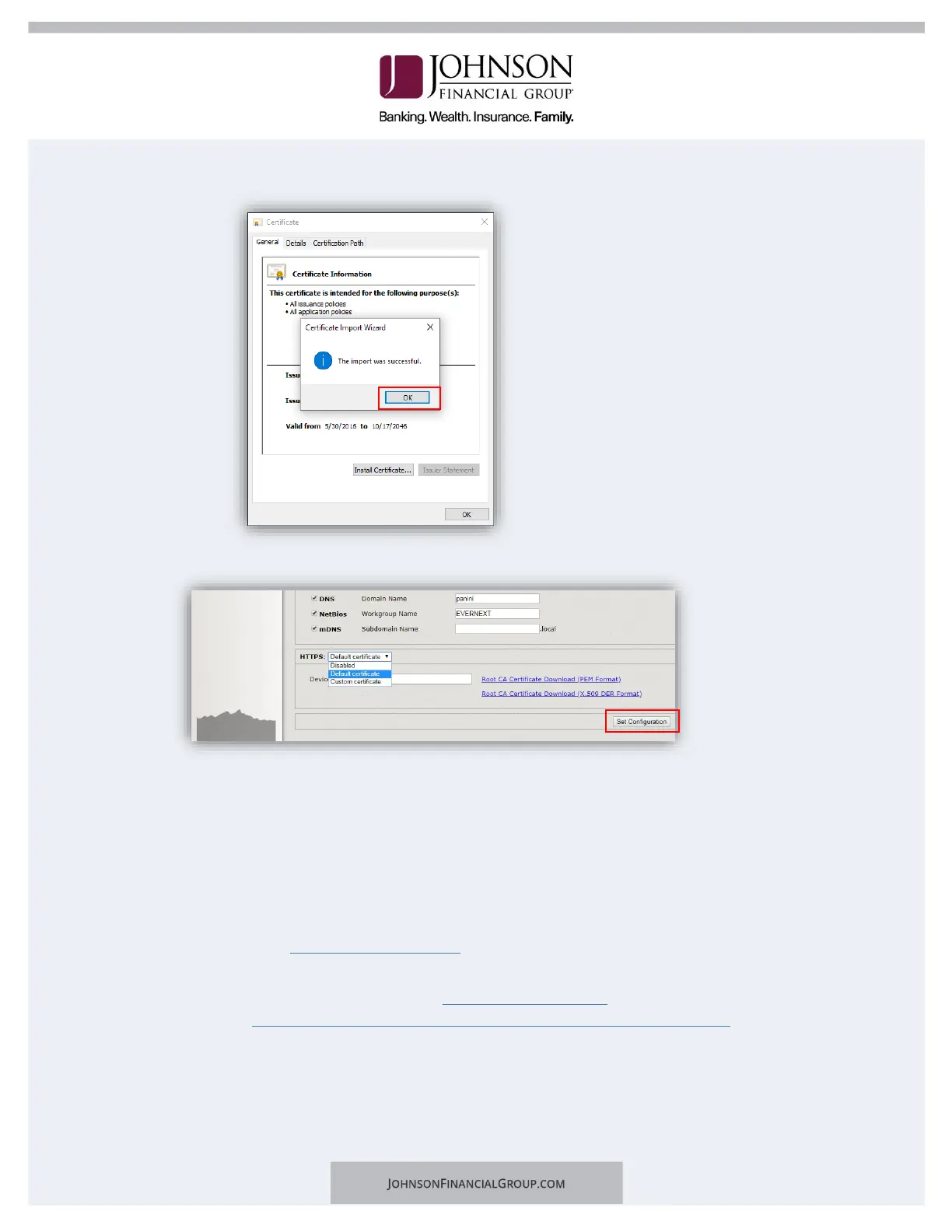
h. The certificate is now properly installed. Click OK.
6. Back on the Panini Homepage, click on Set Configuration.
7. Reboot the scanner by clicking the Reboot button back on the Panini page. Leave the
scanner plugged in.
a. Confirm Reboot of the scanner by clicking OK.
b. The LCD panel will turn orange and tell you it’s rebooting. When it’s finished,
it will go from green to blue.
c. Close the browser. You are finished with this page.
8. Log in to the DepositPartner website.
a. Note: You may be prompted to set up Multifactor Authentication. If you need
assistance please visit the Client Resource Center and view the
DepositPartner Multi-Factor Authentication Web Application guide.
9. Register the scanner.
a. Click the Registration tab on the top menu bar.
b. Click on Re-Register.


 To Next Page