Quick Guide
Step 5: Installing Single-Line Ink Jet
Cartridge (Panini P/N: CA-00138)
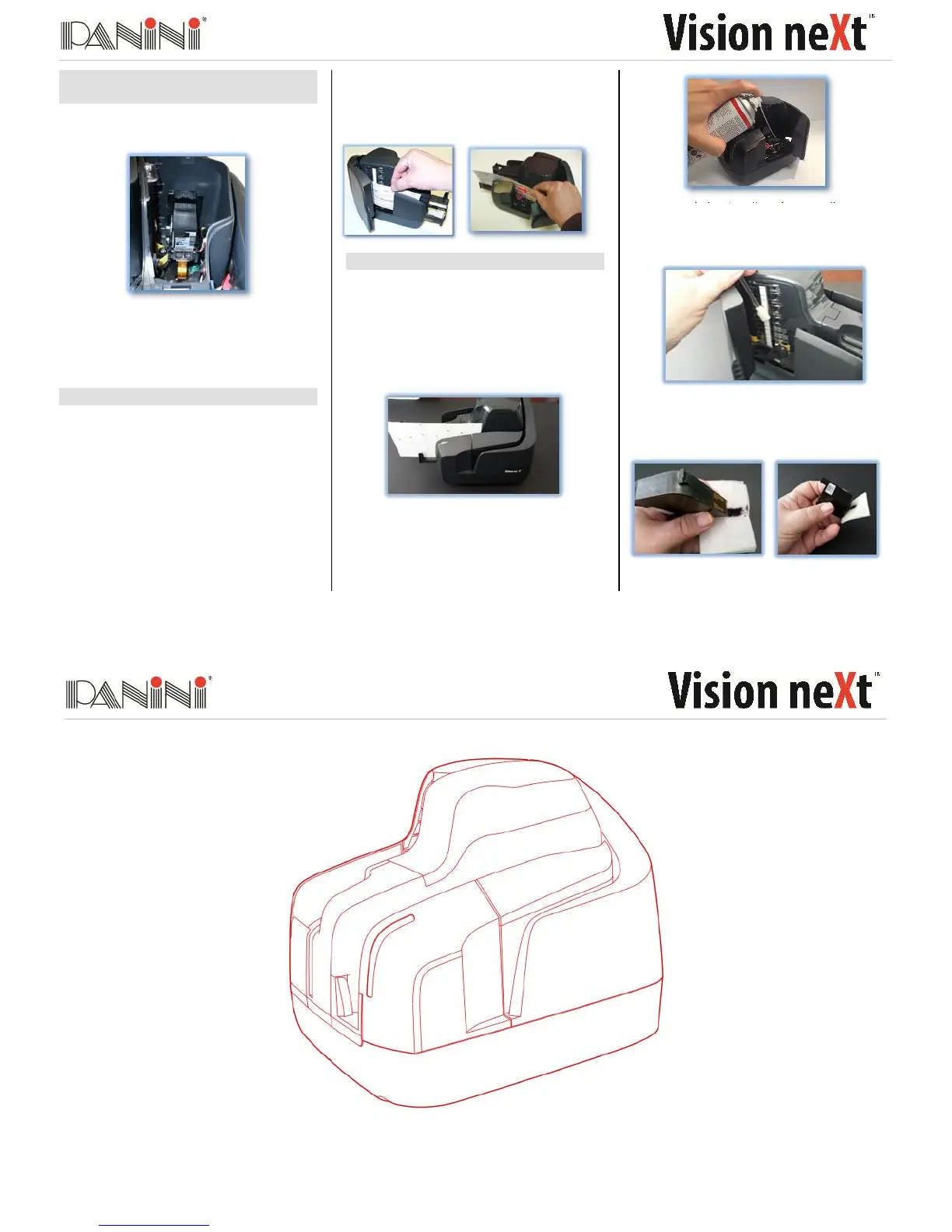
Open the Upper Cover and insert the
Cartridge in the cartridge nest
Remove the Ink-Jet cartridge when transporting
the unit or when the unit will not be used for long
periods. In case the scanner is not used
regularly, periodically cleaning the ink-jet nozzles
with a lint-free cloth is recommended.
Step 6: Clearing Jams
When a jam occurs, the paper path must be
cleared. To do this, first remove all documents
from the exit pocket, then free the track by
pressing Eject, Free Track or similar in your
application.
In case operation fails, apply the following
suggestions:
NOTE: Avoid pulling the document straight up,
this may dislodge the red O-rings on the
pressure roller.
Open the Track Cover and the CIS Cover
and pull the document through.
Grab the document with your fingers to
remove it from the transport.
Step 7: Cleaning and Maintenance
Panini recommends cleaning the Vision neXt
weekly or on an as-needed basis depending on
quantity and condition of the documents
processed.
Run a Panini Cleaning Card through the
scanner multiple times, rotating or flipping
the card after each pass.
Open the Track Cover and the CIS Cover;
use a can of compressed air w/extension
tube, spray the feeder area, check entrance,
and the track area.
If needed, wipe the glass on the contact
image sensors with a Panini Cleaning Swab
or a lint-free cloth dampened with distilled
water.
If endorsements are poor or fuzzy, clean the
ink jet nozzles with a Panini Ink Cleaning
Wipe or a lint-free cloth moistened with
distilled water.
Quick Guide


 To Previous Page