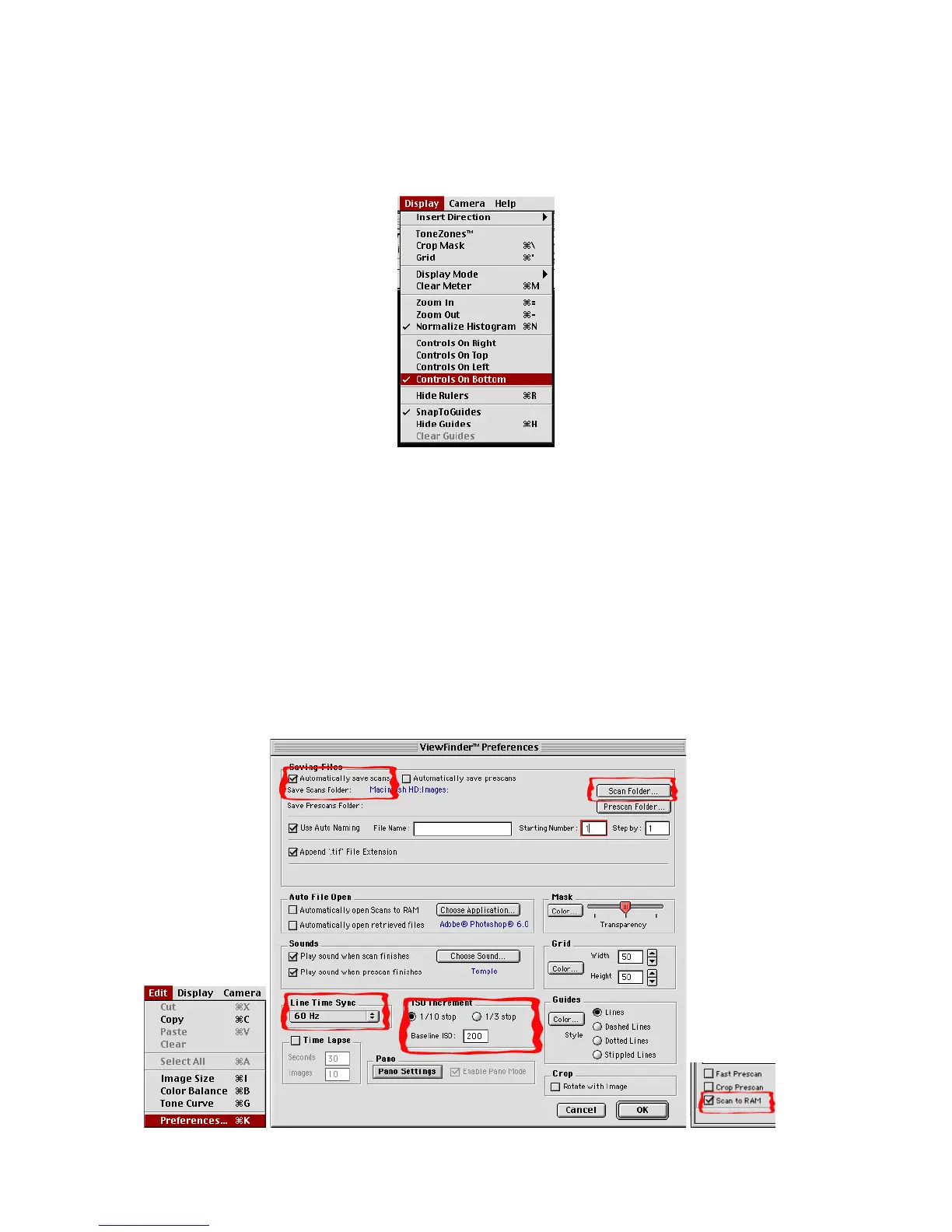
Before we start scanning we need to check a few preference settings. If your controls are not
showing along the bottom of the image we recommend doing so now.
It is crucial that the Base ISO setting be set to 200. It is a good idea to create a specific image
folder where you camera will save scans. Select this folder so that the camera will save in your
image folder. The automatic file naming will automatically assign a unique number to each scan
preventing accidentally writing over a pre existing image with the same name. The append file
name automatically adds the .tif file suffix to your scans so that the images can be more easily
opened on a Windows computer. If you are in the USA you need to set the “Line Time Sync” to 60
hz to avoid vertical banding caused by flickering light sources such as florescent lamps. If you are
in Europe set the sync for 50 hz.



 To Next Page