PANTONE 3
8
P/N P3USMA-ENG Rev. D
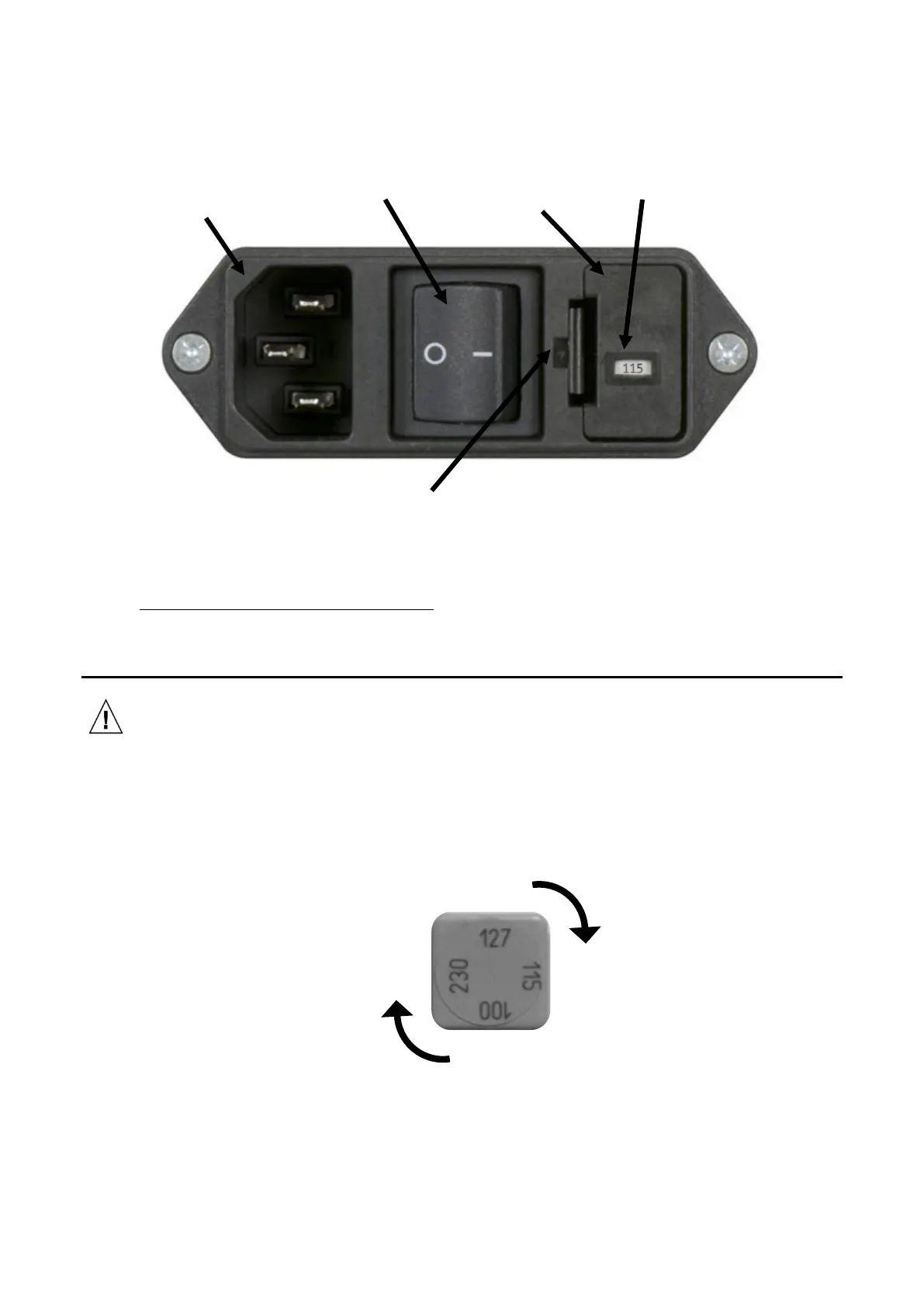
2. Check the voltage before applying power to the unit. To check the voltage, identify the voltage
displayed in the ‘Voltage Indicator Window’ of the fuse drawer.
3. If the voltage displayed is correct, plug the power cord into the mains inlet socket, then plug the
cord into a properly rated wall socket.
4. IF THE VOLTAGE DISPLAYED IS INCORRECT proceed to "Changing the Voltage Selection Unit" below.
5. Switch on the power switch.
Changing the Voltage Selection Unit
• ALWAYS UNPLUG THE UNIT BEFORE CHANGING THE VOLTAGE SELECTOR OR FUSE.
1. To remove the Fuse Drawer, insert a small flat bladed screwdriver or similar sized tool into the Fuse
Drawer Release, indicated above. The fuse drawer will spring out far enough to grasp the drawer
and remove it completely.
2. Note the voltage displayed in the window. If a different voltage is needed, remove the gray Voltage
Selection Unit and rotate to display the desired voltage in the Voltage Indicator Window. Reinsert
the Voltage Selection Unit into its housing.
3. With both fuses properly seated, slide the Fuse Drawer back into the unit. Gently press the Fuse
Drawer until you hear a distinct click.
4. Reconnect the power cord to the unit and apply power. If the unit shows signs that the fuses may
have blown again contact your X-Rite Service Representative.
Example shows 115 V



 To Next Page