Navigating the basestation RUn Mode
Run Mode Menu
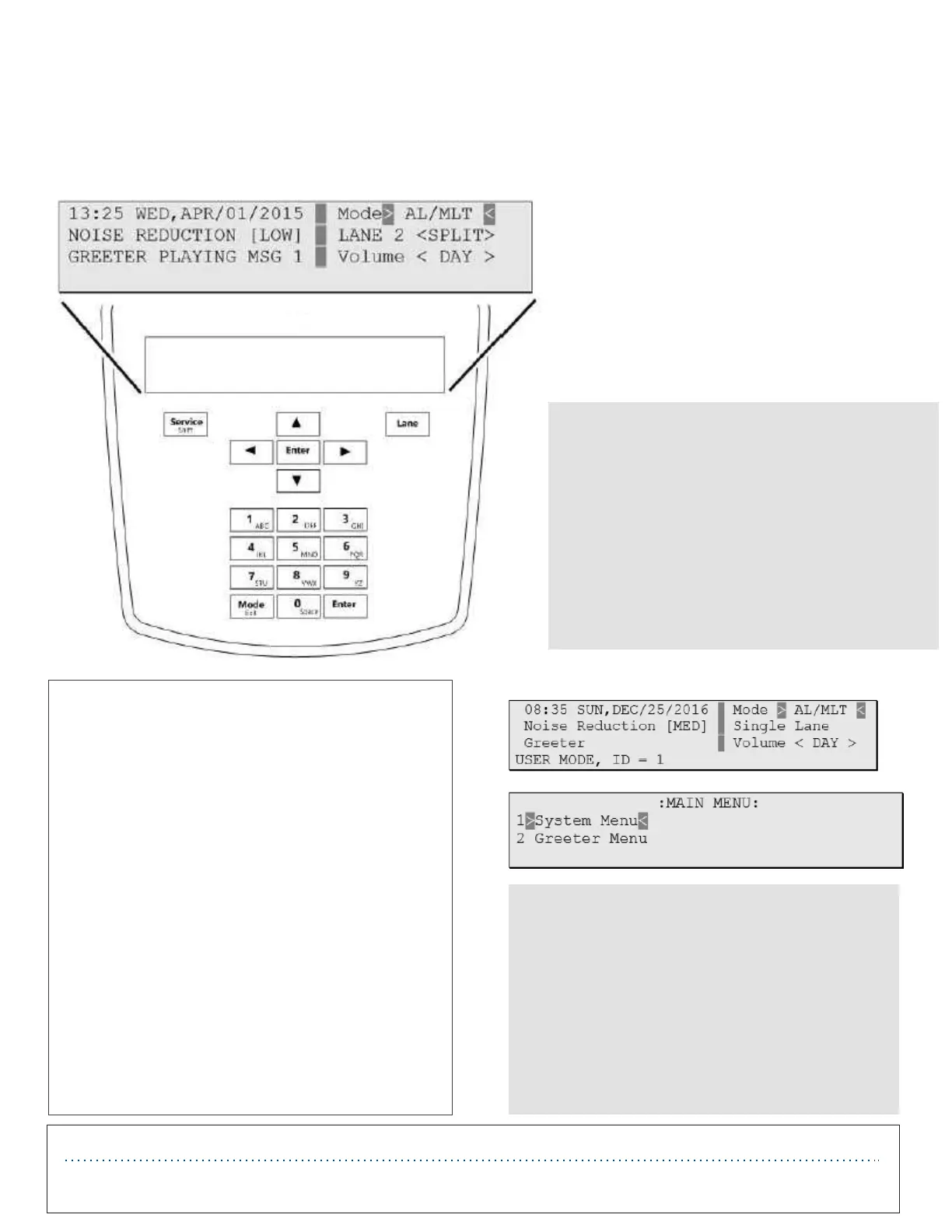
When the system is powered up and functioning normally, the Run mode menu appears on the display.
To navigate the Basestation in Run mode you
only need to use Enter, Mode, and the direc-
tional arrow buttons. The remaining button
function only in manager or installer configu-
ration modes.
IMPORTANT NOTE
There are two levels of passcode: installers
and users. Using a user’s passcode permits
you into all system menu items except those
reserved for installers.
The default user password is 1234.
The default installer password is 12345.
Configuration
Enter Configuration Mode
Configuration mode is a passcode-protected
area that contains most of the configuration
options for the Basestation system. Using the
access provided for users, it is possible to set
up all of the functionality of the system.
To enter the configuration mode:
• From the Run mode menu.
• Enter your user passcode.
• Press Mode. The display will show the user
name and ID number (e.g., User1 ID = 1).
• Press Mode again. The display will show the
Main Menu with options to select 1 System
Menu or 2 Greeter Menu.
IMPORTANT NOTE
Special Short Cut Keys
While on the Run Mode and no fields are
selected for editing, the left and right button
as short cut keys to two frequently accessed
configuration screens. Pressing the right
button launches the Greeter Message
Activation screen. Pressing the left button
launches the Add New Headsets screen.
Important Safety Information
Read, understand, and follow all safety information prior to installation and operation. Failure to follow all instructions could result in electrical shock, fire and/or other personal
injury. Refer to the PAR support website for additional information.


 To Next Page
 Loading...