EasyManua.ls Logo

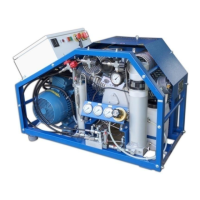
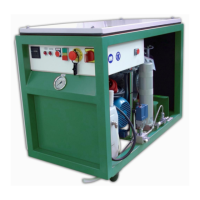
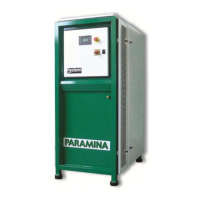
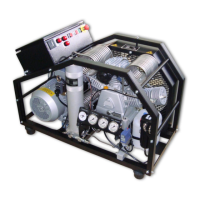
Paramina Typhoon Open 15E - User Manual

Paramina Typhoon Open 15E
73 pages
Print Icon
To Next Page IconTo Next Page
Loading...
User Manual - Typhoon Open 01/2018 edition
.
PARAMINA SA Byway Evaggelistrias str. 19300 Aspropirgos, Greece, Tel: 0030 210 5575860-1
Fax: 0030 210 5575868, email: service@paramina.gr - website: www.paramina-compressors.com
1
USER MANUAL
TYPHOON
OPEN

Questions and Answers

  • C
    Chelsea HallAug 4, 2025
    How to troubleshoot Paramina Air Compressor when the motor does not start?
    • D
      derrickwestAug 4, 2025
      If your Paramina Air Compressor motor isn't starting, it could be due to faulty electrical circuitry. Check the power supply fuses and compressor fuses, as well as the terminal connections and wire leads. Another possibility is that the thermal switch is enabled.
  • E
    Elijah SmithAug 9, 2025
    Why does my Paramina Typhoon Open 15E Air Compressor run too hot?
    • D
      Dr. Meghan Ayers MDAug 9, 2025
      If your Paramina Air Compressor is running too hot, several factors could be the cause. First, check the location to ensure there's sufficient fresh cooling air and that the ambient temperature is under 40 ºC. Also, inspect the intake or outlet valves to ensure they are closing correctly; clean them and replace if needed. Verify that the compressor's rotation direction matches the arrow on the compressor. Finally, check the oil level and replenish if low.
  • S
    singletonmichaelAug 14, 2025
    How to improve the performance of my Paramina Typhoon Open 15E?
    • S
      Samantha HarrisAug 14, 2025
      Decreased performance in your Paramina Air Compressor can stem from several issues. Start by checking and cleaning or replacing the air intake filter if it's blocked. Inspect the 1st, 2nd, and 3rd stage valves to ensure they are closing properly, and check the intermediate pressures. If the piston rings are worn on any of the stages, replace them. Also, check for worn cylinders and replace if necessary. Tighten and reseal any leaking pipes. Clean or replace solenoid valves if they are stuck open. Ensure a stable power supply by checking the power supply fuse box. Verify the cable diameter and replace if it's incorrect or too long. Finally, inspect the interstage safety valves for leaks and replace if needed.
  • L
    luisharperAug 18, 2025
    What to do if my Paramina Air Compressor does not attain final pressure?
    • J
      Jessica HunterAug 18, 2025
      If your Paramina Air Compressor isn't reaching its final pressure, start by tightening and resealing the condensate drain valve and fittings to stop any leaks. Clean and readjust the final safety valve if it's opening prematurely. If there's excessive piston clearance, replace and regulate again. Check the intermediate pressures, and regulate or replace the valves if the final safety valve’s safety lock opens prematurely. Inspect and replace any leaking interstage safety valves. Finally, check and replace the final stage piston rings if they are worn.
  • M
    manningjohnAug 25, 2025
    Why is there oil residue or smell in the air from my Paramina Typhoon Open 15E Air Compressor?
    • S
      shane74Aug 25, 2025
      Oil residue or smell in the air delivered by your Paramina Air Compressor can be due to several reasons. Ensure proper maintenance of the final filter by servicing it and renewing the BA cartridge. Verify that you're using the correct type of oil. If the activated carbon is saturated, renew the BA cartridge. Check and replace the 1st, 2nd, or 3rd stage piston rings if they are worn, and also check and replace worn cylinders if necessary.
  • L
    Lisa BruceAug 28, 2025
    What causes interstage safety valves to release pressure on a Paramina Air Compressor?
    • L
      Luis MilesAug 28, 2025
      If the 1st stage safety valve is releasing pressure on your Paramina Air Compressor, the 2nd stage valves may not be closing properly; check and replace the valves. If the 2nd stage safety valve is releasing, the 3rd stage valves may not be closing properly; check and replace those valves as well.

Summary

General Instructions

Technical Data

User Instructions

Safety Measures - Warning Signs

Identifies and explains hazard warning symbols for safe operation.

Basic safety recommendations

Fundamental safety guidelines for compressor operation.

Instructions for safe operation - risks

Procedures to mitigate risks during compressor operation.

Special attention

Highlights critical operational and maintenance points requiring user focus.

Safety Regulations

Outlines regulatory compliance and supervision requirements.

Installation - Operation

General Specifications

Overview of the compressor's features, applications, and technical details.

Installation - First start of the compressor

Step-by-step guide for initial setup and startup procedures.

Ventilation

Requirements for proper air circulation and cooling for optimal performance.

Transport and Lifting

Safe procedures for moving and lifting the compressor unit.

Electric version

Startup and connection instructions specific to the electric model.

Petrol;Diesel Version

Startup and shutdown instructions for petrol and diesel engine models.

Cylinder filling procedure

Correct method for filling compressed air cylinders safely and effectively.

Automatic stop system

Explanation of the automatic pressure-based stop feature.

Dual pressure filling module

Details the optional dual pressure filling system for simultaneous cylinder filling.

Pressure switches adjustment

Guide to adjusting pressure switches for automatic operation control.

Condensate drainage

Explains manual and automatic systems for removing condensate.

Maintenance

Compressors long period storage

Procedure for proper storage of the compressor for extended periods.

Re-Operation of the compressor after a long period of storage

Steps for safely returning a stored compressor to operational status.

Intake air filter

Instructions for replacing the air intake filter cartridge.

Belt adjustment

How to check and adjust V-belt tension for optimal performance.

Oil change

Procedure for changing the compressor's lubricating oil.

Filters Maintenance

General guidance for maintaining the compressor's filtration system.

General Service Instructions

Comprehensive guidelines for routine maintenance tasks and schedules.

Tightening Torque Values

Specifies torque values for screws, bolts, and fittings during assembly.

Maintenance Calendar

Schedule of recommended maintenance activities for the compressor.

Trouble Shooting

Motor does not start

Diagnoses and remedies for issues preventing motor startup.

Decreased performance of the compressor

Identifies causes and solutions for reduced compressor output.

Compressor does not attain final pressure

Troubleshoots failure to reach target pressure.

Interstage Safety valves releasing pressure

Addresses issues with interstage safety valves releasing pressure.

Compressor runs too hot

Diagnoses and resolves causes of compressor overheating.

Oil residue;Oil smell in delivered air

Identifies causes and remedies for oil contamination in output air.

Spare Parts Catalog

Electric Version

Lists spare parts for the electric model of the compressor.

Petrol Version

Lists spare parts for the petrol version of the compressor.

Diesel Version

Lists spare parts for the diesel version of the compressor.

Typhoon Open 13-15 ES Version

Lists spare parts for the Typhoon Open 13-15ES model.

Optional equipment

P & I Diagram

Cooling air - Dimensional Diagram

Certificates

Paramina Typhoon Open 15E Specifications

General IconGeneral
BrandParamina
ModelTyphoon Open 15E
CategoryAir Compressor
LanguageEnglish

Related product manuals