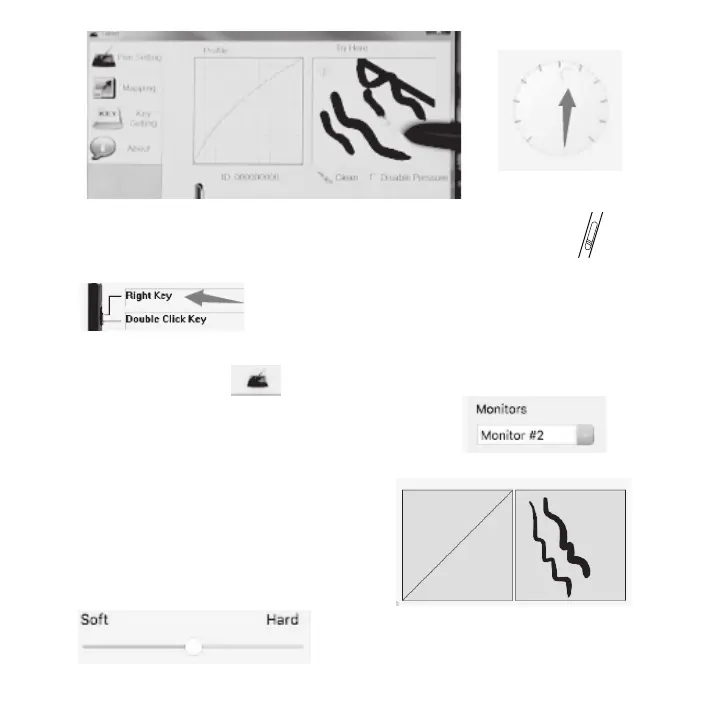
* The pen for Parblo Coast10 Graphic Monitor only has one shortcut key.
And it is equall to the “Right Key” of your mouse by default.
You can also personalize it in the area that the arrow pointed to.
Mac System:
* Find an icon like this . Then, click it to go to setting and click
“Region Setting” to choose “Monitor #2” in “Monitor”.
If you have three monitors, please choose “Monitor 3”.
* Go to “Normal Setting” and use pen to draw in the right blank area.
If it has pen pressure, it means that the driver
installed successfully.
* You can adjust the pressure sensitivity
through the button like below as the right
picture shows. .


 To Next Page