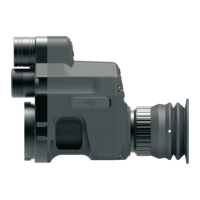
Model No.
Magnification
IR power
IR wave length
IR illuminate
distance
Adapter size
Video
resolution
Eyepiece
resolution
Voltage
Output type
Battery
Dimension
Weight
NV007S
4x-14x
5w
850/940nm
45 / 48mm
18650x1
1920*1080
>8h
Battery life
Storage type
T F Card
Focusing
1024*768
250m
102*75*118
Specifications
Warranty
—17—
Frame rate
30fps
Transmission
method
WiFi
mp4
3.7V
—18—
265g
Notice:
Photo
resolution
2592*1944
3cm-∞
—16—
Warranty card
—18—
Product model:
Product code:
Date of purchase:
Warranty period:
User Name:
User's phone:
User address:
Warranty records:
Product specifications are subject to change without notice.
The right to interpret this manual is owned by PARD.
Press and hold “Menu/playback” button to playback video clips stored in
SD card;
Press “OK/photo/recording” button to take photos; Press and hold
OK/photo/recording button to make/save video recording;
Press “-”button to zoom in/out;
Press “+”button to turn on/off Red dot indicator.
—19—
8.Shortcuts
Under the user interface:
Press and hold”IR fill light brilliance control /Color or BW mode” button to
make switch between color / BW mode;
Press and hold “-/WiFi” button to turn on/off WiFi;
This product is warranted against defects in materials and workmanship
for a period of two year from the date of purchase.
This warranty is for the original purchaser only!
Operate this device in daylight or view any strong radiation source like the Sun,
electric welding and Laser directly may cause permanent damage to internal parts
of this device and this is not covered by the Warranty.


 To Next Page