Manual operation: WARNING SWITCH POWER OFF FIRST!
In the event of a power cut or other fault it will be necessary to move your barrier in manual mode.
Manual operation should only be attempted by a responsible adult. Before doing this always switch
the system off at the main isolator, your installer will have shown you where this is on your system.
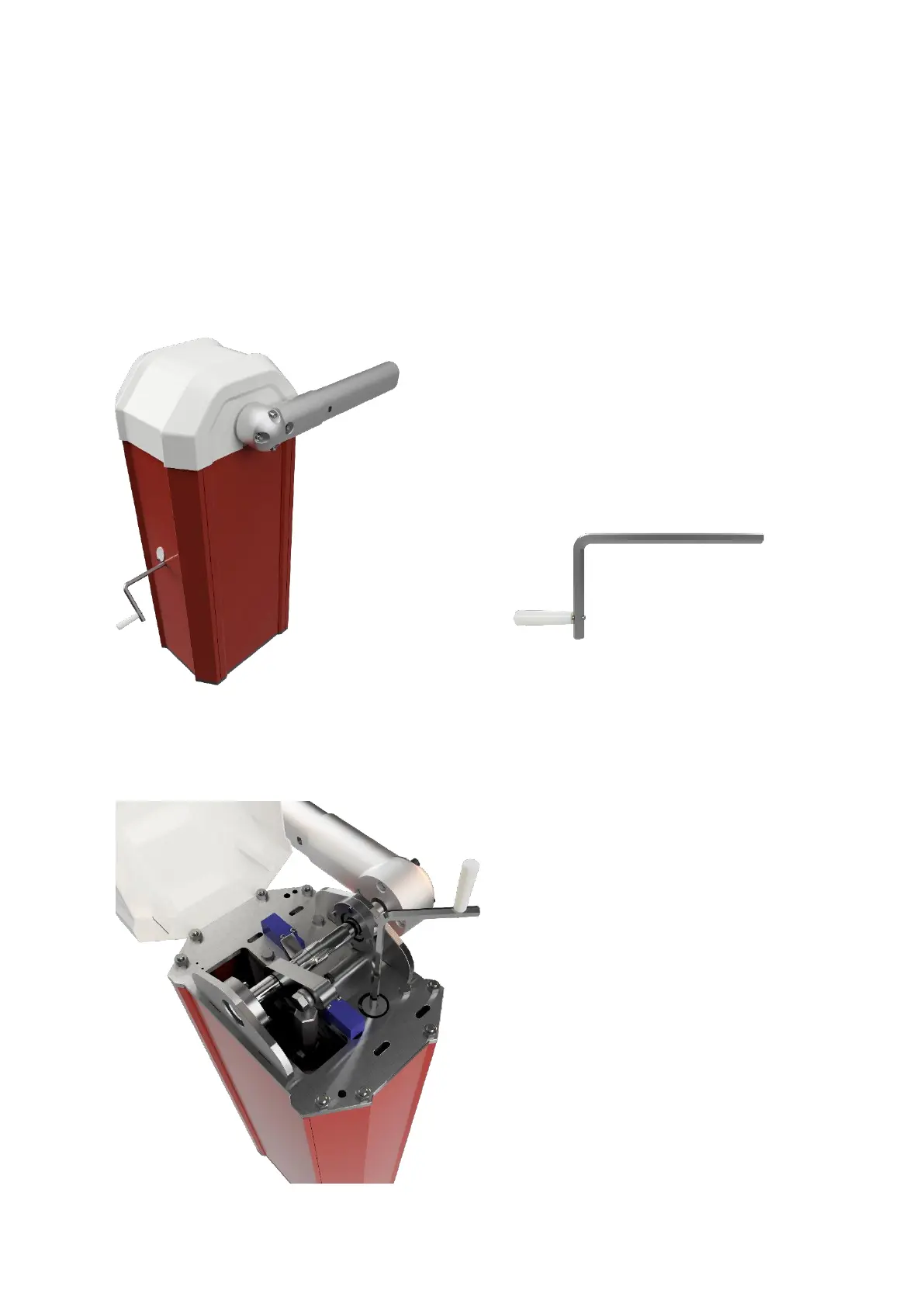
One the HD barrier due to the different mounting you have a cover plate that has thumb
screw Allen key bolts that need removing and then this allows access to the manual release.
This is located on the side panel of the barrier. Please note! On removal of the correct screw
this will activate a safety switch which will stop the barrier moving automatically. THE
POWER MUST ALSO BE TURNED OFF at the isolator as a failsafe BEFORE! this is attempted.
Fig 1 HD Model Fig 2
You can now move the barrier manually. Only move the barrier very slowly, no faster than it moves
in normal use. Your installer will have demonstrated this at handover.
To return the barrier to automatic operation (when the power is restored) simply follow the steps
above in reverse order: Fig 3 Shown below where the manual release is underneath the barrier lid.
Fig 3 Lux/S/B Model


 To Next Page