in
Parking and access control equipment manufactured in the UK
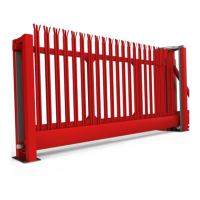
PF9700 Automated Hinge Gate
Every input/output is highly configurable, and can be changed from its default/state use. The below is a guide to what they can
be changed to and the effect of this change. The logic behind this is as follows:
On the wiring diagram each terminal has an input number this is noted as “IN6" for example. To change this or other values the
table below quotes P. 0 the “ ” needs to be replaced with the input/output you wish to configure. So as an example if we 5x x
wanted to change input “6" (terminals 82&83) we would replace the “ ” with “ " making it “P. 0". Also note that the number x 6 65
following “P.” (in our example “ ") denotes we are dealing with and “input” if instead we wanted to deal with an “output” we 5
would replace the “ " with a “ ". The below is a brief summary of common changes but there are MANY more options than 5 7
listed here, for a full list please contact the supplying company.
Description/Value of Parameter
With this parameter the functionality for parameter x is set.
0: Input deactivated
1: OPEN command
2: Single channel / pull switch
3: Permanent open command
4: Stop command
5: Safety B
6: Jog mode / Automatic switch
7: Close command
8: Door locking in end position
9: Cross traffic input
10: Deactivation input
11: Limit switch input
14: Safety A
15: Simulation of foil key pad
16: Safety C
17: Door drive to intermediate stop / partial open
18: External detector
Specifies the contact type of the switch which is connected to the input.
0: N.O., Normally open
1: N.C., Normally closed
Hold-open time /
Priority
This parameter specifies if and which hold-open time / forced closing time runs after
activating the input.
0: Without auto close time
1: With auto close time (P.010 or P.011)
2: With minimum auto close time (P.015)
3: No auto close time until a CLOSE command is given.
4: Auto close time as used before with the last open command.
5: The auto close time is stopped after activating in end position door OPEN
and will go on after deactivation. By reversing during closing the min. auto
close time is running.
6: With Priority 1 (highest Priority: like PULSE OPEN)
7: With Priority 2 (second highest Priority: like pull switch)
Switching
Condition of
output relay
The selected output relay is energized under the following conditions:
0: If End position Door OPEN was reliably detected
1: If End position Door OPEN was not reliably detected
2: If End position Door CLOSE was reliably detected
3: If End position Door CLOSE was not detected
4: If there is no fault condition or emergency stop, controller in Automatic mode
5: Courtyard light function, during every OPEN and CLOSE move with 10 turn-
off delay after opening. 6: Command forwarding
This setting involves additional setting under P.7xF.
7: During each OPEN and CLOSE move
8: During each OPEN and CLOSE move and during active clearing time.
9: Forward external door release (e.g., airlock operation)
10: Forward external door locking (e.g., airlock operation)
11: Magnet voltage during closing and in end position close
13



 To Next Page