4
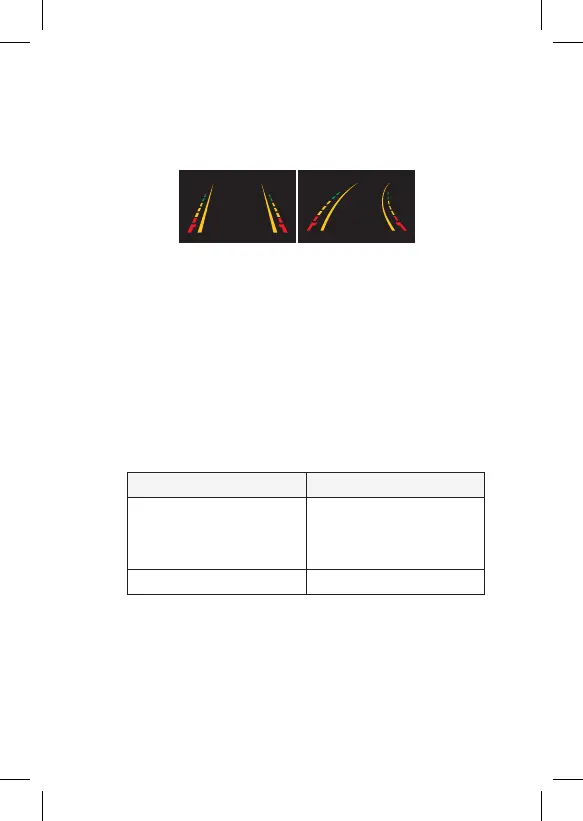
3.0 DYNAMIC REVERSING GUIDELINES
Inbuilt G sensor moves the guidelines in accordance with the
vehicles' movement, this helps the driver to avoid obstacles while
reverse parking.
Guideline option: PM-80DLR has parking guide-lines as a default.
To remove guide-lines, cut the thin GREEN wire near the camera
lead and the guide-lines will now be removed.
4.0 TESTING
4.1 HOW TO TEST
1. Apply the parking brakes. (Safety Precaution)
2. Turn ignition on. (DO NOT TURN ON VEHICLE)
3. Shift into reverse gear.
4. Image should appear on the monitor.
5.0 TROUBLESHOOTING
6.0 CARE AND MAINTENANCE
Always keep camera clear from dirt and mud. Clean camera with a
soft moist cloth.
PROBLEM SOLUTION
“No Signal” appears while
reversing
1. Check video input
connections
2. Check camera power
connections
Video image is not sharp Check camera lens for debris


 To Next Page