EasyManua.ls Logo

Parkside 393778 2104 - User Manual

Parkside 393778 2104
182 pages
Print Icon
To Next Page IconTo Next Page
Loading...
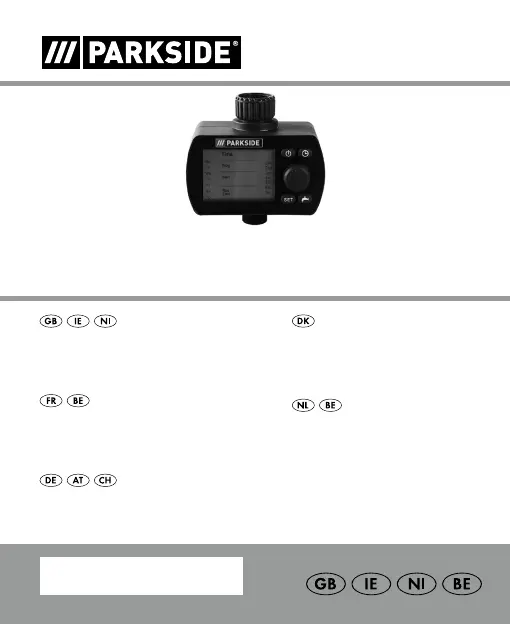
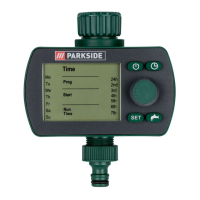
PROGRAMMABLE WATERING TIMER
BEWÄSSERUNGSCOMPUTER
Bedienungs- und Sicherheitshinweise
PROGRAMMABLE
W ATERING TIMER
Operation and safety notes
VANDINGSCOMPUTER
Brugs- og sikkerhedsanvisninger
BESPROEIINGSCOMPUTER
Bedienings- en veiligheidsinstructies
PROGRAMMA TEUR
D’ARROSAGE
Instructions d‘utilisation et consignes de sécurité
IAN 393778_2104

Table of Contents

Questions and Answers

  • T
    Timothy Washington DDSAug 6, 2025
    Why is my Parkside 393778 2104 Timer not watering?
    • K
      Kelsey MillerAug 6, 2025
      If the Parkside Timer isn't watering as expected, several factors could be at play. Ensure the watering program is fully entered and adjust it if needed. Check if the programs are deactivated ('Prog OFF') and activate them ('Prog ON'). Turn the tap on. Prevent program overlaps by adjusting the watering schedule. If the battery is low (1 bar flashing), replace it with a new alkaline battery. Avoid manually opening the valve beforehand to prevent conflicts.
  • L
    Linda PetersonAug 15, 2025
    How to fix a Parkside 393778 2104 with no display?
    • C
      Christian ConnerAug 15, 2025
      If your Parkside Timer display is blank, there are a few potential causes. First, check that the battery is inserted correctly, ensuring the polarity markings match. If the battery is flat, replace it with a new one. Also, if the display temperature exceeds 60 °C, the display will reappear once the temperature drops.
  • N
    navarroamberAug 25, 2025
    What to do if manual watering is not working on my Parkside 393778 2104 Timer?
    • R
      Ronald JacksonAug 26, 2025
      If manual watering isn't working on your Parkside Timer via the (Man) button, several things might be happening. First, if the battery is low (only 1 bar left), replace it. Also, make sure the manual watering period is set to a value greater than 0:00. Finally, ensure that the tap is turned on.

Summary

List of Pictograms Used

Introduction

Intended Use

Defines the purpose and application of the watering timer.

Scope of Delivery

Lists all items included in the product package.

Technical Data

Provides specifications like model number, pressure, and temperature limits.

Parts Description

Identifies and labels each component of the watering timer.

Display Indicators

Explains the meaning of icons and symbols shown on the device's screen.

Safety

Safety Instructions

Outlines critical safety precautions for using the product to prevent injury.

Safety instructions for batteries;rechargeable batteries

Details safety measures and risks associated with battery handling and usage.

Inserting;replacing batteries

Initial use

Operation

Putting the product into operation

Connects the timer and prepares it for initial setup.

Setting current time and day of week

Guides users through setting the device's current time and day of the week.

Programming for automatic watering

Explains how to set up watering schedules, times, and frequencies.

Manual operation for watering

Describes how to manually turn the watering on or off.

Read;modify watering programmes

Details how to view and change existing watering program settings.

Reset

How to restore the watering timer to its factory default settings.

Switching 12;24 hours display

Instructions for toggling between 12-hour and 24-hour time display formats.

Switching on;off the display

How to turn the device's LCD display on or off.

Battery status display

Explains how to check the current battery level of the device.

Troubleshooting

Cleaning and Care

Cleaning the filter

Step-by-step guide on how to clean the device's water filter.

Storage

Disposal

Warranty

Warranty claim procedure

Instructions on how to make a warranty claim for the product.

Service

Parkside 393778 2104 Specifications

General IconGeneral
Shortest Switching Time1 minute
Maximum Time Setting24 hours
Frequency50 Hz
Number of Sockets1
Operating Voltage230 V AC
Protection TypeIP20
Operating Temperature-10°C to +40°C

Related product manuals