EasyManua.ls Logo

Parkside HG04678 - User Manual

Parkside HG04678
210 pages
Print Icon
To Next Page IconTo Next Page
Loading...
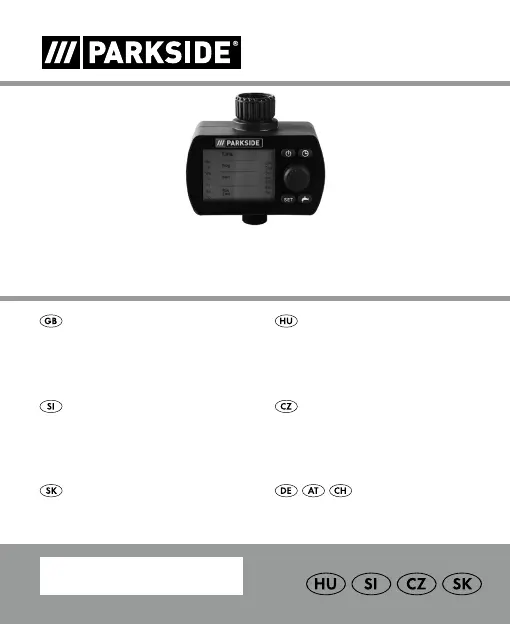
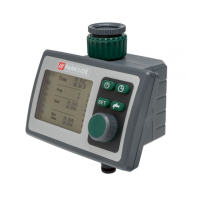
PROGRAMMABLE WATERING TIMER
IAN 352082_2007
BEWÄSSERUNGSCOMPUTER
Bedienungs- und Sicherheitshinweise
ZAVLAŽOVACÍ POČÍT
Pokyny pre obsluhu a bezpečnostné pokyny
ZAVLAŽOVACÍ POČÍT
Pokyny pro obsluhu a bezpečnostní pokyny
NAPRAVA ZA AVTOMATSKO
ZALIVANJE
Navodila za upravljanje in varnostna opozorila
PROGRAMMABLE
WATERING TIMER
Operation and safety notes
ÖNTÖZÉSIDŐZÍTŐ
Kezelési és biztonsági utalások

Table of Contents

Questions and Answers

  • L
    Logan GlennAug 3, 2025
    Why is my Parkside Lawn and Garden Equipment watering program not working?
    • K
      Kimberly HernandezAug 3, 2025
      If the Parkside Lawn and Garden Equipment isn't watering as scheduled, there could be several reasons. First, ensure that the watering program has been fully entered and adjust it if needed. Make sure the program is activated by checking that it's not set to 'Prog OFF'; if it is, switch it to 'Prog ON'. Also, verify that the tap is turned on. Program overlaps can also cause issues, so create a new watering schedule without any overlaps. Avoid manually opening the valve before a scheduled watering to prevent conflicts.
  • L
    Leah ClarkAug 8, 2025
    What to do if manual watering is not working on my Parkside Lawn and Garden Equipment?
    • A
      Amanda SpencerAug 9, 2025
      If manual watering isn't working on your Parkside Lawn and Garden Equipment, several factors could be at play. First, ensure that the battery isn't low; if it shows only one bar, replace it with a new one. Next, check that the manual watering period isn't set to 0:00; if it is, set it to a duration greater than 0:00. Finally, confirm that the tap is turned on.
  • J
    Joseph FreemanAug 13, 2025
    How to fix a Parkside Lawn and Garden Equipment with no display?
    • C
      Christopher Zhang Jr.Aug 13, 2025
      If the display on your Parkside Lawn and Garden Equipment isn't showing anything, start by checking the battery. Make sure it's inserted correctly, aligning with the polarity markings. If the battery is flat, replace it with a new one. Also, if the display temperature exceeds 60°C, the display will reappear once the temperature drops.
  • C
    Cynthia RosalesAug 18, 2025
    Why is my Parkside HG04678 Timer watering program not working?
    • S
      Stephanie HallAug 18, 2025
      The watering program might not be running for several reasons. First, the watering program may not have been entered completely, so read the watering program data and modify if necessary. Second, the programs could be deactivated, so activate the program. Third, a valve may have been opened manually previously, so avoid possible program overlaps. Fourth, the tap could be turned off, so turn the tap on. Fifth, there may be a program overlap, so enter a new watering program without overlaps. Finally, the battery might be flat, so insert a new alkaline battery.
  • S
    snydertommyAug 23, 2025
    What to do if my Parkside Timer display is not showing anything?
    • M
      Mary ThomasAug 23, 2025
      If no display appears on your Parkside Timer, it could be due to a few reasons. Make sure the battery is inserted correctly, paying attention to the polarity markings. If the battery is flat, insert a new one. Also, if the temperature on the display is higher than 60 C°, the display will appear after the temperature has dropped.
  • E
    elizabeth01Aug 28, 2025
    How to fix manual watering not working on Parkside HG04678?
    • S
      Steven BrownAug 28, 2025
      If manual watering isn't working on your Parkside Timer, it could be due to a few reasons: * The battery may be flat (only 1 bar left), so insert a new battery. * The manual watering period might be set to 0:00, so set it to a figure greater than 0:00. * The tap might be turned off, so turn it on.

Summary

Safety Guidelines

General Safety Precautions

General warnings and precautions for safe operation and handling of the device.

Battery Safety Instructions

Specific safety guidelines related to battery insertion, handling, and disposal.

Battery Management

Inserting and Replacing Batteries

Step-by-step guide for installing and changing batteries in the device.

Initial Use and Setup

Connecting the Device

Steps for initial installation and connection to a water source.

Operating the Watering Timer

Automatic Watering Programming

Detailed steps to set up automated watering schedules and frequencies.

Troubleshooting Common Issues

Troubleshooting Guide

Provides solutions for common faults and operational problems encountered with the device.

Parkside HG04678 Specifications

General IconGeneral
BrandParkside
ModelHG04678
CategoryTimer
LanguageEnglish

Related product manuals