28 GB/IE/NI
Troubleshooting
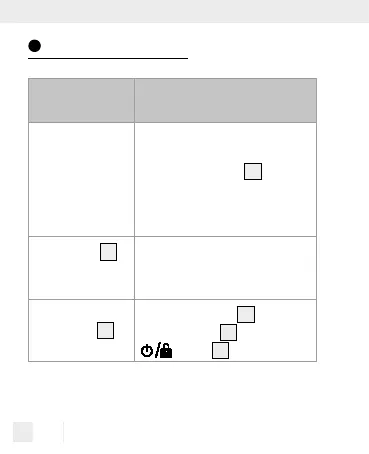
Error Possible causes and
solutions
The measurement
is obviously too
high or low.
Check whether the product is set
to the correct material. Check if
the measuring pins
2
are cor-
rectly pressed against the mate-
rial. Repeat the measurement
process.
The display
8
is
reading “Lo” or
“Hi”.
The measurement range has
been exceeded or you have not
reached the measuring range.
The number on
the display
8
is
not reacting.
If the lock symbol
12
appears
on the display
8
, press the
button
4
.



 To Next Page