EasyManua.ls Logo

Parkside PSS 65 A1 - User Manual

Parkside PSS 65 A1
56 pages
Print Icon
To Next Page IconTo Next Page
Loading...
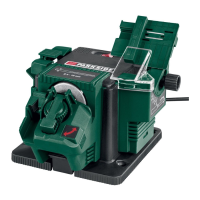
SHARPENING STATION PSS 65 A1
SCHÄRFST A TION
Originalbetriebsanleitung
ΗΛΕΚΤΡΙΚΗ ΣΥΣΚΕΥΗ ΑΚΟΝΙΣΜΑΤΟΣ
Μετάφραση των αυθεντικών οδηγιών λειτουργίας
SHARPENING ST A TION
Translation of the original instructions
IAN 270702
270702_par_Schaerfstation_cover_GB_IE_CY.indd 2 14.08.15 11:00

Table of Contents

Other manuals for Parkside PSS 65 A1

Questions and Answers

  • J
    James HarperAug 17, 2025
    How to fix a Parkside PSS 65 A1 grinding disc that doesn't rotate smoothly?
    • R
      raymond36Aug 17, 2025
      If the grinding disc on your Parkside Tools doesn't rotate smoothly and you hear abnormal noises, the grinding disc nut may be loose. Tighten the grinding disc nut to resolve this issue.
  • R
    Robert JohnsonAug 19, 2025
    What to do if Parkside Tools grinding tools do not move but the engine is running?
    • A
      Anthony GreenAug 19, 2025
      If the grinding tools on your Parkside Tools aren't moving even though the engine is running, the grinding disc nut might be loose. You should tighten the grinding disc nut.
  • L
    Larry WoodsAug 22, 2025
    How to fix a grinding wheel that doesn't rotate smoothly and makes abnormal noises on Parkside PSS 65 A1?
    • N
      nicoleclarkAug 22, 2025
      If the grinding wheel on your Parkside Tools isn't rotating smoothly and you hear unusual noises, start by checking if the grinding wheel nut is loose and tighten it. If the issue persists, the grinding wheel itself may be faulty and needs to be replaced.
  • C
    Courtney SantosAug 25, 2025
    Why won't my Parkside PSS 65 A1 start?
    • R
      Robert SmithAug 26, 2025
      If your Parkside Tools device isn't starting, it could be due to a few reasons. First, check the socket, mains cable, line, and mains plug for any issues. If necessary, have a qualified electrician carry out repairs. Also, check the main circuit breaker. Another potential cause is a defective on/off switch, which requires repair by Customer Care. Finally, the engine itself might be faulty.
  • M
    Matthew WoodsAug 28, 2025
    What to do if the Parkside PSS 65 A1 Tools engine is slower and stops?
    • B
      Brian KelleyAug 28, 2025
      If the engine of your Parkside Tools slows down and stops, it might be overloaded by the workpiece. Try reducing the pressure on the grinding tool. Alternatively, the workpiece may be unsuitable for the tool.
  • K
    Kristen WalkerAug 30, 2025
    What to do if my Parkside PSS 65 A1 Tools device doesn't start?
    • S
      Samantha HarveyAug 30, 2025
      If your Parkside Tools device isn't starting, there could be several reasons. First, check if the socket, mains cable, line, and mains plug are working correctly, and ensure the main circuit breaker hasn't tripped. If you suspect the on/off switch is defective, it should be inspected and repaired by Customer Care. If these steps don't resolve the issue, the engine may be faulty.
  • J
    Jack GloverSep 2, 2025
    Why grinding tools do not move on my Parkside Tools, although the engine is running?
    • C
      Carolyn ObrienSep 2, 2025
      If the grinding tools on your Parkside Tools aren't moving even though the engine is running, it might be due to a loose grinding wheel nut. Ensure the grinding wheel nut is tightened properly. Alternatively, the drive could be blocked by the workpiece, remaining workpieces, or remaining grinding tools. Remove any blockages to resolve this issue.
  • K
    Katelyn CarrollSep 5, 2025
    What to do if the engine of my Parkside Tools is slower and stops?
    • A
      alexandrachapmanSep 5, 2025
      If your Parkside Tools engine is slowing down and stopping, it could be overloaded by the workpiece. Try reducing the pressure on the grinding tool. It's also possible that the workpiece is unsuitable.
  • C
    Christopher MooreSep 8, 2025
    Why is my Parkside PSS 65 A1 engine slower and stops?
    • C
      Chris MartinezSep 8, 2025
      This could be happening because the device is overloaded by the workpiece. Try reducing the pressure on the grinding tool. It could also be caused by an unsuitable workpiece.
  • A
    Anne BensonSep 12, 2025
    What to do if grinding tools do not move although the engine is running in Parkside Tools?
    • V
      Vanessa DixonSep 12, 2025
      The grinding disc nut may be loose. Tighten the grinding disc nut. Also, check for any blockages caused by the workpiece, remaining work-pieces, or grinding tools and remove them.

Summary

Introduction and Intended Use

Product Introduction

Welcomes the user and highlights the product's quality.

Intended Use Guidelines

Defines the specific applications and limitations of the sharpening station.

General Product Description

Scope of Delivery and Components

Lists all items included in the product package and summarizes components.

Functionality Overview

Details the purpose and operation of the device's main components.

Technical Specifications and Safety Symbols

Technical Data

Lists key technical details such as voltage, power, and dimensions.

Safety Symbols Explained

Explains the meaning of symbols used on the device and within the manual.

General Safety Instructions

Safe Operation Practices

Outlines essential practices for safe operation of power tools.

Personal Protection and Work Area Safety

Advises on attire, protective gear, and maintaining a safe work environment.

Continued Safety Instructions

Tool Handling and Operational Precautions

Covers tool handling, maintenance safety, and operator awareness.

Further Electrical and Operational Safety

Addresses electrical safety requirements and general operational precautions.

Safety, Risks, and Handling

Accessory Use and Part Handling

Guides on using accessories, checking discs, and handling hot parts.

Residual Health Risks

Lists potential health risks like lung/hearing damage and injuries from moving parts.

Assembly and Operation Basics

Assembly and Setup Safety

Emphasizes assembly safety and device setup procedures.

Sharpener Mounting and Operation

Covers sharpener installation and basic device operation and switching.

Sharpening Drills

Drill Sharpening Steps 1-8

Details initial steps for sharpening drills, including setup and initial grinding.

Sharpening Picks and Chisels

Picks and Chisels Sharpening Guide

Step-by-step instructions for sharpening picks and chisels.

Sharpening Procedures

Drill Sharpening Alignment and Grinding

Covers final steps for drill sharpening, including alignment and grinding the second edge.

Knife and Scissor Sharpening

Guides for sharpening knives and scissors with the device.

Grinding Disc Replacement

Disc Replacement Safety and Information

Important notes on safely changing the grinding disc, including precautions.

Cleaning, Maintenance, and Storage

Maintenance and Cleaning Procedures

Instructions for cleaning and maintaining the device, with safety precautions.

Storage and Disposal Guidelines

Advises on proper storage of the appliance and environmental disposal.

Replacement Parts and Accessories

Obtaining Spare Parts

Provides information on how to obtain spare parts and accessories for the device.

Troubleshooting Common Issues

Device Start-up Problems

Lists causes and solutions for the device failing to start.

Operation and Performance Issues

Addresses problems with tool movement, engine performance, and disc rotation.

Guarantee and Claims

Guarantee Coverage and Terms

Explains the terms, conditions, and scope of the product guarantee.

Processing Guarantee Claims

Outlines the steps for quick handling of guarantee inquiries and claims.

Service and Repair Information

Repair Service Options

Details options for repairs, whether covered by guarantee or chargeable.

Service Center Contact Details

Provides contact details for service centers in different regions.

EC Declaration of Conformity

Conformity Statement

Confirms the product conforms to relevant EU directives and harmonized standards.

Parkside PSS 65 A1 Specifications

General IconGeneral
Power650 W
Rated input power650 W
No-load speed500 – 3, 000 rpm
Max. cutting depth in wood65 mm
Max. cutting depth in steel8 mm
Cable length2 m
No-load stroke rate0 - 3000 min⁻¹
Bevel cut left/right45°
Sanding disc diameterNot applicable

Related product manuals