EasyManua.ls Logo

Parkside PTIA 1 - User Manual

Parkside PTIA 1
79 pages
Print Icon
To Next Page IconTo Next Page
Loading...
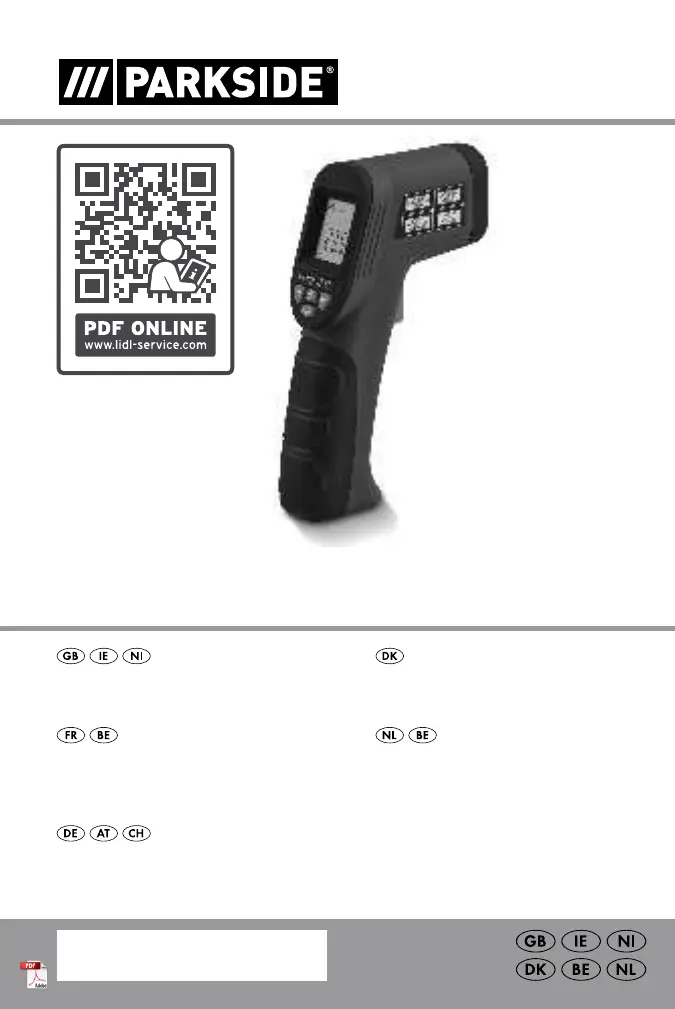
INFRARED THERMOMETER PTIA 1
INFRAROT-
TEMPERATURMESSGERÄT
Bedienungs- und Sicherheitshinweise
INFRARED THERMOMETER
Operation and safety notes
INFRARØDT TERMOMETER
Brugs- og sikkerhedsanvisninger
IAN 374243_2104
INFRAROOD
TEMPERATUURMETER
Bedienings- en veiligheidsinstructies
THERMOMÈTRE INFRAROUGE
Instructions d‘utilisation et consignes de sécurité

Table of Contents

Questions and Answers

  • D
    Donald BookerAug 3, 2025
    Why does my Parkside PTIA 1 show an incorrect temperature?
    • S
      Steven FoxAug 3, 2025
      An incorrect temperature on the display of your Parkside Thermometer might be due to several reasons: a low battery (replace it with a new one), the product needing about 30 minutes to adjust to a new environment, or an unsuitable measuring surface (change it).
  • S
    Steven HenryAug 8, 2025
    What to do if my Parkside PTIA 1 Thermometer displays a blank screen?
    • G
      goodwincodyAug 8, 2025
      If the display of your Parkside Thermometer is blank, it could be due to the battery being inserted incorrectly (insert it as shown on the battery cover) or the battery being drained (insert a new battery).
  • J
    Jesus MckinneyAug 13, 2025
    What to do if Parkside PTIA 1 displays '----' and then 'OFF'?
    • J
      Julia LevyAug 13, 2025
      If your Parkside Thermometer displays "----" for about 5 seconds and then "OFF" for about 3 seconds before turning off, it's likely that the ambient temperature is either too low or too high. Turn off the product, move it to a location where the ambient temperature is within the specified range, and allow it to stabilize for at least 30 minutes before turning it back on. The product should then function normally.
  • S
    Stephanie NguyenAug 18, 2025
    What to do if Parkside PTIA 1 shows incorrect temperature?
    • J
      Joshua HernandezAug 18, 2025
      If your Parkside Thermometer displays an incorrect temperature, there are several possible causes. First, the battery may be low, in which case you should replace it with a new one. Second, you may not have allowed the product to acclimate to the environmental conditions for about 30 minutes after a drastic change in ambient conditions; allow the device to acclimate for the specified time. Finally, the measuring surface may not be suitable, so try changing it.
  • G
    Gregory MccannAug 23, 2025
    Why is the display blank on my Parkside PTIA 1?
    • E
      Emily HoweAug 23, 2025
      A blank display on your Parkside Thermometer can occur for two reasons: either the battery is inserted incorrectly (insert the battery as shown on the battery cover) or the battery is drained (insert a new battery).
  • B
    blewisAug 27, 2025
    How to fix Parkside PTIA 1 Thermometer when it shows '----' and 'OFF' before turning off?
    • C
      Cory BarnesAug 27, 2025
      If your Parkside Thermometer shows "----" for 5 seconds and "OFF" for 3 seconds before turning off, it is likely that the ambient temperature is too low or too high. To resolve this, turn off the product and move it to a location where the ambient temperature is within the specified range. Allow the product to stabilize in the working ambient temperature range for at least 30 minutes before turning it back on. The product should then function normally.

Summary

List of pictograms used

Introduction

General welcome and overview of the manual's purpose.

Intended use

Specifies the temperature range and application limits for the infrared thermometer.

Functionality

Explains how the infrared sensor and laser pointer work.

Description of parts

Identifies and lists the components of the infrared thermometer.

Scope of delivery

Technical data

Provides specifications like measuring range, accuracy, and dimensions.

Safety instructions

General safety advice before using the product.

Danger from laser radiation

Safety instructions for batteries;rechargeable batteries

Covers battery safety, handling, leakage, and disposal.

Before use

Inserting;changing the battery

Step-by-step guide for battery installation and replacement.

Start-up

Procedure for powering the device on and off, including auto-off.

Selecting the temperature unit

Measuring temperature

Instructions for taking temperature readings using the laser pointer.

Show temperature deviation

Determine reference value

Process for setting a reference temperature for comparison.

Select tolerance range

How to set acceptable temperature deviation thresholds.

Scan temperature deviation

Example of use

Practical scenario demonstrating how to use the temperature deviation feature.

Battery state display

Troubleshooting

Common issues and their solutions for product malfunctions.

Maintenance and cleaning

Disposal

Instructions on how to properly dispose of the product and packaging.

Warranty

Warranty claim procedure

Steps to follow for making a warranty claim.

Service

Contact information for customer service and support.

Parkside PTIA 1 Specifications

General IconGeneral
BrandParkside
ModelPTIA 1
CategoryThermometer
LanguageEnglish

Related product manuals