7
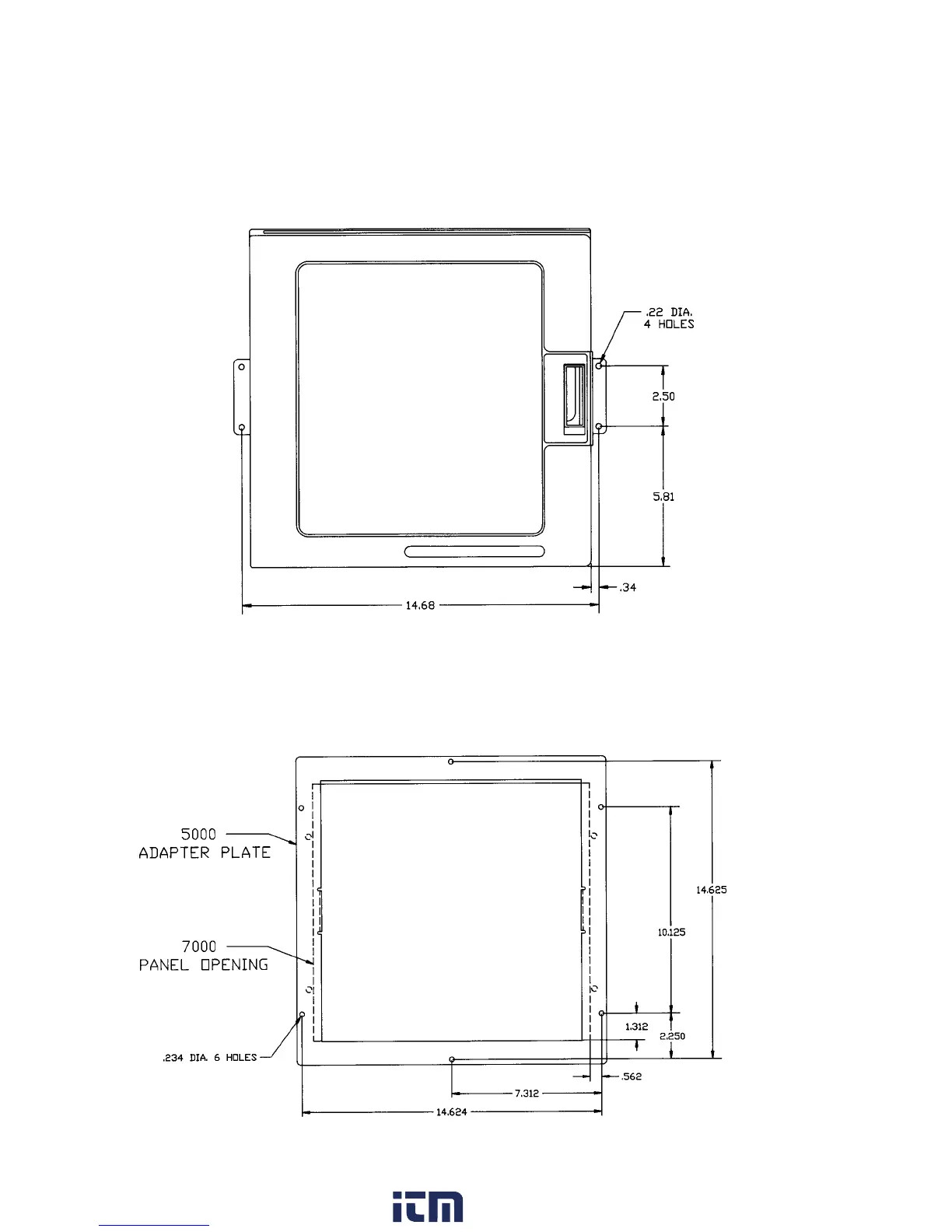
SURFACE MOUNTING:
1. Loosen the mounting brackets attached to the recorder and flip their position so the ears are flush with the back of he
recorder. Fasten the recorder to the surface using the appropriate fasteners (#10 screws or nuts and bolts) depending on the
surface material.
2. As an alternative, remove the brackets, attach them to the surface, and then attach the recorder to the brackets.
FIGURE 2-1B
RETROFIT:
Note: An Adapter Plate is available (P/N 50033301) that allows the recorder to retrofit with the Partlow MRC 7000 and ARC
4100 recorders. Figure 2-1C shows the adapter plate relative to the MRC 7000/ARC 4100 cutout. The Adapter Plate includes
ears that attach to the sides of the recorder.
FIGURE 2-1C
Use #10 screws
w ww . . co m
information@itm.com1.800.561.8187



 To Next Page