Photoelectric Effect Apparatus Model No. AP-8209
21
®
Appendix A: Specifications
Appendix B: DataStudio Graphing Instructions
The instructions below outline a method for using DataStudio to plot graphs of Stopping Potential
versus Frequency or Current versus Voltage. For information on the latest version of DataStudio, go
to the PASCO web site (www.pasco.com).
Procedure
PART 1: Open a new DataStudio file.
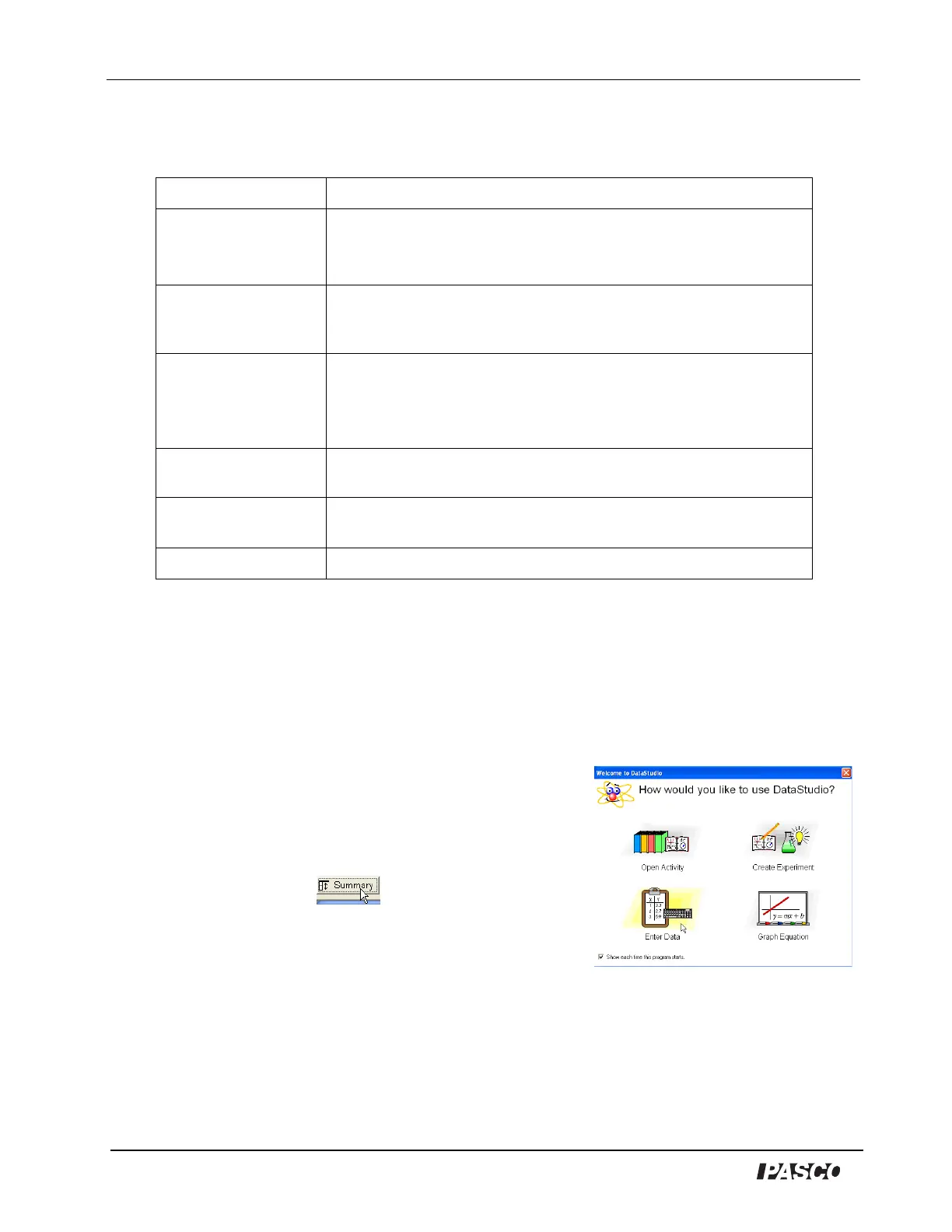
Start DataStudio. When the Welcome to DataStudio screen opens,
select ‘Enter Data’. An empty Table display with columns for X and Y
data and an empty Graph display with X- and Y- axes will open. Click the
Summary button in the toolbar to open the Summary list.
OR
If the Welcome to DataStudio screen does not appear, select
‘New Empty Data Table’ from the Experiment menu. An empty Table
display and the Summary list will open. Double-click the Graph display
icon in the bottom half of the Summary list, or select ‘Add Display’ from
the Experiment menu and select ‘Graph’ in the window that opens.
Item Description
Current Amplifier
Measuring range: 10
-8
to 10
-13
A, in six ranges, 3-1/2 digit display.
Zero drift: ≤ ±0.2% of full range reading in 30 minutes at the range
of 10
-13
A (after 20 minute warm-up).
Voltage Output for
Photoelectric Tube
Voltage adjustment: –2— +2V and –2— +30V (two ranges), 3-1/2
digit display.
Stability: ≤0.1%
Photoelectric tube Spectral response range: 300–700 nm
Minimum cathode sensitivity: ≥1µA/Lm
Anode: nickel ring
Dark current: ≤ 2 x 10
-13
A (–2V≤V
AK
≤2V)
Optical filters Five filters with central wavelengths of 365.0, 404.7, 435.8, 546.1,
and 578.0 nm
Mercury lamp Emitting spectral lines of 365.0, 404.7, 435.8, 546.1, and
578.0 nm
Measuring error For Plank’s constant, within 3%, typical
Welcome to DataStudio


 To Next Page