8
Battery and Charging System
Inserting Battery
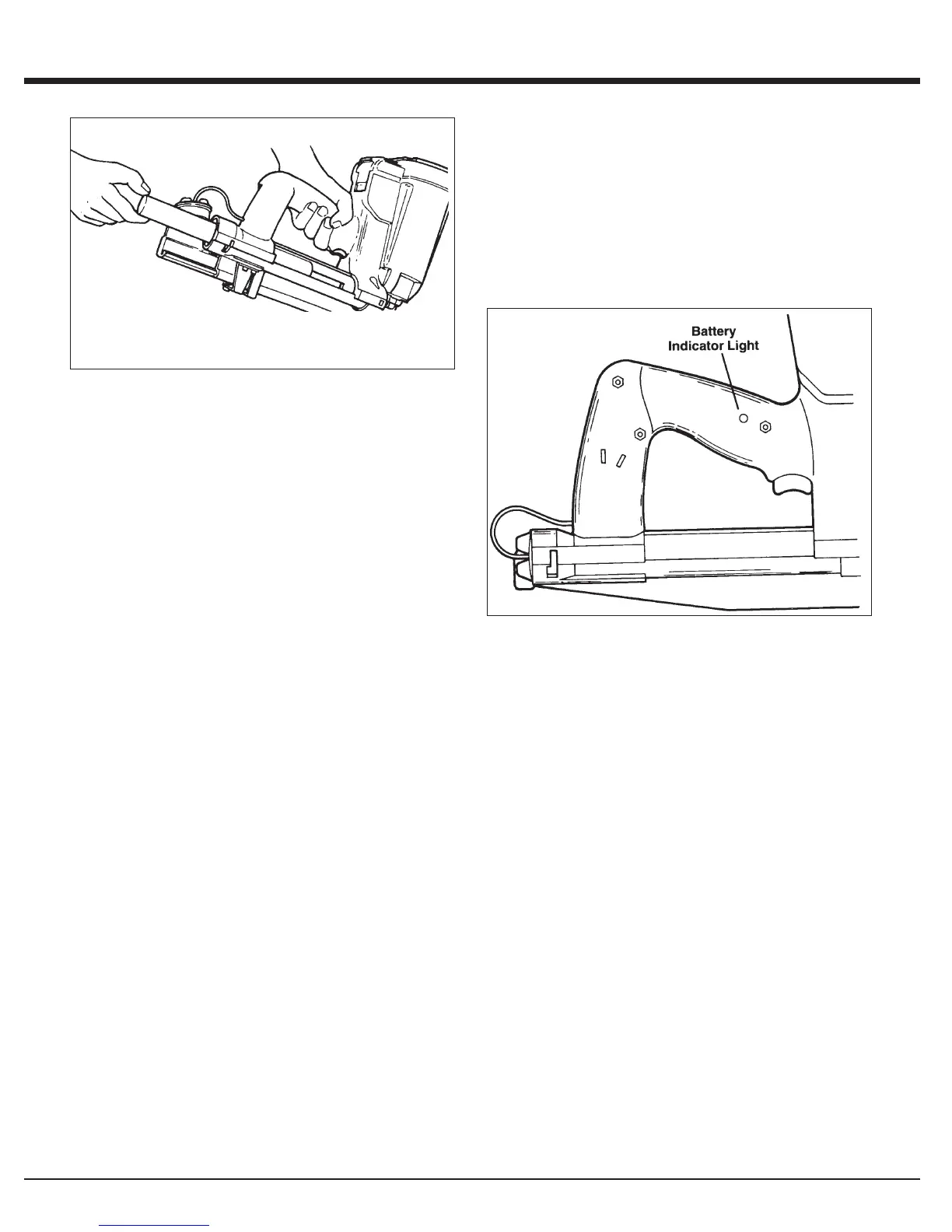
1. Load the battery, contacts first, into the Impulse
®
Stapler.
2. Align tabs on the battery compartment cover.
3. Press cover in firmly. Turn cover clockwise to secure.
NOTE: If battery is left in tool for an extended period, the
battery will discharge completely and will require recharging.
Battery Indicator Light
The illustration is a close-up of the side of the Impulse
Stapler handle. On the back side of the handle is a small
plastic lens. This is the battery indicator light.
When you insert a fully-charged battery into the tool, you will
see a blinking green light. If the indicator light blinks red,
recharge the battery.


 To Next Page