EasyManua.ls Logo

Paslode IM200/50 S16 - User Manual

Paslode IM200/50 S16
20 pages
Print Icon
To Next Page IconTo Next Page
Loading...
19
IMPORTANT!
DO NOT DESTROY
It is the customer's responsibility to have
all operators and service personnel read
and understand this manual.
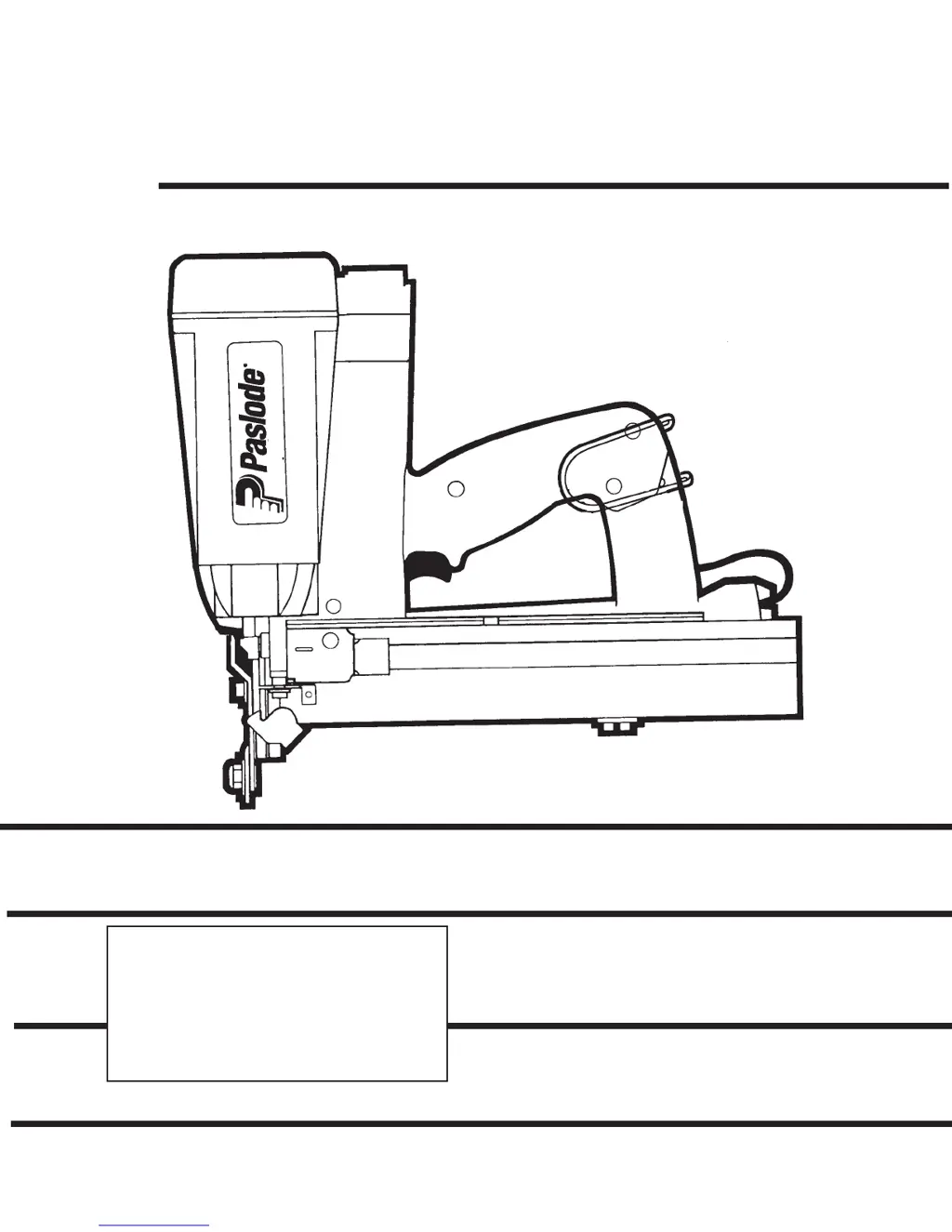
OPERATING AND
SAFETY MANUAL
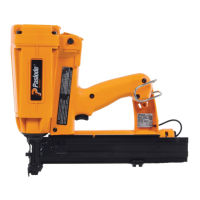
IM200/50 S16
CORDLESS
STAPLER
Printed in U.S.A.
© 2002 Illinois Tool Works, Inc.
403627-7
2/02
P
CORDLESS

Questions and Answers

  • E
    Elizabeth BrownAug 17, 2025
    Why Paslode Power Tool fasteners not driving fully?
    • N
      Natalie CraneAug 17, 2025
      If the Paslode Power Tool operates properly but the fasteners don't drive fully, it could be due to several reasons. The work-contacting element might need adjustment. Alternatively, the fuel cell may be low, requiring a check and replacement if necessary. Finally, there could be a loss of seal in the combustion chamber. To check for a leak, press the work-contacting element against the workpiece for one minute and pull the trigger. If the fastener still doesn't drive, a leak exists and requires professional service.
  • A
    Anthony RussellAug 20, 2025
    What to do if Paslode Power Tool operates erratically?
    • D
      dhooperAug 20, 2025
      If your Paslode Power Tool operates erratically or seems to lose power while the indicator light is green, several factors could be responsible. First, check the fuel cell, as it may be low. Second, inspect the spark plug wire to ensure it's properly connected. Additionally, a dirty filter element can cause the tool to overheat, so remove and clean it with soap and water. Lastly, the tool sleeve or O-rings might be dirty, requiring a thorough cleaning of the tool.
  • S
    Shari BerryAug 22, 2025
    How to fix Paslode IM200/50 S16 that will not cycle?
    • J
      James AndersonAug 22, 2025
      If your Paslode Power Tool's fan runs and the indicator light is solid green but the tool won't cycle, it could be due to a few reasons. The fuel cell might be empty, requiring a replacement. The spark wire could be out of the spark plug; remove the cap, check the spark lead, insert it into the spark plug, and replace the cover. A dirty spark plug can also cause this issue, so clean the tool cylinder head. If no spark is generated, return the tool to an authorized Paslode dealer for service.
  • A
    Anthony WashingtonAug 26, 2025
    What to do if Paslode IM200/50 S16 operates but doesn't drive fasteners?
    • K
      Kenneth ClarkAug 26, 2025
      If the Paslode Power Tool operates but doesn't drive fasteners, ensure you are using fasteners that meet Paslode specifications. Check the Fasteners and Applications section for recommended types and sizes. Also, verify that the follower is properly engaged behind the fastener strip. Finally, check for and clear any jammed fasteners.
  • Q
    qwrightAug 28, 2025
    How to fix Paslode Power Tool battery that won't charge?
    • P
      Patrick MillsAug 28, 2025
      If the Paslode Power Tool battery does not appear to accept a charge, there could be a few reasons. If the indicator lights on the charger are inoperative, or the charger is defective, try the battery in the tool after a full charge cycle. If the tool's indicator light is green, the charger is not working properly and should be replaced, or monitor charging time to ensure battery has adequate time for recharging. It is normal for the battery to feel warm after properly charging. Alternatively, the battery may be damaged or its cycle life exhausted, requiring a replacement.
  • M
    mchavezAug 31, 2025
    Why Paslode IM200/50 S16 fasteners are over or under-driven?
    • J
      jmartinezAug 31, 2025
      If the Paslode Power Tool sometimes over-drives and sometimes under-drives fasteners, the work-contacting element is likely not adjusted properly for the material. Adjust the work-contacting element and readjust as needed when the material density or thickness changes.
  • C
    cpooleSep 2, 2025
    What to do if Paslode IM200/50 S16 fan does not run?
    • L
      landryjamesSep 2, 2025
      If the fan on your Paslode Power Tool does not run and the tool indicator light is blinking red or solid red, the battery may not be charged; in this case, charge the battery. Alternatively, the battery terminals might be oily, dirty, or corroded; clean them with a soft cloth.
  • J
    Jeffrey CunninghamSep 5, 2025
    What to do if Paslode IM200/50 S16 driver blade doesn't return?
    • A
      Amanda HensonSep 5, 2025
      If the Paslode Power Tool operated and drove fasteners, but the driver blade did not return to the up position, it could be due to built-up dirt and debris on the driver blade or in the nose bore; clean these with a degreaser cleaner. Also the tool (sleeve) or O-rings may be dirty, requiring a cleaning of the tool. If the mid check is dirty or disabled, return the tool to an authorized Paslode dealer for service.
  • W
    wanda60Sep 8, 2025
    What to do if Paslode Power Tool work-contacting element doesn't depress?
    • D
      David ThorntonSep 8, 2025
      If the work-contacting element on your Paslode Power Tool does not depress fully and the tool does not operate, the work-contacting element may be bent, or a build-up of debris in the track restricts operation. Remove and inspect the lower probe, clean the track, and repair or replace the lower probe as required.
  • C
    Christina PaulSep 12, 2025
    Why Paslode IM200/50 S16 Power Tool fan runs slow?
    • S
      Samuel JacobsonSep 12, 2025
      If the fan does not run, or runs slower than normal and the tool indicator light is solid red, the battery is likely discharged. Charge the battery.

Summary

Introduction and Warranty Information

Cordless Stapler Operating Manual Guide

Guide to operating the Paslode Cordless Stapler, explaining its function and user responsibilities.

Impulse Warranty and Limitations Explained

Details Paslode's warranty coverage, limitations, and voidance conditions for cordless tools.

Understanding the Cordless Stapler

Tool Overview and Description

Explains the Cordless Stapler's self-contained, portable design powered by a linear drive motor.

Technical Specifications

Lists key specifications including dimensions, weight, cycle rate, fasteners, battery, and fuel cell capacity.

Critical Safety Instructions

Temperature, Ventilation, and Child Safety Warnings

Warns about temperature limits, ventilation needs, child safety, and carbon monoxide exposure.

Core Hazard Warnings

Highlights dangers from hot exhaust gases igniting flammable materials in combustible environments.

Safe Operation and Handling Procedures

Essential Safety Practices

Outlines crucial safety rules like wearing PPE, never leaving fingers on the trigger, and avoiding horseplay.

Operational Precautions and Jam Clearing Safety

Details specific precautions for tool operation, such as not disabling safety features or clearing jams safely.

Advanced Safety and Storage Guidelines

Work Area, Footing, and Operator Safety

Advises on safe working practices in hazardous areas, at heights, and operator qualification.

Fuel Cell and Battery Storage;Disposal

Covers proper storage of fuel cells and batteries, and environmental disposal information.

Battery and Charging System Operation

Battery Charging Procedures

Step-by-step guide on how to charge the tool's battery using the provided system.

Charging Donts and Important Notes

Lists actions to avoid during charging and important notes regarding charging times.

Battery Indicator and Insertion Process

Battery Indicator Light Interpretation

Explains the function and interpretation of the battery indicator light on the stapler handle.

Inserting the Battery into the Stapler

Provides instructions on how to properly insert the battery into the cordless stapler.

Fuel Cell and Metering Valve Components

Fuel Cell Description and Hazards

Describes the fuel cell's construction and highlights critical explosion/fire hazards.

Metering Valve Function and Altitude Effects

Explains the metering valve's role and the impact of altitude on tool performance.

Fuel Cell and Metering Valve Installation

Installing Metering Valve to Fuel Cell

Step-by-step guide on how to attach the metering valve to the fuel cell.

Fuel Flammability Warning During Installation

Critical warning about the flammability of impulse fuel during installation.

Inserting the Fuel Cell Assembly into the Tool

Fuel Cell Insertion Procedure Steps

Detailed instructions for inserting the fuel cell assembly into the cordless stapler.

Preparing the Cordless Stapler for Use

Fasteners and Loading Instructions

Details Paslode S16 staples, their quality, and how to load them into the stapler.

Weather Operation and Environmental Cautions

Guidance on operating the stapler in various weather conditions and environmental cautions.

Cordless Stapler Operation and Adjustments

Basic Operation Sequence and Safety

Describes the sequence of pressing the element, squeezing the trigger, and handling hot parts.

Depth of Drive and Work Contacting Element Adjustment

Explains how to adjust drive depth and the dual function of the work contacting element.

Important Operational Notes on Blank Firing

Warns about "blank firing" when the magazine is empty and potential damage.

Fastener Specifications and Applications

Paslode S16 Staple Details

Details Paslode S16 staples, their construction, and collation for loading.

Recommended Applications for Stapler

Lists common applications for the cordless stapler, such as siding and decking.

Servicing and Field Maintenance Procedures

User-Performable Service Tasks

Defines the limited service procedures users can perform on the tool.

Fuel Cell, Battery Checks, and Jam Clearing

Explains how to check fuel/battery status and clear fastener jams.

Continued Servicing and End-of-Workday Routines

Air Filter Maintenance and Cleaning

Details how to access, clean, and maintain the air filter for optimal performance.

End-of-Workday Procedures and Accessories

Outlines end-of-workday routines and lists available accessories for the Impulse Stapler.

Troubleshooting: Battery, Charger, and Operation Stages

Battery and Charger Problem Resolution

Addresses common battery and charger related problems and their solutions.

Normal Operation and Pre-Combustion Issues

Lists symptoms and solutions for issues encountered during normal tool operation and ignition stages.

Troubleshooting: Operational Power and Cycle Issues

Power;Exhaust Stage Problem Resolution

Details troubleshooting steps for problems related to fastener driving and tool power.

Return;Purge Stage Problem Resolution

Addresses issues with the driver blade return or combustion chamber cycling.

Product Model Number Designation

Understanding the Model Number

Explains how the model number provides information about the tool and its fasteners.

Paslode IM200/50 S16 Specifications

General IconGeneral
BrandPaslode
ModelIM200/50 S16
CategoryPower Tool
LanguageEnglish

Related product manuals