TROUBLESHOOTING
Load will not turn on:
• LEDdoesnotash:
‑Checkthesensitivityforproperconguration.
‑Checkallwireconnections.Verifythegroundwireistightlysecured.
• LEDdoesash:
‑PresstheON/OFFbutton.Ifloaddoesnotturnon,checkallwire
connectionsandverifytheloadwireistightlysecured.
‑Checkthelightleveltrimpot.Turnitfullyclockwise
• Ifloadstilldoesnotturnon,call800.223.4185fortechnicalsupport.
Load will not turn off:
• Thetimedelaycanbesetfor30seconds
(WalkTest),5,10,15,20,25,or30minutes.
Ensurethatthetimedelayissettothe
desireddelayandthatthereisnomovement
withinthesensor’sviewforthattimeperiod.
• Toquicklytesttheunitforproperoperation,
turnthetimedelaytominimum(fully
counterclockwise)andmoveoutofthe
sensor’sview.Loadshouldturnoffafter
30seconds.
• Ifloadstilldoesnotturnoff,call
800.223.4185fortechnicalsupport.
Sensing motion outside desired area:
• Opaqueadhesivetapeisincludedwiththe
sensorandcanbeusedtolimitthedetectionareas.SeeMaskingtheLens.
• Adjustsensitivitycounterclockwisetoreduceexcessivesensitivity.
WSP-250
Passive Infrared Wall Switch
Occupancy Sensor
SPECIFICATIONS
WSP-250 Voltages.................................................120or277VAC,60Hz
LoadRequirements
@120VAC,60Hz............. 0‑800Wballast&tungsten,1/6hp
@277VAC,60Hz...........................................0‑1200Wballast
TimeDelayAdjustment...................................30seconds‑30minutes
SensitivityAdjustment...........................................Minimum‑Maximum
LightLevelAdjustment..................................................... 10‑200+FC
SENSOR ADJUSTMENT
DO NOT OVERTURN TRIMPOTS WHEN ADJUSTING THE SENSOR!
1. Totestunitoperation,presstheON/OFFbuttontoturntheloadon.
2. Removethebuttoncovertoaccesstheadjustmentcontrols.Useasmall,
atbladescrewdrivertopressdownthelockingtabatthetopofthebutton,
thengentlypryitoff.
a)Setthetimedelaytothe“walktest”position(fullycounterclockwise).
b)Leavetheroom.Theloadshouldgooffafter30seconds.
3. Totestsensitivity:
a) Makenomotionfor3seconds.
b) Waveyourhandsidewaysinfrontofthesensoratadistanceof
approximately12".TheLEDblinkswhenmovementisdetected.
Typically,thesensitivityshouldbeatmaximum(fullyclockwise).
4. Setthelightlevelwhenthecontrolledlightwouldnormallybeturnedoff
duetothepresenceofsufcientdaylightorotherelectriclight.[Ifthis
featureisnotneeded,leavethelightlevelatmaximum(fullyclockwise)].
a) SettheTimeDelaytoatleast5minutes.Thistakesthesensoroutof
Walk‑testmode,andenablesthelightlevelfeature.
b) SettheLightlevelto50%(12o’clockposition)whichisapproximately
100fc.Letthesensortimeoutsolightsareoff.Enterthespaceand
lightsshouldremainoff.
c) Makesureyourbodydoesnotcastashadowonthesensor,andadjust
thelightleveltrimpotclockwiseinsmallincrements.
d) Aftereachadjustment,wait5‑10secondstoseeifthelightsturnon.
Repeatuntilthelightsturnon.Atthissettingtheloadconnectedtothe
sensorwillnotturnoniflightlevelsareabovethecurrentillumination.
Note: Userscanoverridethisfunctionbyplacingtheirhandinfrontofthe
sensortoblockincominglight.Theloadwillthenremainonuntilthe
spaceisunoccupiedorthelightlevelrisesabovethesetpointandthe
timedelayexpires.
5. Resetthetimedelaytothe
desiredsetting.Thetimedelay
canbesetfrom30seconds
(seeWalk‑testfeature,light
levelfeatureisdisabled)
to30minutesin5‑minute
increments.
Call 800.223.4185 for Technical Support
WARRANTY INFORMATION
Pass&Seymour/Legrandwarrantiesitsproductstobefreeofdefects
inmaterialsandworkmanshipforaperiodofve(5)years.Thereare
noobligationsorliabilitiesonthepartofPass&Seymour/Legrandfor
consequentialdamagesarisingoutof,orinconnectionwith,theuseor
performanceofthisproductorotherindirectdamageswithrespecttolossof
property,revenueorprot,orcostofremoval,installationorreinstallation.
Installation Instructions
P.O.Box4822,Syracuse,NY13221‑4822
TechnicalSupport:800.223.4185
www.passandseymour.com
34088611343
Please
Recycle
Visit our website: www.passandseymour.com

 Need help?
 General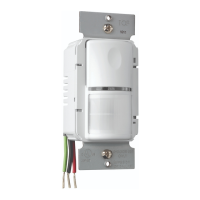

 To Next Page