www.scanitparts.com
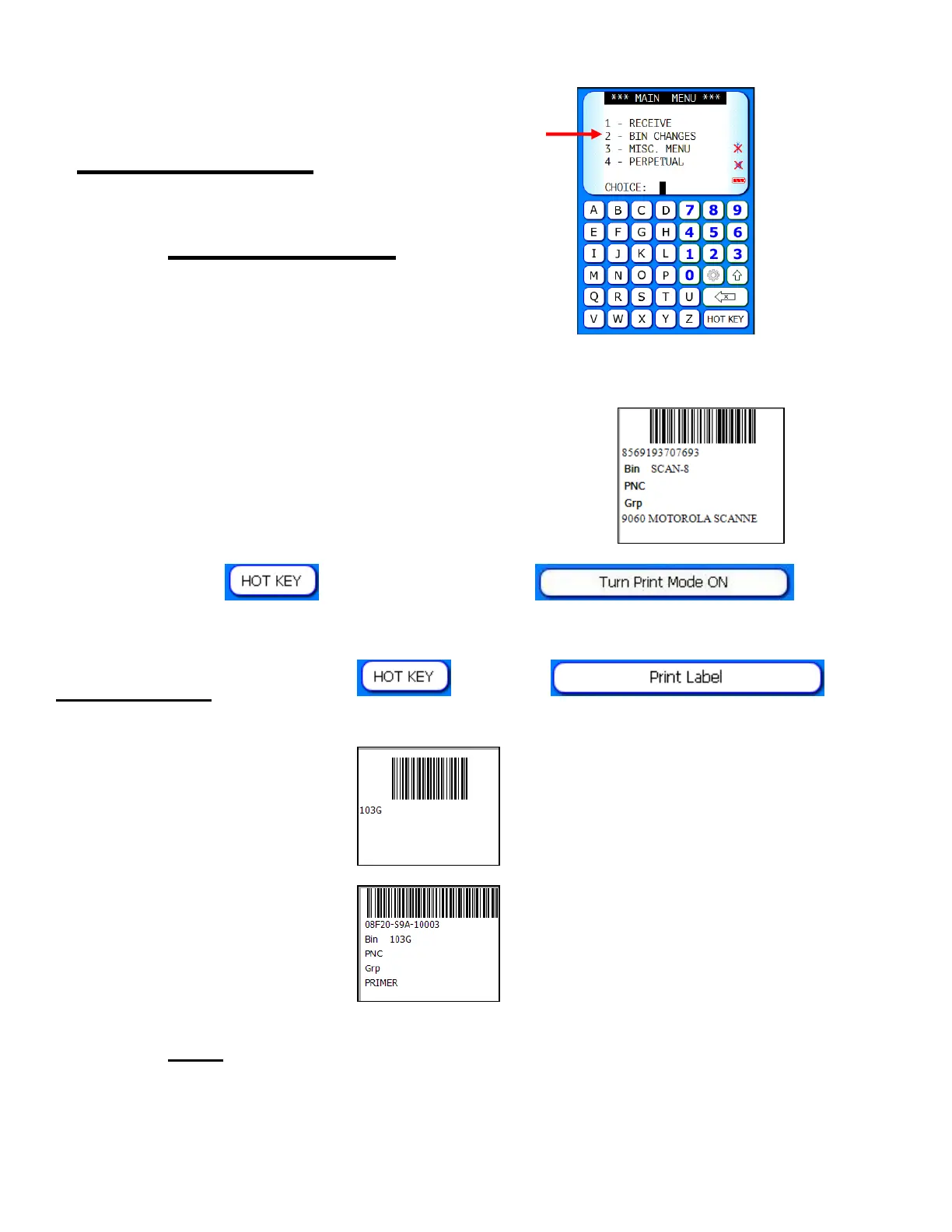
Main Menu 2:
Bin Changes
1) Scan the part number.
2) Enter the new bin location.
3) A label will automatically print.
Note: If a label does not automatically print,
select the
button, then select .
Print Label: Select the , select , then
select which type of label to print:
Bin Barcode
Bin Change
Note: Add up to 2 additional labels using the label designer
through Main Menu > Equipment > Label Designer



 To Next Page