www.scanitparts.com
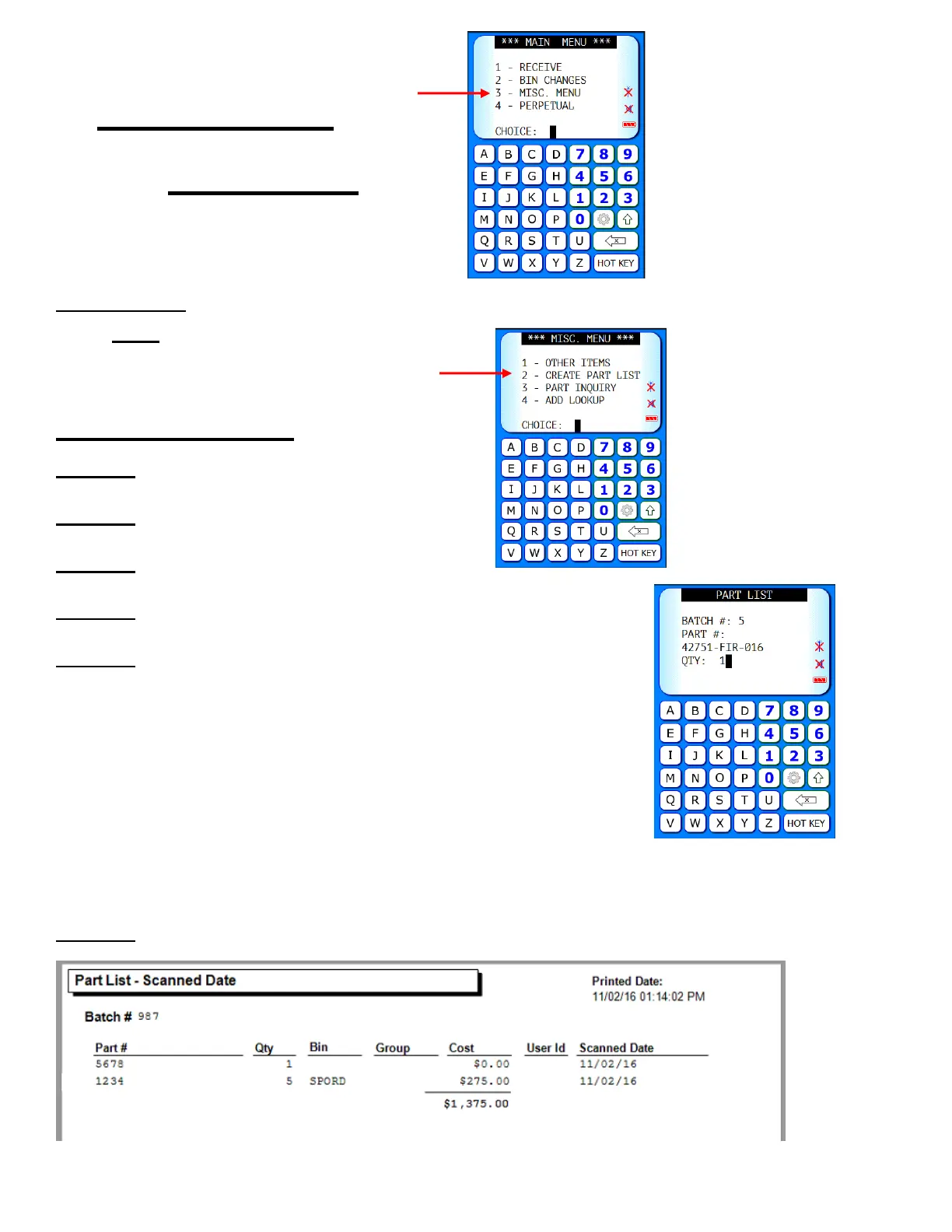
Main Menu 3:
Misc Menu
1. Other Items Call for information
Note: Available for CDK and Reynolds only
2. Create Part List
Step 1. Enter batch number
Step 2. Scan part number
Step 3. Enter a quantity
Step 4. Scan all parts to be added to the list
Step 5. Export the List: All scanned items can be
exported as a list to Excel for viewing, saving,
and printing.
Step 6. Run Reports: Run Print Part List report for totals



 To Next Page