pattersonfan.com
800.768.3985
7
STEP 1A – MOUNT TO AN EXISTING I-BEAM
1) It is important to attach the mounting bracket to the structure first and then connect the fan assembly.
If the mounting surface isn't level, the mounting bracket can be mounted in either direction to allow
the fan to swivel and hang straight.
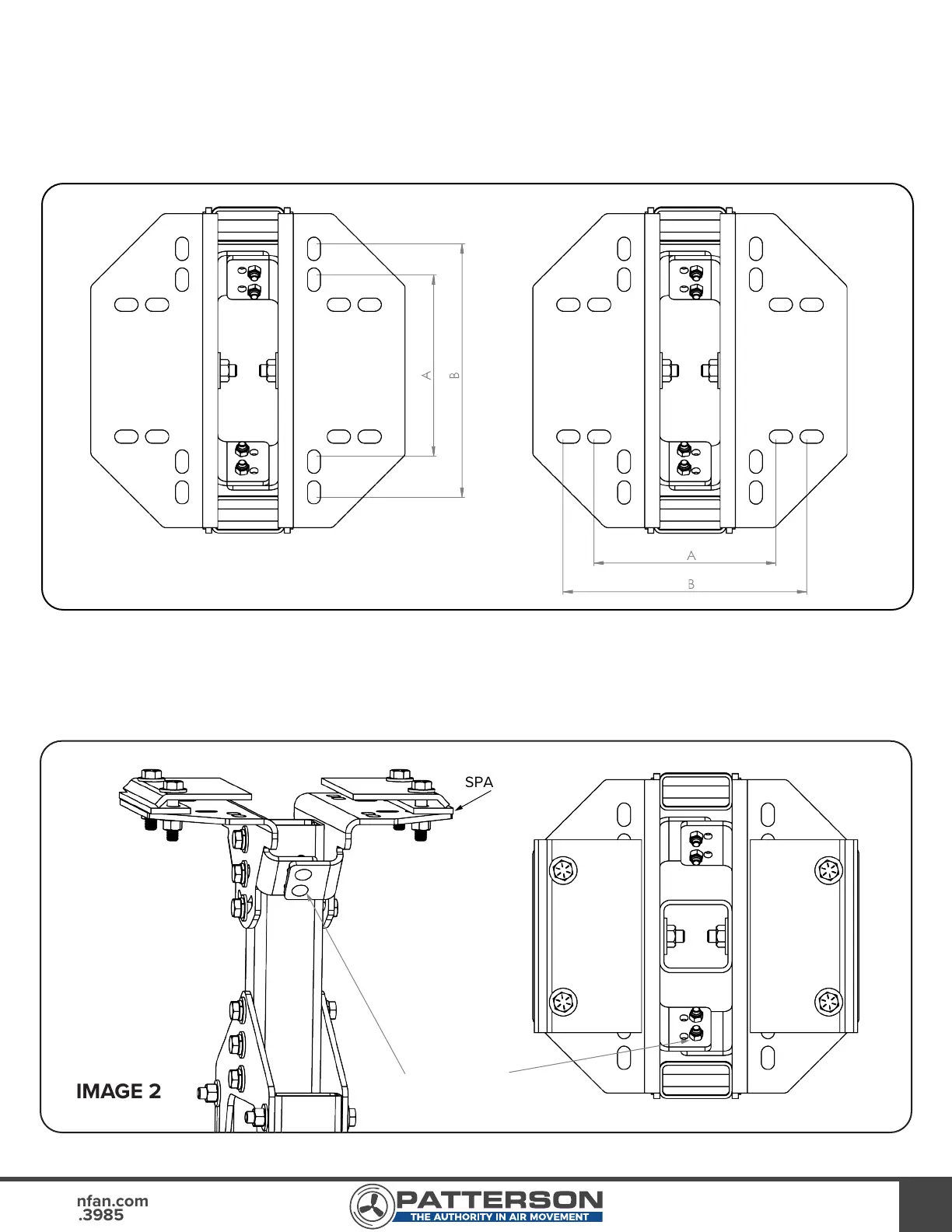
2) Refer to Image 1 to determine which set of bolt slots to use:
a. For I-beam width less than 7¼”, use slots labeled “A”. I-beams wider than 7¼” should use
slots labeled “B”.
b. For I-beam thickness greater than ½”, use the provided spacer as shown in Image 2.
IMAGE 1
IMAGE 2
SPACER
MOUNTING
BRACKET
CONNECTORS



 To Next Page