Toll Free 1-800-443-5542 HERE TO HELP
[
9
]
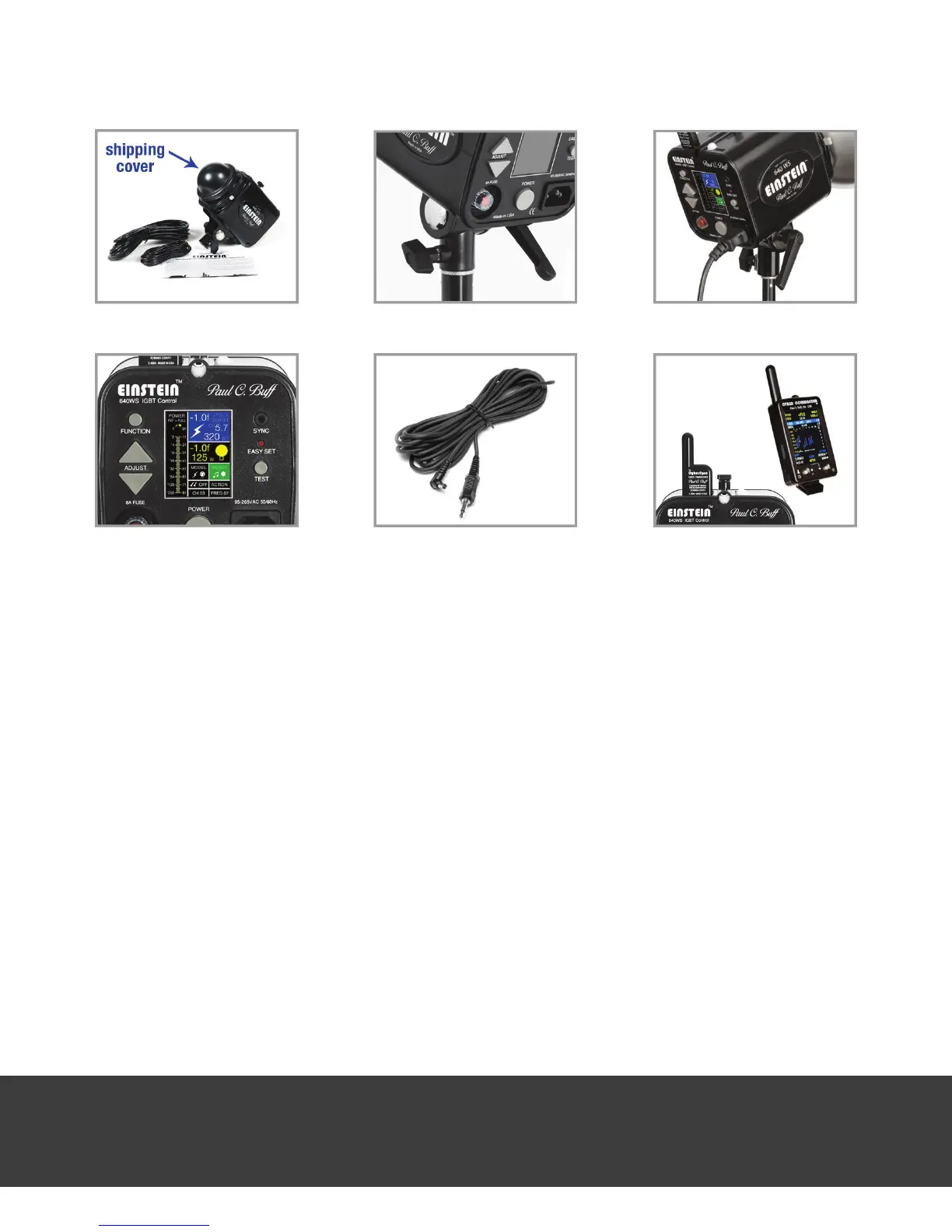
5. Sync your camera. With your camera synced to the Einstein™ ash unit, pressing your camera
shutter will trigger simultaneous ring. For a hardwired sync, use the provided ABSC sync cord
(1/8-inch to PC-connection). Connect the 1/8-inch miniplug on the sync cord to the sync jack
on the back panel of the Einstein™ unit, then connect the cord to your camera’s PC jack or hot
shoe adapter. When the cord is rst connected, the unit should ash. Your camera can also be
synced to the unit using our optional CSXCV CyberSync™ Transceiver (sold separately, used
in conjunction with the CyberSync™ Cyber Commander™ or CST Transmitter). To learn more
about the CyberSync™ system, visit our website (www.paulcbuff.com/cybersync.php). See
page 18 for more details on using the CyberSync™ remote control system.
PRELIMINARY TESTING: With the Einstein™ unit turned on, operating the up and down ADJUST
buttons should increase or decrease both the ashpower and the modeling brightness by 1/10f
per click. If you hold either button in, the output will scroll.
DISPLAY FUNCTION: As you adjust the power using the ADJUST buttons, you should see the ash
and model bargraphs on the LCD display go up or down correspondingly. Since EASY SET
defaults the modeling lamp to track the ashpower, both bars should move in unison. If you
press the TEST button at any power, the unit should ash and the modeling lamp should dim.
When the unit is recycled, the modeling lamp will return on (at its previous brightness level) and
the audible recycle indicator beep will sound.
remove the shipping cover
place on a light stand
connect power cord
EASY SET mode
connect supplied sync cord
optional CyberSync™ use


 To Next Page