[
8
]
EINSTEIN
™
by Paul C. Buff
INITIAL SETUP
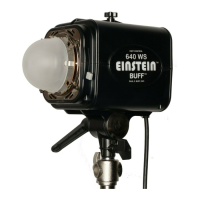
1. Remove the shipping cover. The Einstein™ unit ships with a black shipping cover positioned on
the faceplate over the ashtube, modeling lamp, and frosted dome to protect these items in
transit. This opaque black cover must be removed before use. Any protective packing material
around the frosted dome must also be removed. To remove the cover, slide either of the quick-
release levers to retract the four faceplate ngers holding the cover.
Note:
Do NOT replace the
shipping cover on a hot light. Allow the light to fully cool before installing the shipping cover.
2. Place the ash unit on a light stand. Place the Einstein™ unit on a standard light stand with the
stand’s top coupler placed inside the Einstein™ stand mount. Secure the hold by twisting the
stand mount tightening knob on the Einstein™ unit clockwise. Loosen the ratchet handle to
swivel the ash unit up or down. The handle has a ratchet action: pulling out on the handle
allows you to alter its position in order to make adjustments without hitting the housing.
3. Connect the supplied power cord. Connect the provided power cord into the power cord jack
on the back panel of the ash unit, then plug the cord into a 120 Vac or 240 Vac, 50 or 60 Hz
outlet, or to a Vagabond™ system. The Einstein™ unit will automatically sense the voltage and
frequency. Press the POWER button to turn the unit on.
Note:
When the Einstein™ unit is turned
off, it’s actually in STANDBY mode and can be turned on remotely by a Cyber Commander™
remote if it is tted with a CSXCV CyberSync™ Transceiver (both optional accessories, sold
separately - see page 18 for more details).
4. Begin in EASY SET Mode. The recessed EASY SET button allows instant setup for most users.
Pressing this button clears any special programming and sets the Einstein™ unit to the following
parameters (how the unit is shipped from the factory):
Model Mode = TRACK Flashpower: The modeling lamp tracks the ashpower output
(brightening or dimming automatically as the ashpower is adjusted up or down) for a
“What You See Is What You Get” modeling preview.
Recycle / Ready Indication = BOTH (Audible and Visual Recycle Indication): Recycle indication
is provided by an audible beep and by the modeling lamp dimming during recycle,
then restoring brightness when recycle is complete.
Color / Action = COLOR Mode: The emitted color temperature is held constant at 5600ºK
plus or minus 50ºK at any power setting or input voltage. See page 12 for more details.
Slave Eye Status = ON: The slave eye ash sensor is turned on.
Channel / Frequency: The optional CSXCV CyberSync™ Transceiver, if present, is set to
Frequency 1 and Channel 1. The CSXCV is sold separately, part of the CyberSync™
remote control system - see page 18 for more details.


 To Next Page
 Loading...