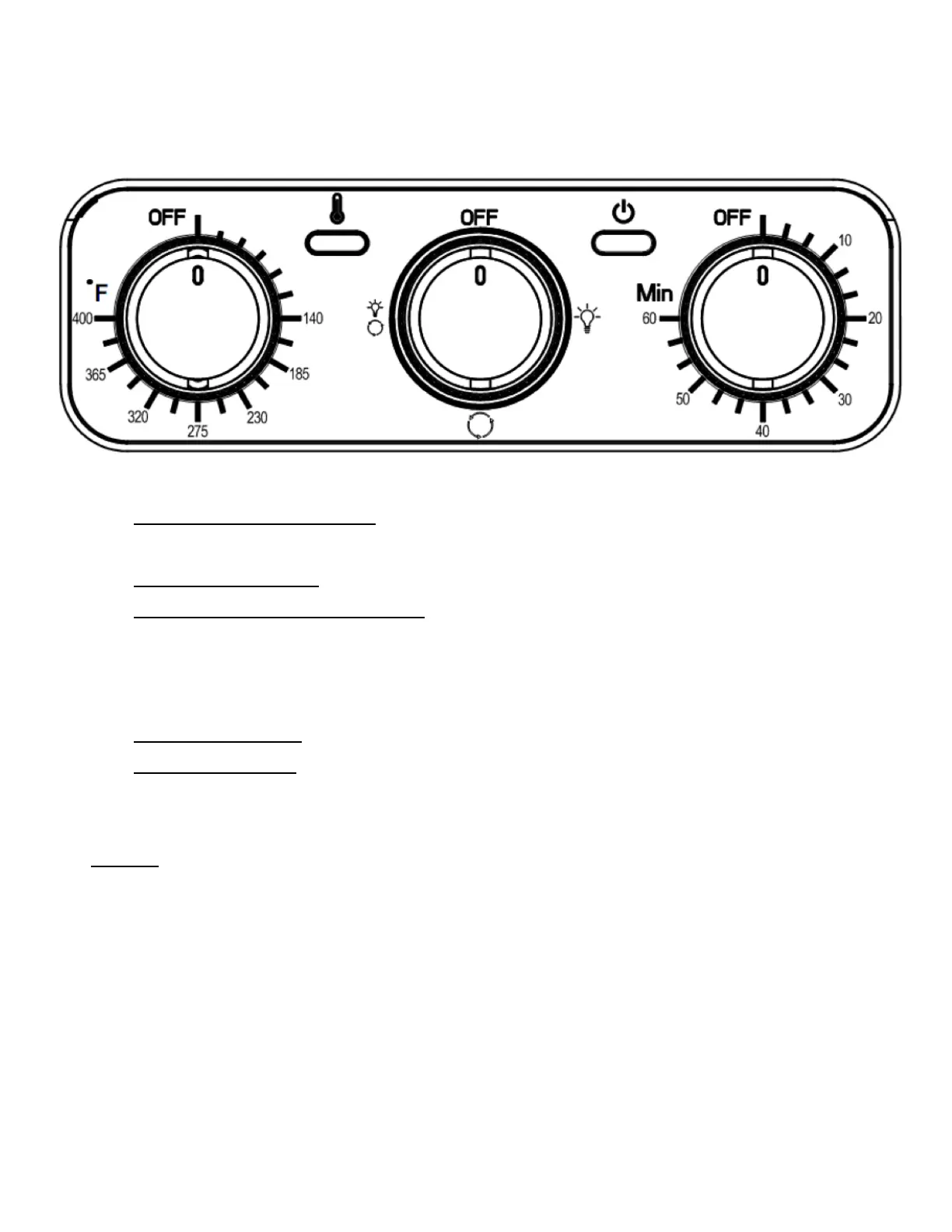
1. Temperature Knob: Turn to desired temperature between
140°F and 400°F.
2. Heating Light: The light will illuminate when the unit is heating.
3. Light/Rotisserie Knob: Turn the knob to illuminate the inside
light or use the rotisserie function. The first option (A) is for the
light, second option (B) is to use the rotisserie and the third
option (C) is for the light and rotisserie.
4. Power Light: The light will illuminate when the timer is started.
5. Timer Knob: Turn the timer knob to the desired time up to 60
minutes. When the timer reaches 0 the unit will turn off.
Note: Turn all knobs to the OFF position before unplugging the unit.


 To Next Page