EasyManua.ls Logo

Pavone Sistemi DAT 500/A - User Manual

Default Icon
59 pages
Print Icon
To Next Page IconTo Next Page
Loading...
Pavone Sistemi
pesatura elettronica industriale
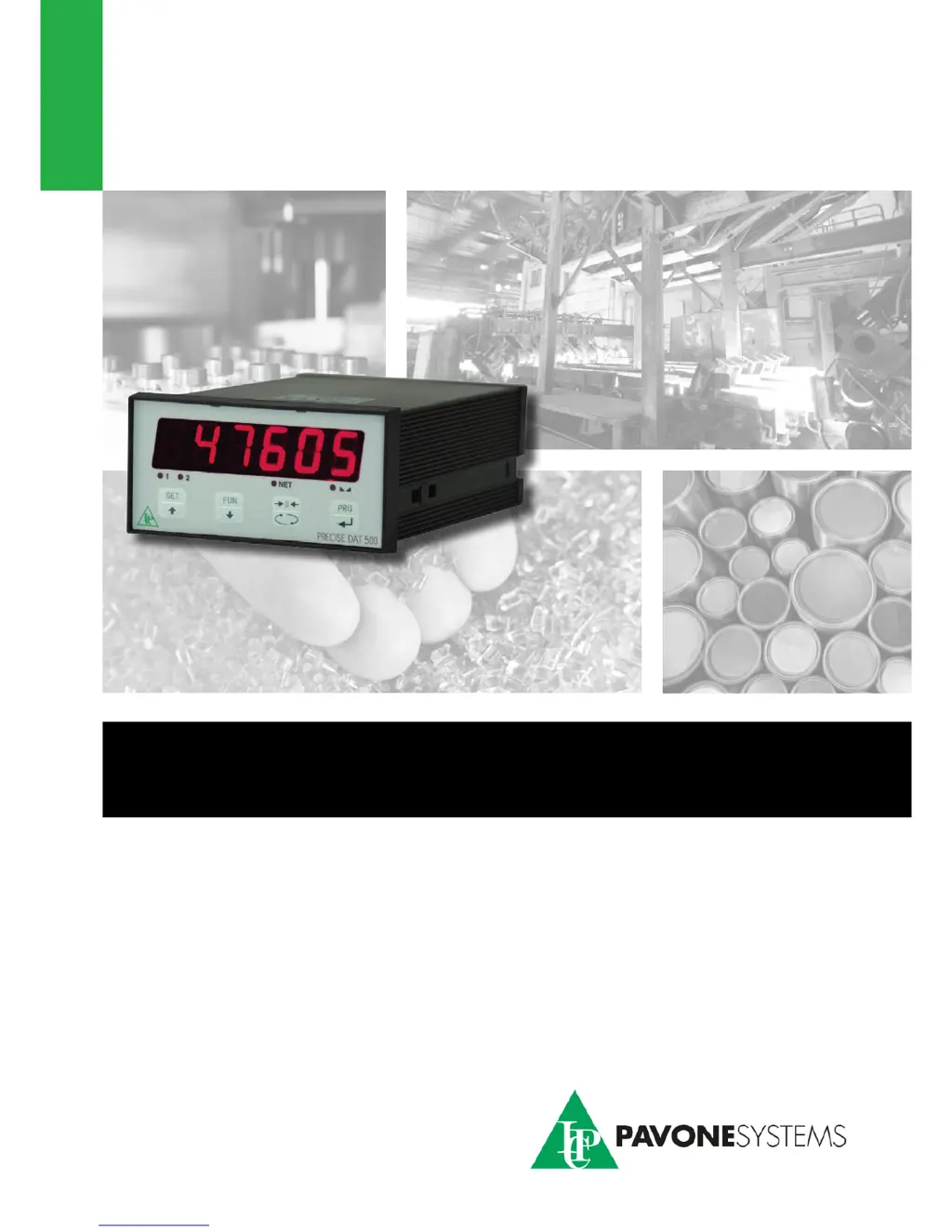
TECHNICAL MANUAL
DAT 500 Weight Indicator/Transmitter with serial and ANALOG output
Software version PW13012

Questions and Answers

  • B
    brian78Aug 9, 2025
    What to do if the semiautomatic tare function doesn't work on Pavone Sistemi DAT 500/A Accessories?
    • A
      amandaandersonAug 9, 2025
      If the semiautomatic tare function of your Pavone Sistemi Accessories isn't working, first ensure the gross weight isn't negative or exceeding the maximum capacity. Also, ensure the weight is stable. If it is not stable, wait for it to stabilize or adjust the weight filter parameter.
  • M
    Mark RobertsAug 15, 2025
    Why doesn't the semiautomatic zero function work on my Pavone Sistemi DAT 500/A Accessories?
    • E
      Edward JohnsonAug 15, 2025
      If the function of semiautomatic zero doesn’t work on your Pavone Sistemi Accessories, it may be because the gross weight exceeds the action limit of semi-automatic zero, or the weight isn’t stable. To fix this, calibrate the weight to re-establish the zero. You can also wait for the weight to stabilize or adjust the weight filter parameter.
  • N
    Nichole MillerAug 20, 2025
    How to fix serial communication issues with Pavone Sistemi Accessories?
    • C
      crystal97Aug 21, 2025
      If the serial communication of your Pavone Sistemi Accessories isn't working properly, it might be due to incorrect installation or an incorrect selection of the serial interface operation. Check the connections as described in the installation manual and ensure the settings are appropriate.
  • T
    Tony McdowellAug 27, 2025
    What to do if Pavone Sistemi DAT 500/A Accessories display shows the O-L message?
    • S
      Shelly WoodAug 27, 2025
      If your Pavone Sistemi Accessories display shows the O-L message, it means the weight gained is not detectable because the cell is either absent or incorrectly connected. To resolve this, check the connections of the cells.
  • I
    Isaac SimpsonSep 2, 2025
    How to correct the decimal places on Pavone Sistemi DAT 500/A Accessories?
    • S
      stanleykristineSep 2, 2025
      If the number of decimal places is wrong on your Pavone Sistemi Accessories, it's likely because you haven't selected the correct division value. To correct this, select the appropriate division value in the main menu.

Summary

PRECAUTIONS

CAUTION

Safety instructions for installation and maintenance.

INTRODUCTION

WARNINGS

General safety warnings for operation and connections.

INSTALLATION

ELECTRIC INSTALLATION

Wiring and connection details.

INSTRUMENT POWER SUPPLY

Power input requirements and connections.

CONNECTIONS OF THE LOAD CELL;S

SERIAL COMMUNICATION

USING THE KEYBOARD

INFO DISPLAY

ERRORS NOTIFICATION

List of error codes and their meanings.

VIEWING, ZEROING THE WEIGHT AND SELF-CALIBRATION

ZEROING, WEIGHT AND SELF-CALIBRATION

Overview of zeroing and self-calibration.

SELF-CALIBRATION

Conditions and process for self-calibration.

ZEROING

Procedure for zero calibration.

PROGRAMMING THE WEIGHT SETPOINTS

KEYBOARD LOCK;UNLOCK FUNCTION

SETTING

QUICK SET-UP

RELATED TO THE SETTING PARAMETERS

CAPAC CAPACITY OF THE WEIGHING SYSTEM

Setting the system's weighing capacity.

SENSE LOAD CELLS SENSITIVITY

Setting the load cell sensitivity.

NET CAPACITY OF THE WEIGHING SYSTEM

EXAMPLE OF SETTING;CALIBRATION

CALIBRATION

ZERO CALIBRATION

Procedure for zero calibration.

CALIBRATION OF FULL SCALE

Procedure for full scale calibration.

LINEARIZATION PROCESS

WEIGHTING PARAMETERS

INPUT;OUTPUT PARAMETERS

Node 1 SETPOINT 1 OPERATION MODE

Setting operation mode for setpoint 1.

Node 2 SETPOINT 2 OPERATION MODE

SERIAL OUTPUT PARAMETERS

6 AUD BAUD RATE COM1

Setting the baud rate for COM1.

Prot-1 COMI PROTOCOL

Setting the communication protocol for COM1.

SERIAL COMMUNICATION PROTOCOLS

Prot-2 COM2 PROTOCOL:

Setting the communication protocol for COM2.

AddrES COM1 SERIAL COMMUNICATION ADDRESS

Setting the serial address for COM1.

CONTINUOUS, AUTOMATIC AND MANUAL TRANSMISSION PROTOCOL

SLAVE TRANSMISSION PROTOCOL

MODBUS RTU PROTOCOL

LIST OF THE MODBUS PROTOCOL HOLDING REGISTERS

LIST OF THE FUNCTION STATUS REGISTER (40082)

UPLOAD AND DOWNLOAD FUNCTIONS

DOWNLOAD (TRANSFER OF CONFIGURATION FROM INSTRUMENT TO PC)

UPLOAD (TRANSFER OF CONFIGURATION FROM PC TO INSTRUMENT)

TROUBLESHOOTING

Pavone Sistemi DAT 500/A Specifications

General IconGeneral
CategoryAccessories
ProtocolsModbus RTU
Digital Outputs4
Operating Temperature-10°C
Communication InterfaceRS232/RS485
Load Cells350Ω

Related product manuals