4 Commissioning [specialist]
2020/09 9976x0210x-mub-en – V01
13
11. Connect the additionally required controller
to the mains and set the solar circuit pump
to ON in the manual mode (see the
controller instructions).
12. Remove the hoses of the flush and fill
station and screw the sealing caps on
the fill and drain valves.
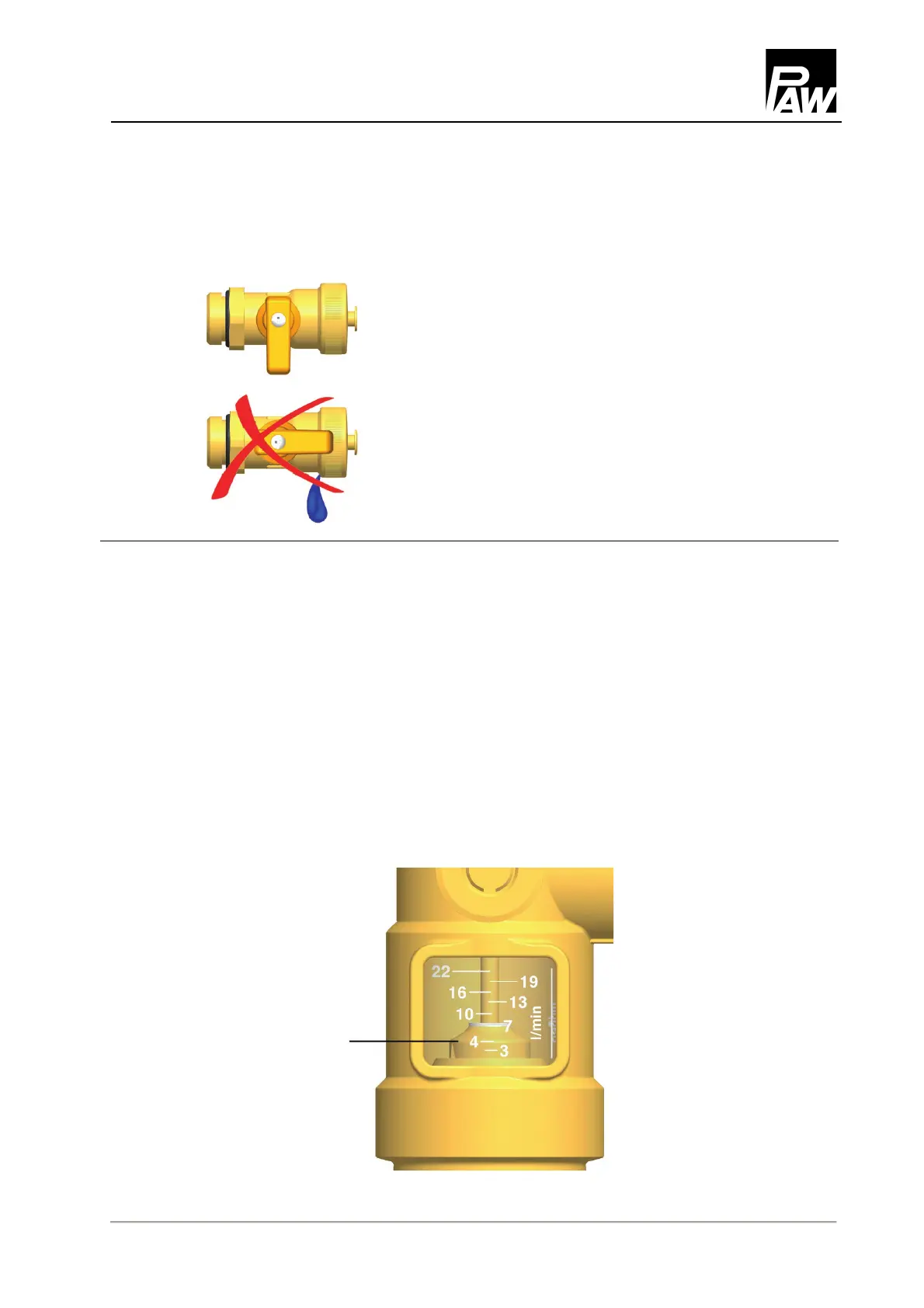
The closure caps are only for protection
against contamination. They are not
designed for high system pressures.
Their tightness is ensured by the
closed ball valves.
4.3 Setting the solar installation
1. Set the desired revolution speed of the solar pump depending on the required flow rate.
If necessary, the flow rate can be reduced by the ball valve [3.1] (only necessary if the
pump is not speed-controlled).
Please observe the specifications of the collector manufacturer for the correct adjustment
of the flow rate.
2. Mount the insulating front shell of the solar station.
3. Set the automatic mode on the controller (see controller manual).
3 – 22 l/min
5 – 40 l/min
Reading edge =
of the float


 To Next Page