20171020 v1.3 10 PAX Technology®
Customer Support support@pax.us
(877) 859-0099
www.pax.us
PAX A920 QUICK SETUP GUIDE
6. A920 Communication Setup
For the terminal to communicate with the
host, other devices or to download
applications the terminal communication
method must be configured in advance.
This document covers Wi-Fi.
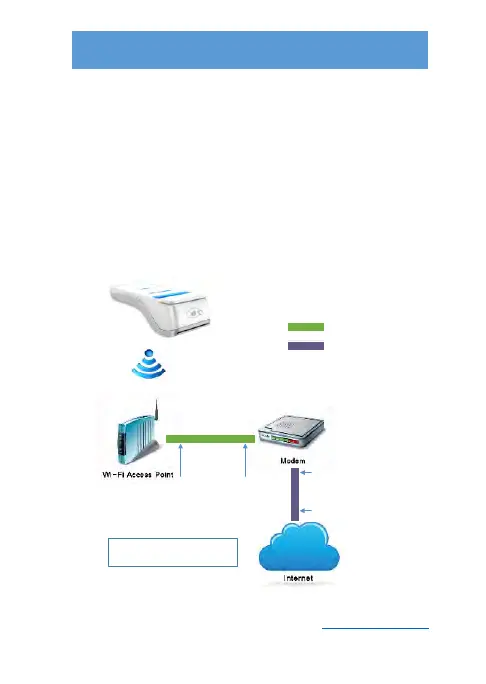
Wi-Fi to
DSL or Cable
Connection
Ethernet Cable
DSL or Cable Line
Step 3. Connect the Ethernet
cable to the LAN port on the
modem and connect the other
end of the Ethernet cable to
the LAN port on the Wi-Fi
access point.
Step 4. Configure the terminal Wi-Fi
settings using the terminal parameters.
Please refer to the owners manual of the
modem and Wi-Fi access point for
connection and configuration information.
Step 1. Connect the
Cable or DLS line from
the service provider
into the modem.
Step 2. Connect the
other end of the cable
line to the service
provider outlet.



 To Next Page